Why LinkedIn Matters for Your Business
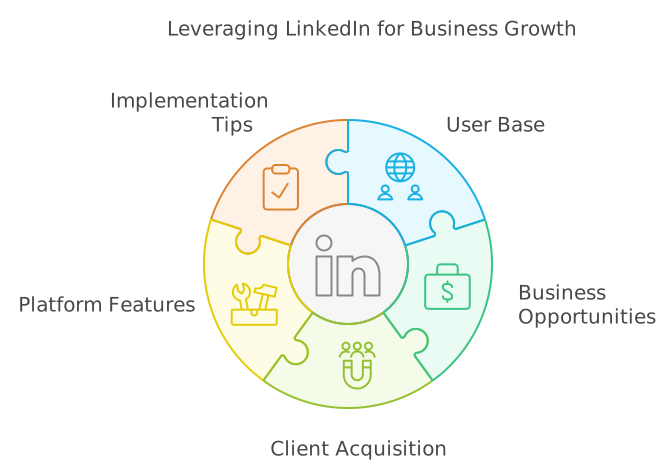
If you haven't joined LinkedIn yet, now's the time to create an account. Here's why:
LinkedIn is the largest online platform for business professionals. With over one billion users and 72 million businesses, it connects roughly one in eight people worldwide. This makes it an unparalleled resource for finding clients and customers.
Over the years, LinkedIn has evolved far beyond its origins as a job search tool. It now offers a rich set of features that make it ideal for attracting new business. Whether you're a freelancer, small business owner, or part of a larger company, LinkedIn can help you grow your client base.
In this guide, I'll show you practical steps to turn your LinkedIn profile into a powerful tool for attracting clients. These tips are easy to implement and can make a big difference in your online presence.
Get a better profile picture
Your profile picture is one of the most underrated features on LinkedIn for attracting clients.
Your profile picture is often the first thing people notice and allows you to make a perfect first impression.
Here's how to optimize your profile photo:
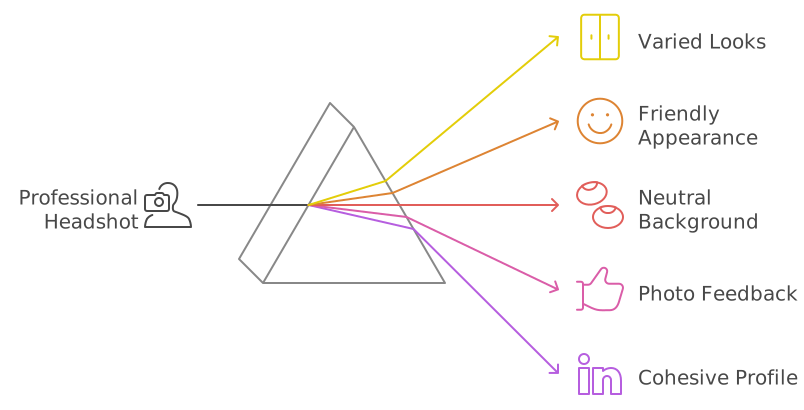
- Invest in a professional headshot: It doesn't have to break the bank – prices typically range from $50 to $150. It's a worthwhile investment for every LinkedIn creator.
- Try different looks. Experiment with various outfits and expressions to find what works best.
- Aim for a friendly, approachable appearance that fits your industry.
- Use a neutral background. A solid color often works best.
- Get feedback on your photos on platforms like PhotoFeeler. Here, people can rate your photos based on factors like confidence and friendliness.
- Update regularly. Try changing your picture every few months to see what performs best.
- Match the colors of your profile picture with those of your header image for a cohesive look.
A great profile picture increases the likelihood of people clicking on your profile, accepting your connection requests, and replying to your messages.
One of my clients wasn't getting much traction on LinkedIn. After replacing the blurry selfie that was taken with her smartphone with a professional headshot image, her profile views increased by over 40% in the first week. A small change, but it made all the difference.
Craft an Effective Headline
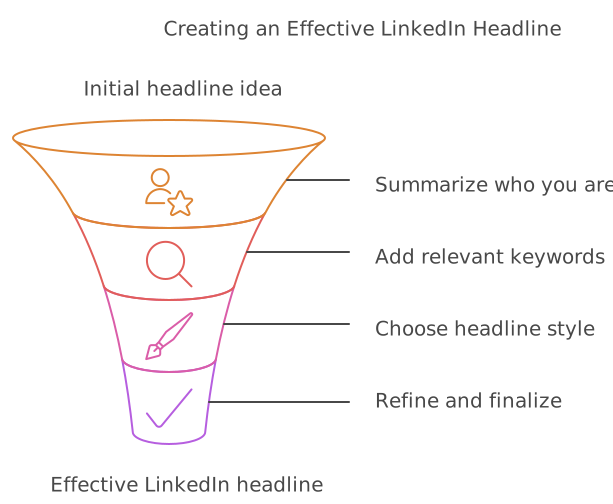
Your LinkedIn headline is your one-sentence pitch to quickly tell potential clients who you are and how you can help them.
Keep it concise – one or two sentences at most.
Here's a simple value-focused LinkedIn headline formula to try: [Your Role] helping [Your Target Audience] achieve [Specific Benefit]. For example:
"Google Ads Expert helping six-figure e-commerce stores achieve 272% ROAS in 3 months"
This headline clearly states what you do, who you help, and the results you deliver. It's specific and benefit-focused, and more likely to catch a potential client's attention.
If you still have a few of the 220 characters left, consider adding a few relevant keywords to the end of your headline. This will not only improve the searchability of your profile but can also boost your authority among your readers. If you have multiple keywords separate them with a divider character like the pipe symbol | or a long dash –.
Update your profile location
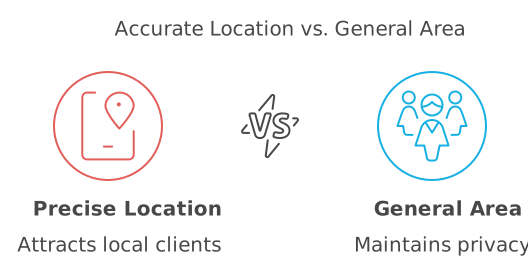
Setting your correct location is crucial for attracting local clients and appearing in relevant searches. Be as specific as possible:
- Enter your exact city or zip code.
- Choose between a precise location or a broader area based on your preferences.
- Make sure your location aligns with your target market.
This simple step can significantly increase your visibility to local businesses and potential clients.
One of my clients initially set their location as "United States" because they worked nationwide. However, after adding their city and region, they started appearing in more searches from nearby businesses.
The location may seem like a small detail, but it makes a big impact.
Add a Custom Link
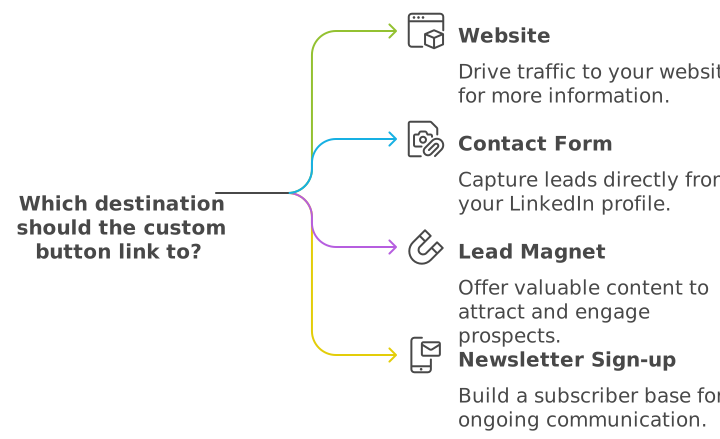
LinkedIn allows you to add a custom link to your profile, linking to any URL you choose. This feature can turn your profile into a lead-generation tool. Consider linking to:
- Your website
- A contact form
- A free resource (like an ebook or whitepaper)
- Your newsletter signup page
- A product catalog or pricing page
Choose a destination that offers clear value to potential clients and encourages them to take the next step in engaging with your business.
Engage with Potential Clients' Content
Engaging with potential clients' content is an excellent way to get noticed on LinkedIn.
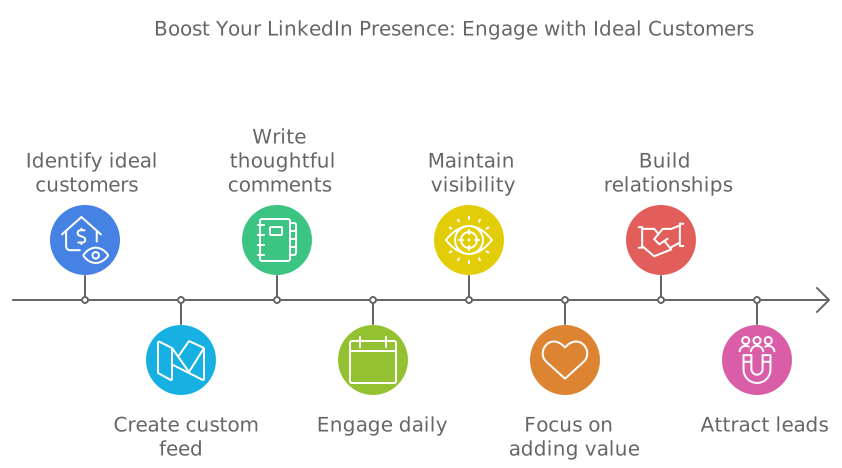
Commenting on posts from your ideal customers is a great way to get noticed. Here's how to do it effectively:
- Write thoughtful, longer comments that showcase your personality and expertise.
- Aim for at least three substantial comments daily on different posts.
- Create a custom feed of ideal customers to streamline this process.
- Comment on each target customer's posts at least once a week.
- Focus on adding value, not promoting yourself.
This approach helps build relationships and can lead to increased connection requests and followers.
I make it a daily habit to comment on posts from people in my network. I’ve seen connections grow into business opportunities simply because I’ve consistently added value to discussions. One time, a thoughtful comment I left on someone’s post led to a direct message, which then turned into a five-figure consulting gig. It’s crazy how simple engagement can snowball.
Expand Your Network Strategically
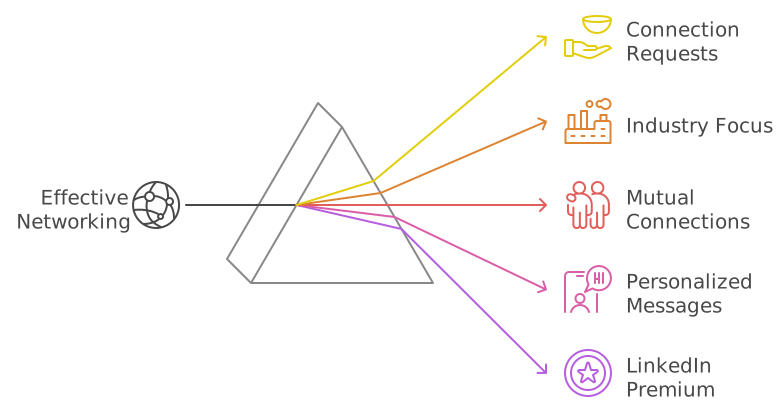
Growing your network is crucial for success on LinkedIn. Here's a systematic approach:
- Send about 80-90 connection requests each week (staying within LinkedIn's limits).
- Focus on a specific industry to increase networking effects.
- Prioritize connecting with people who have mutual connections.
- Start slowly if you're new to the platform.
- Gradually build momentum, aiming for connections with 1-5 mutual friends.
- Consider LinkedIn Premium or Sales Navigator for more options.
- Craft personalized invitation messages when possible.
Remember, your connections automatically follow you, which is beneficial when you start creating content.
A former client of mine had fewer than 500 connections. After implementing a carefully crafted networking strategy and sending about 50-60 personalized connection requests to targeted leads within their industry each week, they grew their network to 1,000 relevant connections within 90 days.
Create and Share Valuable Content
Sharing content is a powerful way to attract clients. Everyone who is connected with you or follows you has a chance to see your posts in their feed. By providing value instead of sharing promotional content you instantly stand out in your ideal clients' newsfeeds.
A while back, I posted a short PDF guide on LinkedIn, a simple 12-pager packed with useful tips on how to create LinkedIn Carousel posts. The reach was phenomenal. In another post, I recommended a very useful OSINT tool, which led to a speaking invitation and a short presentation at an industry experts meetup.
Many of my clients have also experienced phenomenal results with PDFs on LinkedIn. For example, one individual, who specializes in Facebook Ads management, created a PDF case study showcasing their success with a luxury real estate agency's ad campaign. This single post led to three serious client inquiries, with one high-end property developer signing up for a $10,000/month Facebook Ads campaign management package.
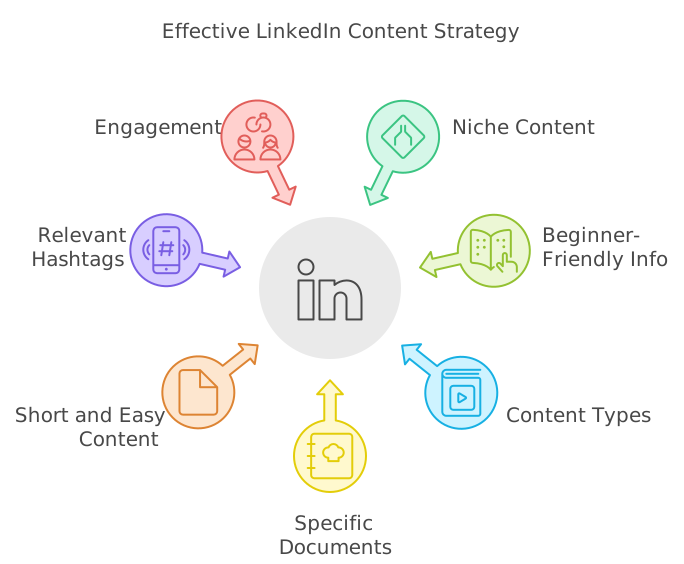
Documents and PDF posts are the perfect tool for engaging your audience and securing high-value clients on LinkedIn. Here's how to make it work:
- Focus on providing helpful, beginner-friendly information.
- Experiment with different content types, especially PDFs.
- Create short guides, cheat sheets, book summaries, or industry keyword lists.
- Keep content concise – one-page documents can be very effective.
- Use relevant hashtags to expand your reach (refer to a LinkedIn hashtag guide for best practices).
- Aim for content that encourages engagement. The more people interact with your posts, the broader your reach.
Consistent, valuable content positions you as an expert in your field and increases your visibility to potential clients.
Showcase Your Best Work in the Featured Section
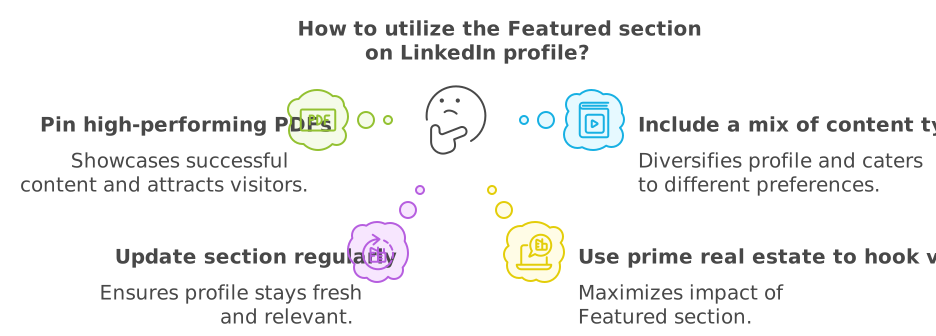
Use LinkedIn's Featured section to highlight your best content:
- Identify your most successful pieces based on engagement or lead generation.
- Pin these high-performing items to your Featured section.
- Include a mix of content types, such as PDFs, articles, and external links.
- Update this section regularly to keep your profile fresh.
The Featured section often catches visitors' attention, making it an excellent opportunity to make a strong impression.
Offer Something Valuable for Free
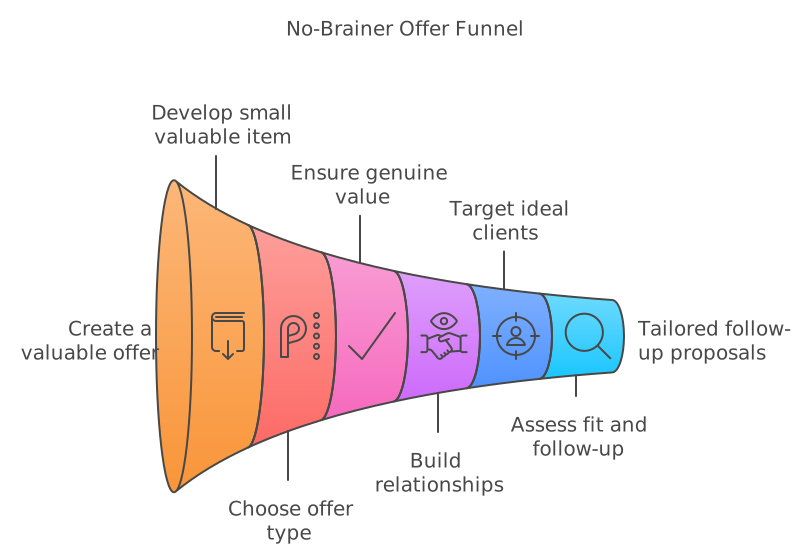
Create an irresistible, free offer to attract potential clients:
- Develop something small but valuable that appeals to your ideal customers.
- Options include a detailed document, instructional video, or free consultation.
- Ensure the offer provides genuine value without taking too much of your time.
- Use this offer to build relationships and understand potential clients' needs.
- Design the offer to target those most likely to need your products or services.
This free offer can bridge the gap between your LinkedIn presence and more personalized interactions with potential clients.
Putting It All Together
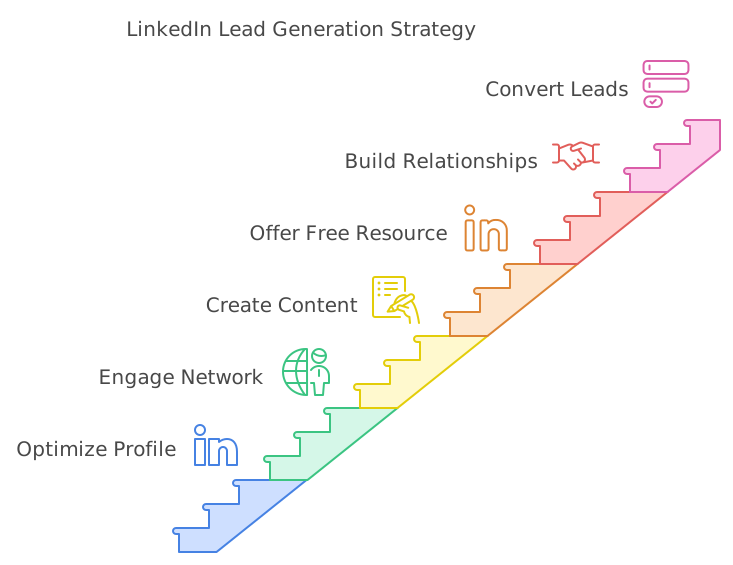
This approach combines all aspects of an effective LinkedIn strategy:
- An optimized profile creates a strong first impression.
- Engaging comments and a growing network increase your visibility.
- Valuable content establishes your expertise and attracts interest.
- Your free offer provides an opportunity for direct interaction.
Together, these elements create a powerful system for attracting and converting leads into customers on LinkedIn.
Ready to take your LinkedIn game to the next level? Check out my LinkedIn Accelerator Program. It's a comprehensive system that guides you through implementing this strategy step by step, covering everything from finding your ideal audience to creating content and streamlining your lead generation process.