How Embedding Your YouTube Videos Can Boost Your Views
Embedding YouTube videos on your website is a great way to make sure that people are more likely to watch and engage with your content.
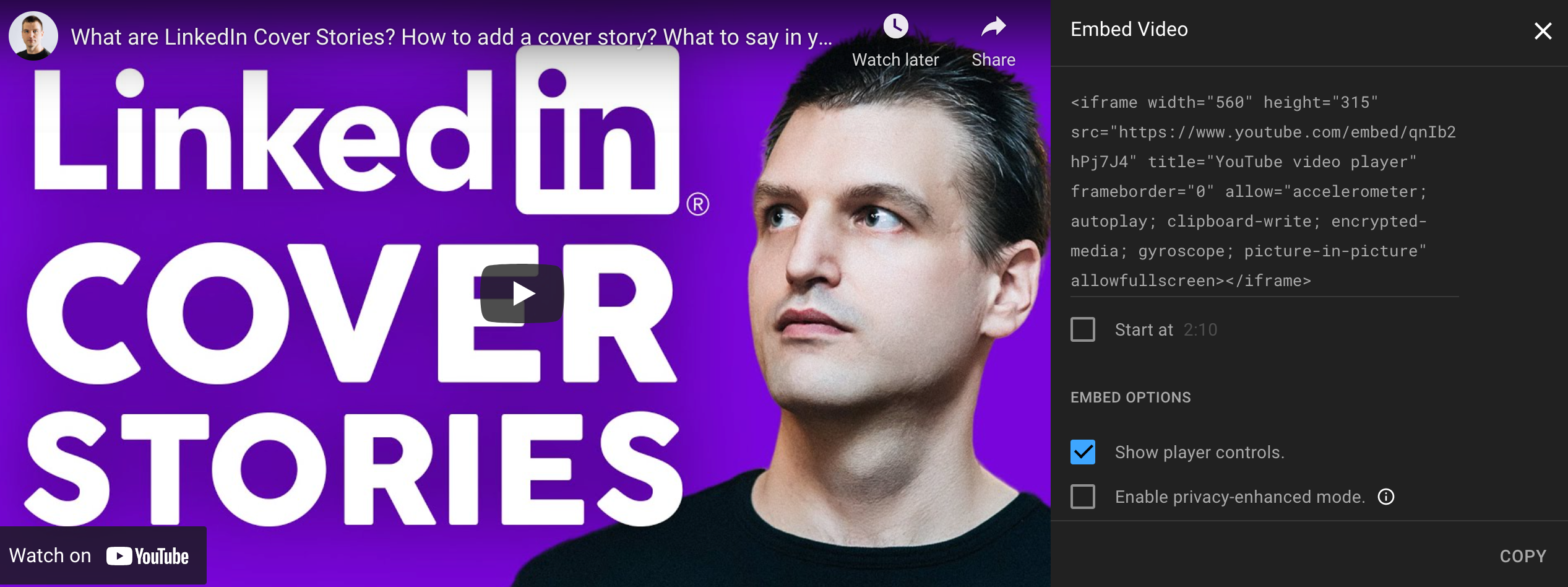
However, using the default options available from YouTube isn't always great for sharing your content on other site platforms. You are limited to just three options for customization. You can change the start time of your video, show or hide player controls, and the privacy-enhanced mode on or off.
There are a lot more options available on how embed YouTube videos can be customized if you understand how to write code. Here is a list of all available parameters.
Luckily, the Advanced Video Embed feature by TubeBuddy makes it quick and easy to customize any embedded video player in just seconds!
By using this feature, you can have an embedded video player that matches the exact theme and style as the rest of your site, so you don't ever have to make compromises.
How Does Tubebuddy's Advanced Video Embed Work
TubeBuddy has its own built-in tool called "Advanced Video Embed" that automatically changes the HTML code plug-and-play style to make your video embed code look exactly how you want it.
You can change almost anything about the player using this truly amazing feature of TubeBuddy!
To access this tool, first visit YouTube Studio and open any of your video.
Locate the TubeBuddy icon on the left sidebar and open it.
Select Advanced Embed under Misc.
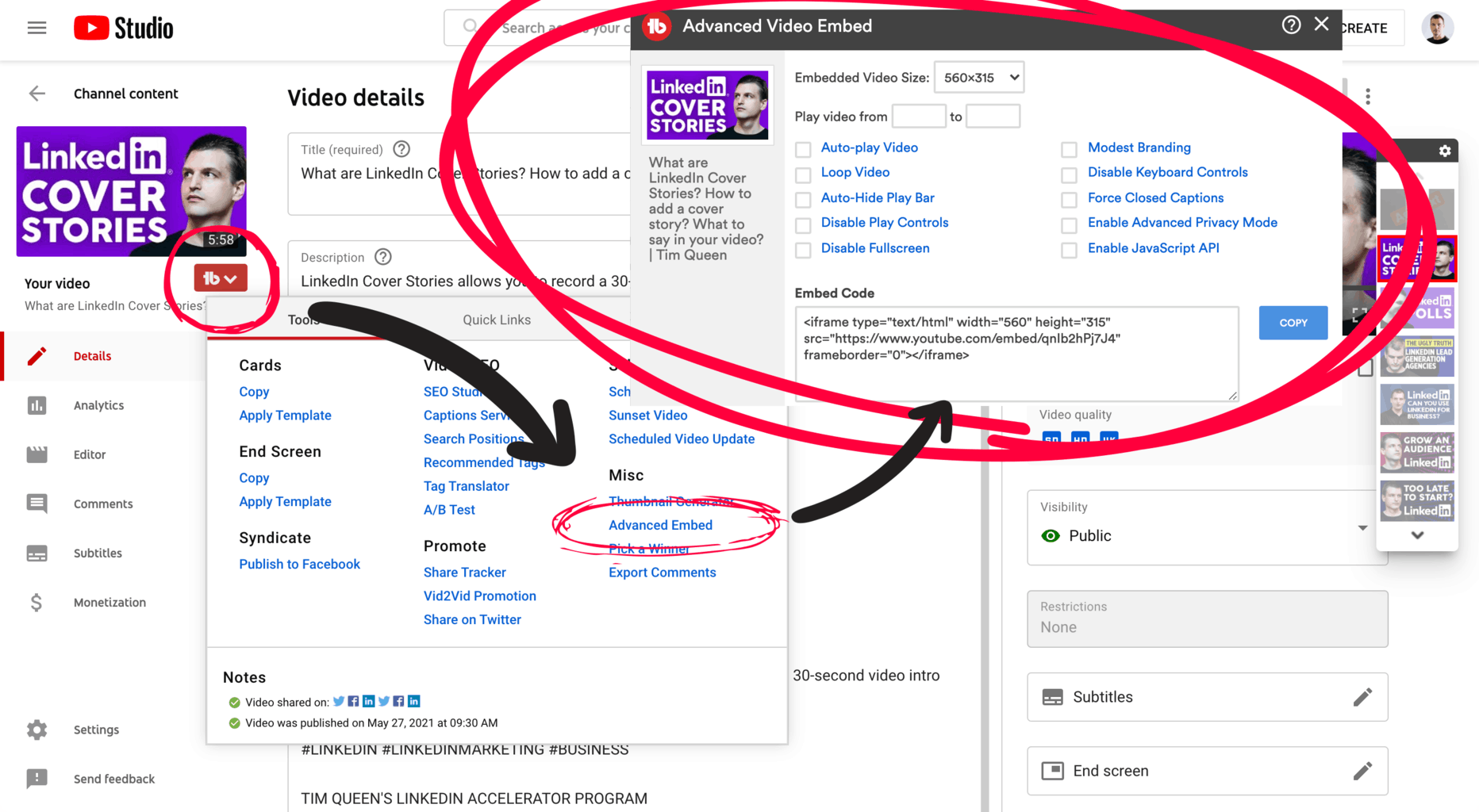
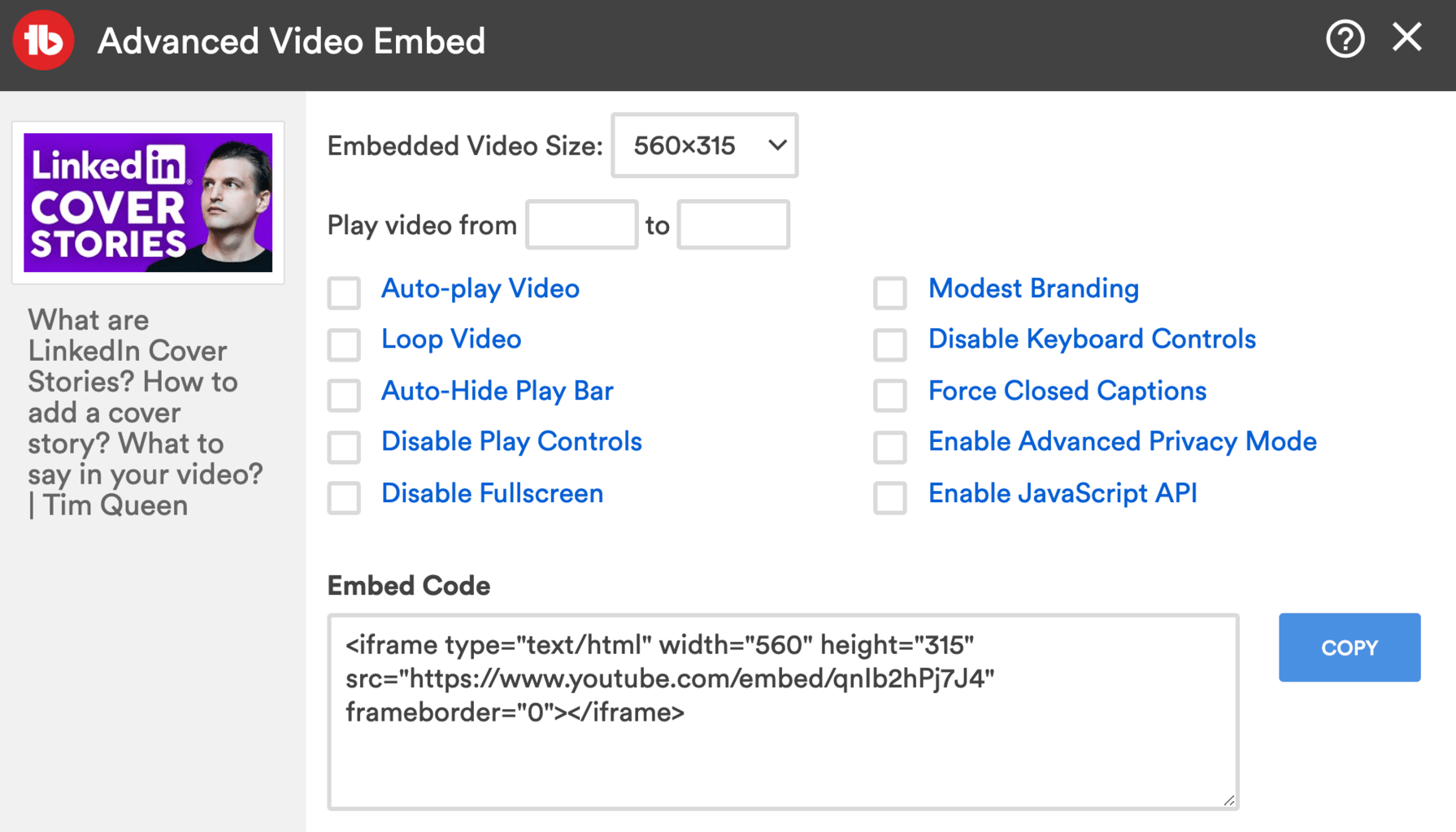
You will be greeted with TubeBuddy's Advanced Video Embed popup.
Click on any checkbox to activate some of the advanced embedding options.
With the click of a button you can make your videos autoplay, loop them infinitely, disable the progress bar or play control buttons, turn off fullscreen mode, active modest branding mode, force subtitles and so much more.
Any changes instantly update the required HTML code.
Once you're happy, click on Copy and them embed your video anywhere you want.
Next Steps
Embedding related YouTube videos in your articles can help you to get more views, reel in more watch time and grow your subscriber base on YouTube.
The TubeBuddy Advanced Video Embed allows you to apply powerful customization to your embedded players without the need to learn coding. This is a huge time saver. Definitely take advantage of this amazing tool.
If you want to learn more how TubeBuddy can support your channel, then read my A-Z TubeBuddy review.


