What Is the Tubebuddy Auto Translator Tool
The TubeBuddy Auto Translator is a powerful tool that lets you translate video titles and descriptions into other languages to increase global viewership on YouTube.
This is the perfect tool for anyone who wants viewers from around the world to be able to read video titles and descriptions in their language, or who just wants to recognize YouTube as a global community and connect with everyone.
How to Translate Your Video Metadata With Tubebuddy
Go to YouTube Studio, open the Content tab and open one of your videos in edit mode.
Switch to the Subtitles tab on the left side and add a new language of your choice by pressing the blue Add Language button.
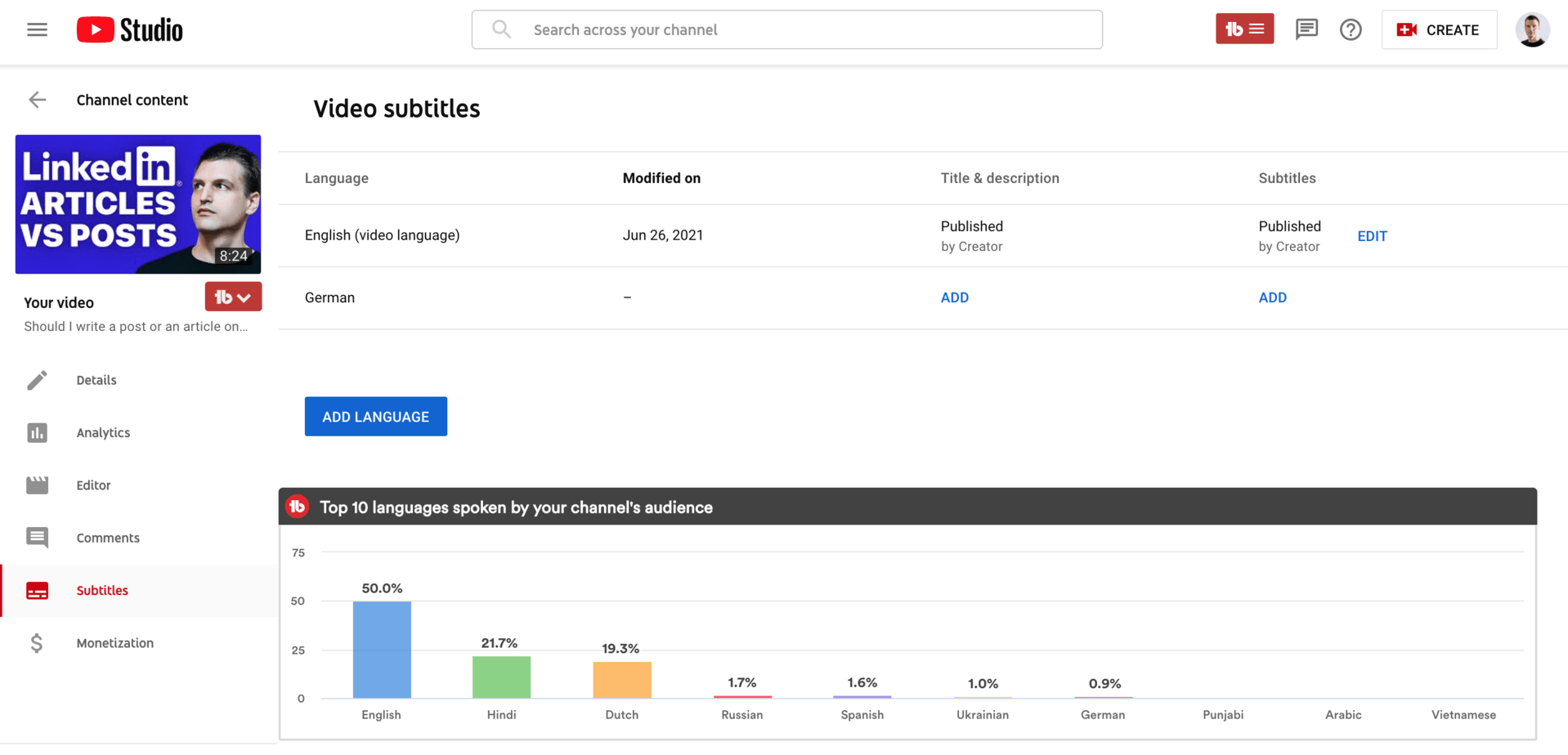
For your new language, click the Add button in the Title & Description column.
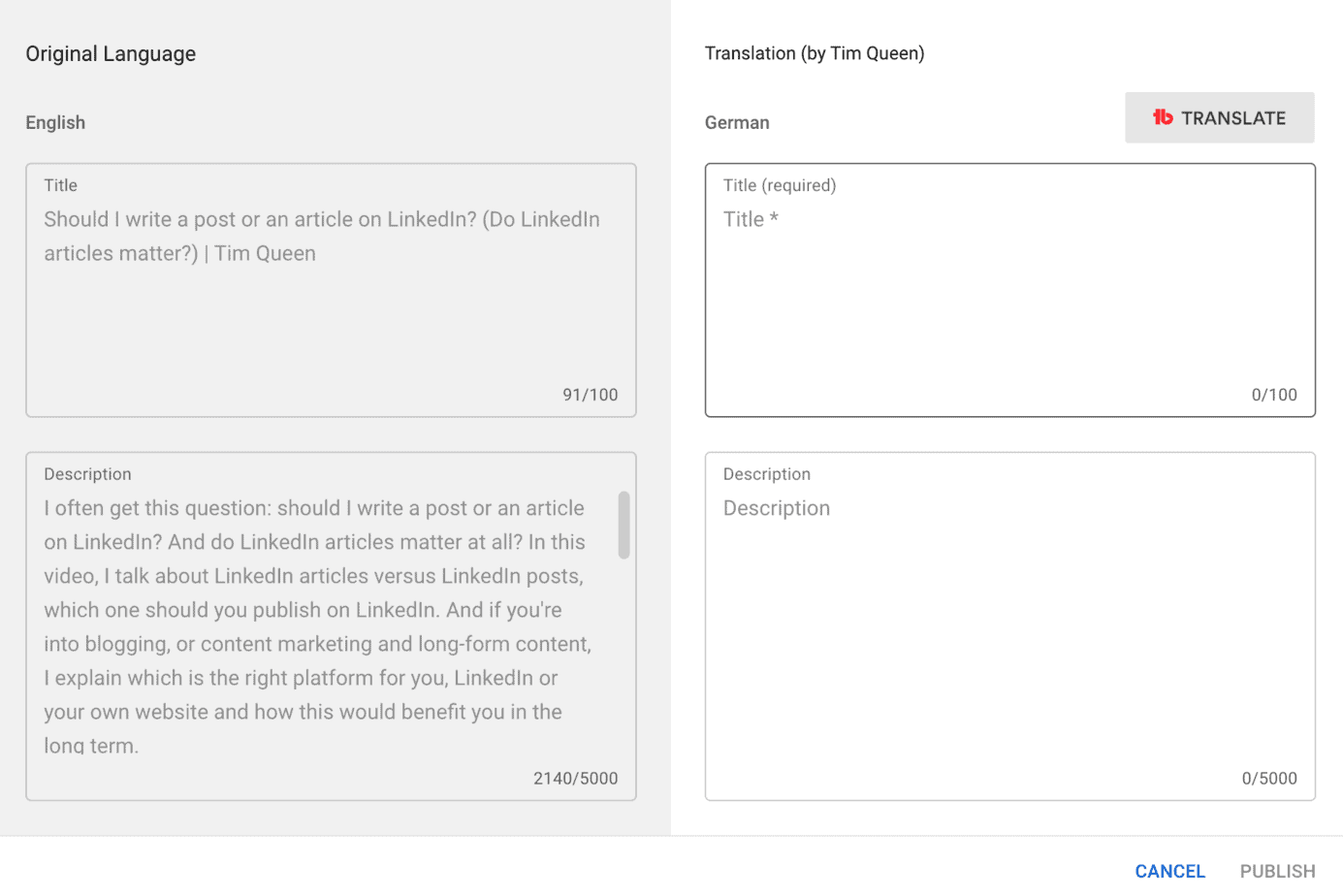
A new popup will show up with a side-by-side view of the original title and description.
Normally, you would start translating your text from left to write. Unfortunately, this can take a long time. So let's cut this short.
Simply press the TubeBuddy Translate button at the top-right to start a machine translation of your content.
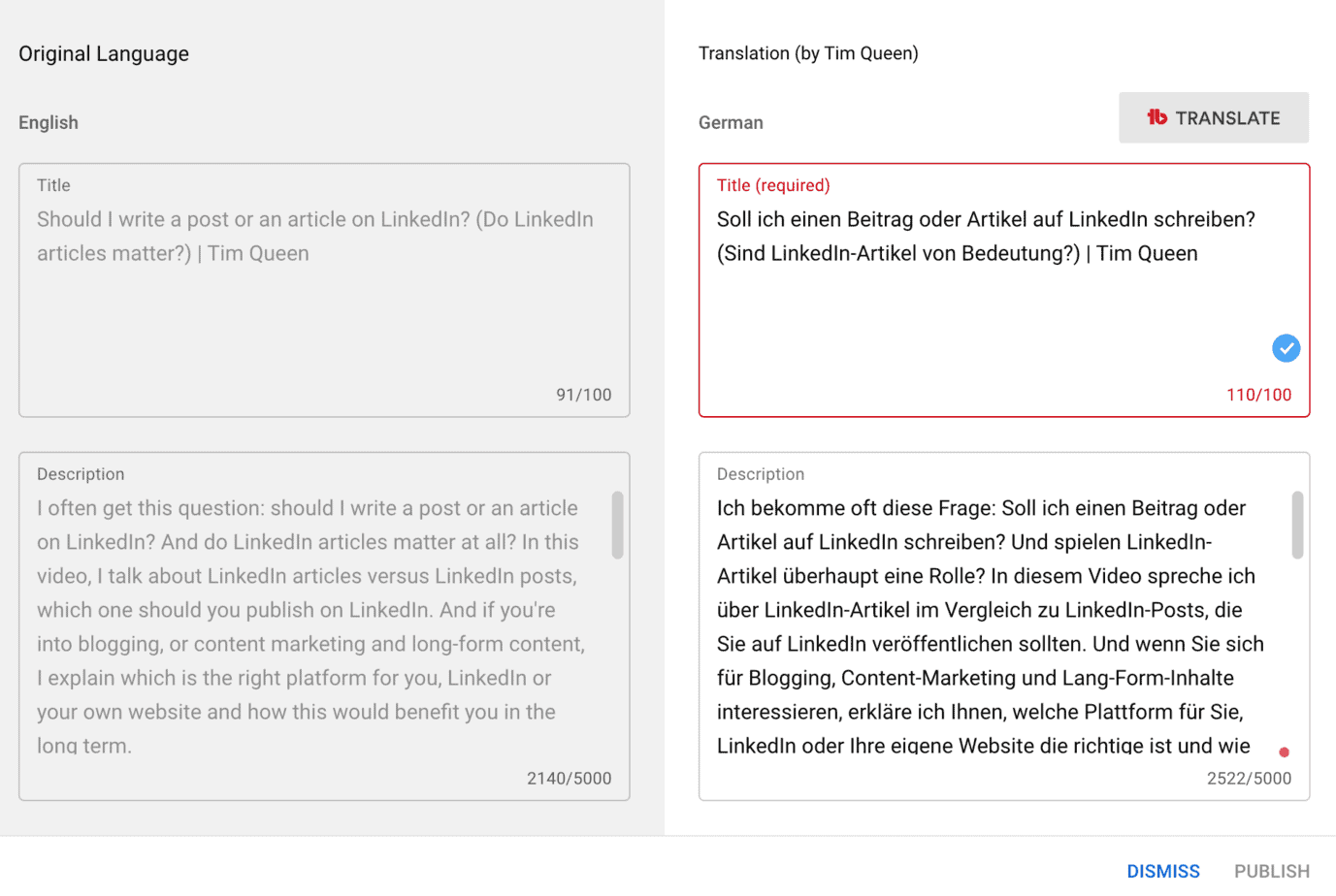
As you can see, the quality of TubeBuddy's machine translation is superb. I only had to fix "Tim Königin" back to "Tim Queen". 🤡
Sometimes you have to edit your title or description and shorten it to meet YouTube maximum length requirements for title and description.
In my case, the translation was 110 characters long, but the title only allows 100.
Once you're happy with the result, hit the Publish button at the bottom-right.
Next Steps
With TubeBuddy's Auto Translator, there are no more excuses, why you shouldn't make all of your videos multilingual to appeal to international audiences.
The quality of the machine translations is excellent and requires very few corrections. You might want to ask a native speaker though if you're translating into a language other than your mother tongue to avoid potential embarrassments due to funky translations.
If you want to learn more about TubeBuddy and how you can use it to grow your channel, look into my complete TubeBuddy review article.


