What Is the Tubebuddy Best Time to Publish Tool
You need the TubeBuddy Best Time to Publish tool because It enables you to increase view velocity on your new video uploads, shows you when your audience is most active, and helps you determine the best time to live stream.
When it comes to video, the first 48 hours are the most important.
If a new video has many initial views and watch time, YouTube considers your video to be worthy of recommendation and will most likely promote it to new viewers.
You can use the tool to learn exactly when your viewers are online and watching your videos.
If your YouTube strategy includes live-streaming, you might also change the time when you usually live stream to your audience based on these recommendations.
How to Access Best Time to Publish
Visit YouTube Studio and open the TubeBuddy icon at the top-right.
In the Extension Tools section, click on Best Time To Publish.
You will be redirected to the Audience tab of YouTube Studio Analytics.
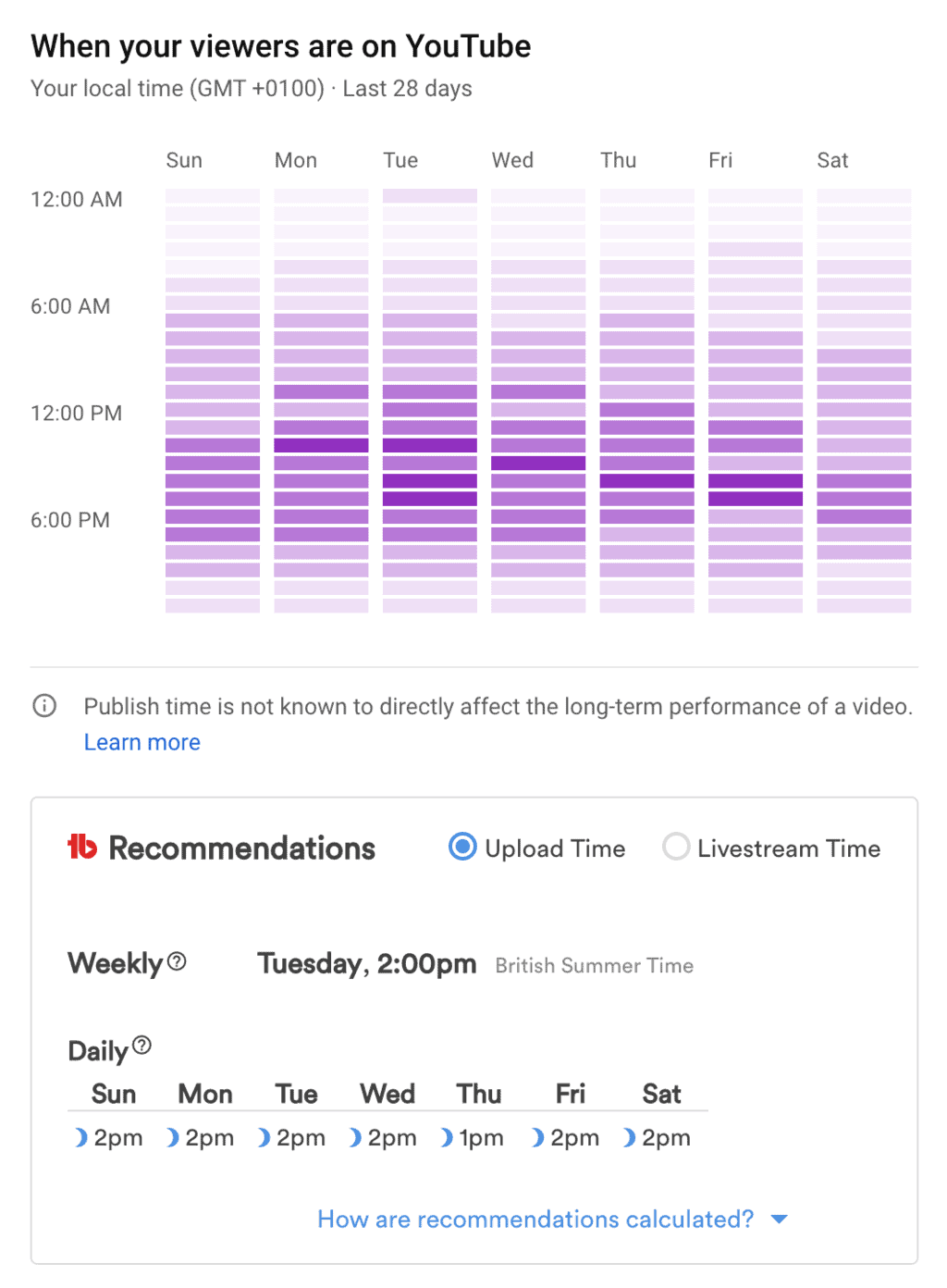
Scroll down to the "When your viewers are on YouTube" section.
Right below it, you can see TubeBuddy's recommendation for when to upload your next video or when to live stream.
Next Steps
Knowing when to best upload and publish your next video takes a lot of guesswork out of the question.
TubeBuddy's Best Time to Publish tool give you specific recommendation for when to publish your video on a day by day basis and shows you the best times to live stream on your channel.
To learn more about how TubeBuddy can help your channel, take a look at my TubeBuddy review today.


