What Is the Tubebuddy Competitor Upload Alerts Tool
TubeBuddy Competitor Upload Alerts allows you to monitor your competitors on YouTube.
Use it to set up automatic upload alert notifications via email, TubeBuddy notifications, or SMS text messages.
How to Set Up an Upload Alert
Visit YouTube Studio and open the TubeBuddy icon at the top. From the Website Tools section, click on Competitors.
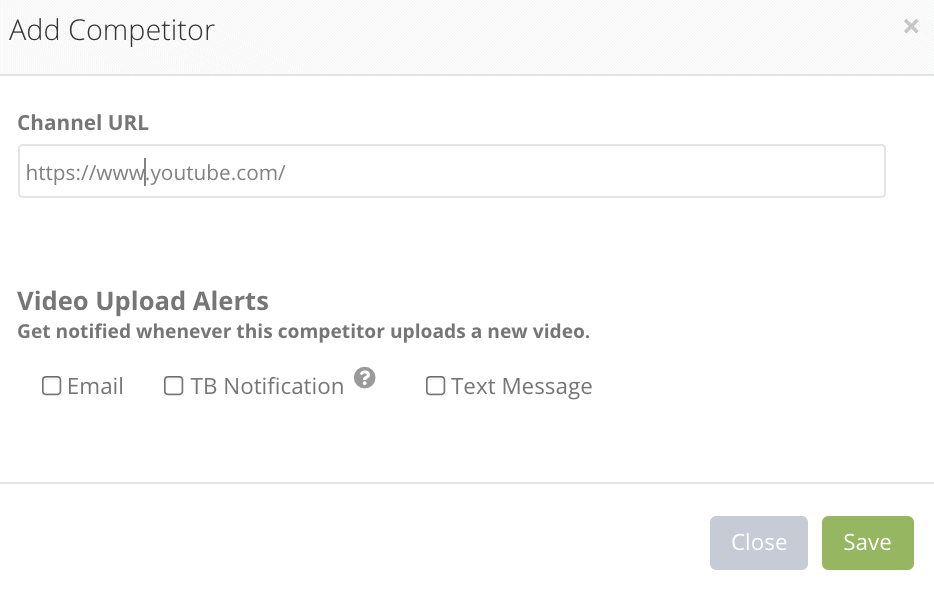
Add a new YouTube channel that you would like to keep an eye on by clicking the Add Competitor button at the top-right.
Just copy and paste in the channel URL and select if you want to get alerts via email, in-app notifications, text messages or any combination of these.
When you're done, press Save.
Here is an example how an upload alert via email looks like:

Next Steps
The TubeBuddy Upload Alerts tool allows you to keep up with the latest trends and can be a great resource for video topic ideas.
To learn more about how TubeBuddy can help you and your channel, read my TubeBuddy review.


