What Are Default Upload Profiles in Tubebuddy
YouTube's Upload Defaults are a huge timesaver for any serious content creator.
They work great if your channel focuses on a specific niche and all of your videos are similar.
If your YouTube channel is creating content for different audiences, one profile might not be enough.
For example, on my channel, I create content around LinkedIn and YouTube.
For each topic, I have different lead magnets as well as different products and affiliate offers that I want to promote. YouTube only allows me to create ONE upload template.
Ordinarily, I would have to use an app like Evernote to store my second upload template.
But with TubeBuddy I don't have to.
I can create an unlimited number of Default Upload Profiles and then select a different template whenever I upload a new video.
How to Create a Default Upload Profile With Tubebuddy
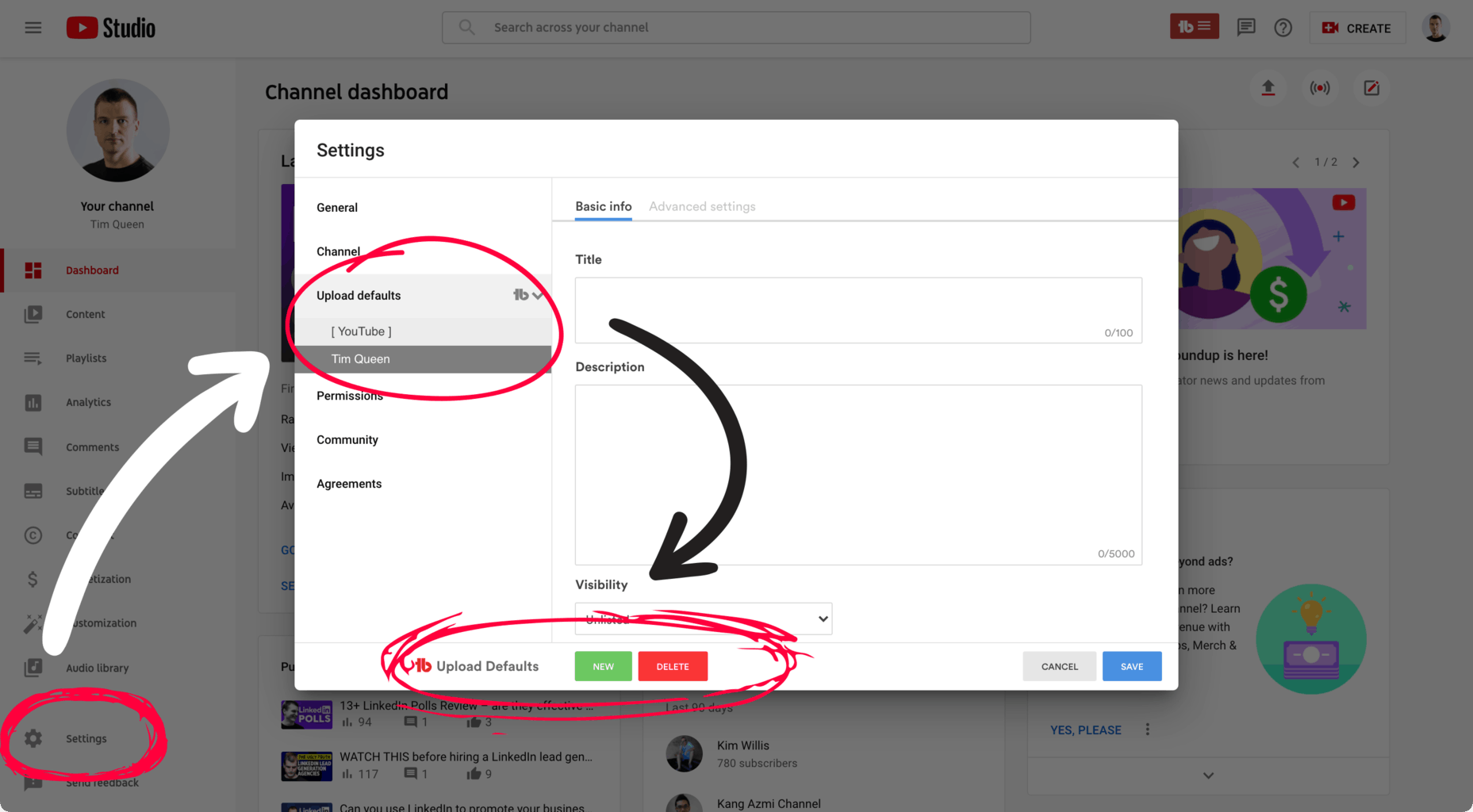
Visit YouTube Studio, and open the Settings panel at the bottom left.
A new popup will appear.
Click on the TubeBuddy icon next to the Upload Defaults tab.
Use the New button at the footer to create a new upload profile.
Start by typing in your title template, then type out your default description.
Once you're done click Save and name your template.
How to Select a Default Upload Profile When You Upload Your Next Video
The next time you upload a video on YouTube you will be able to select your newly created upload profile.
Open YouTube's upload assistant and drag and drop your video file.
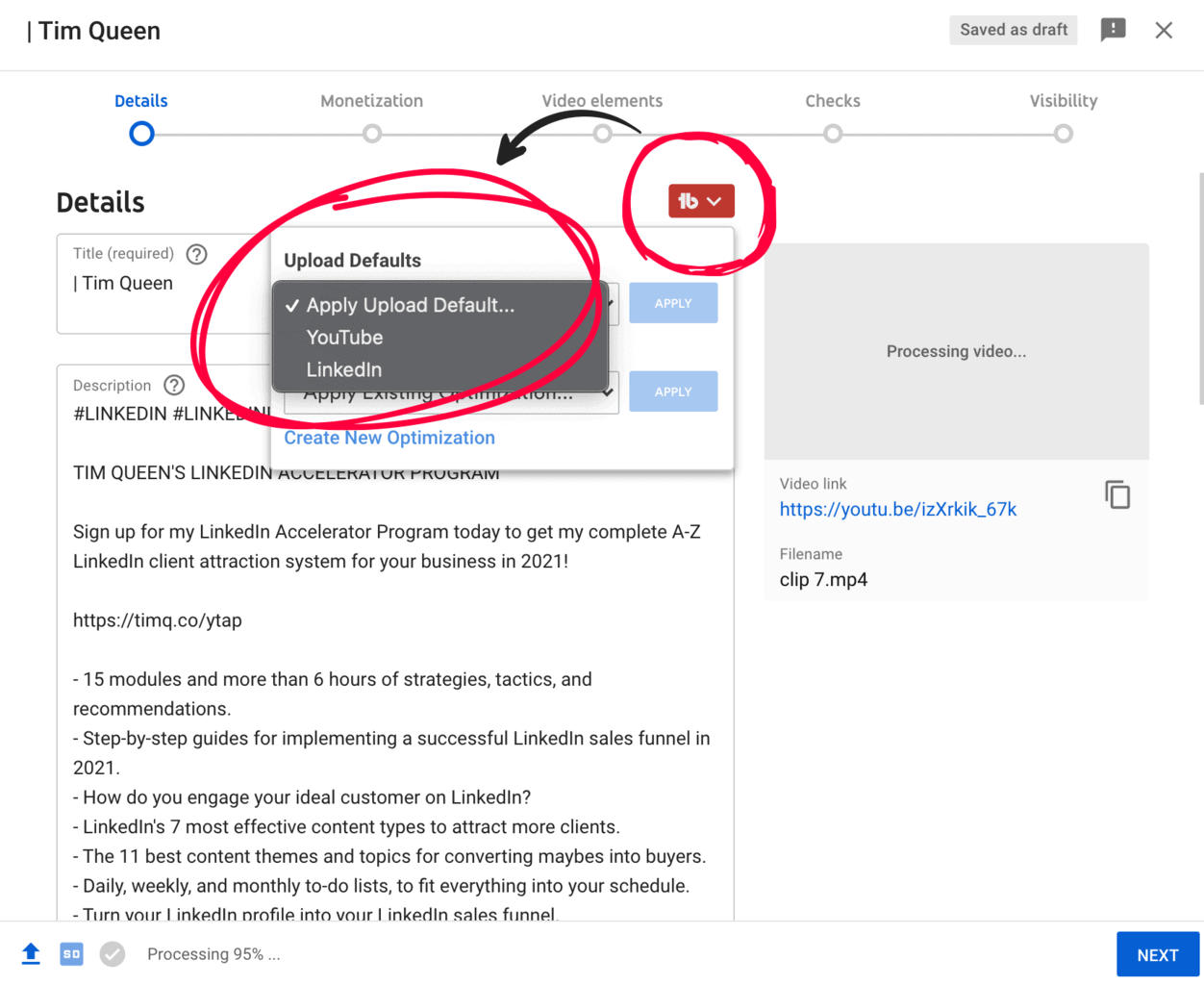
On the Details page, click the TubeBuddy icon at the top.
You will see a list of your Upload Defaults.
Select your desired template and click Apply.
You can now customize your title and description as needed.
Next Steps
The key to success on YouTube is personalization and segmentation. The better you can align your goals with what your audience needs the more success you're going to have.
By personalizing each video description with only the most relevant links and recommendations you open up an opportunity to get viewers to watch more of your videos, and to drive more traffic to your promoted products and services. TubeBuddy's Default Upload Profiles makes this a breeze and is a huge time saver.
You can learn more about TubeBuddy in my full review.


