What Is the Tubebuddy Publish to Facebook Tool
TubeBuddy's Facebook integration allows you to cross-upload your YouTube video as a native video on your Facebook page.
Since Facebook started penalizing external video platforms such as YouTube over their native video platform, Facebook is more or less dead when it comes to generating viral social traffic to your video.
Republishing your videos as native videos can help you to get more views on Facebook.
How to Re-Publish One of Your YouTube Videos on Facebook
To achieve this, visit YouTube Studio and open the Content tab to see a list of your videos.
Hover over any title until the TubeBuddy appears, and click on Publish to Facebook under Syndicate.
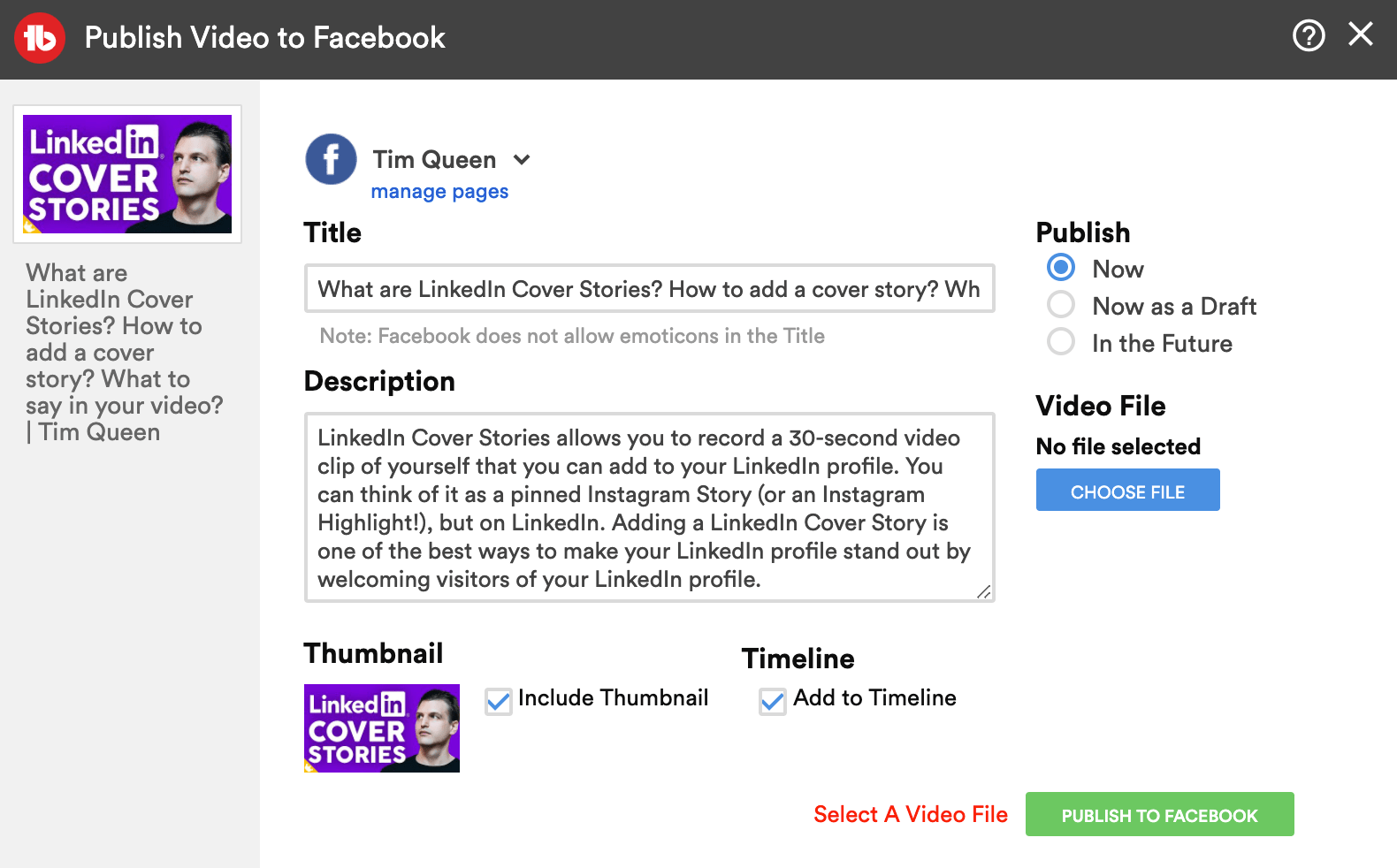
A new popup will show up that is already pre-populated with your video title, description, and video thumbnail.
TubeBuddy doesn't have the ability to download the video from YouTube and then to re-upload it on Facebook. You have to select the video file from your hard disk and upload it a second time.
Select if you want to publish your video now, save it as a draft, or schedule it in the future.
Click Publish To Facebook to start the upload.
Next Steps
Your YouTube channel will not grow if you re-upload your full-length videos on Facebook.
To promote your YouTube videos on Facebook, create 30- to 60-second video snippets, and then post them on Facebook with a link to watch the full video on YouTube.


