What Is the Tubebuddy Quick-Edit Toolbar
One of YouTube Studio's most frustrating features is its inability to quickly jump between videos or to jump in and out of a playlist, for example when you want to make some quick repetitive adjustments to your video description.
TubeBuddy solves this with its incredibly useful Quick-Edit Toolbar that makes this tedious job simple and easy.
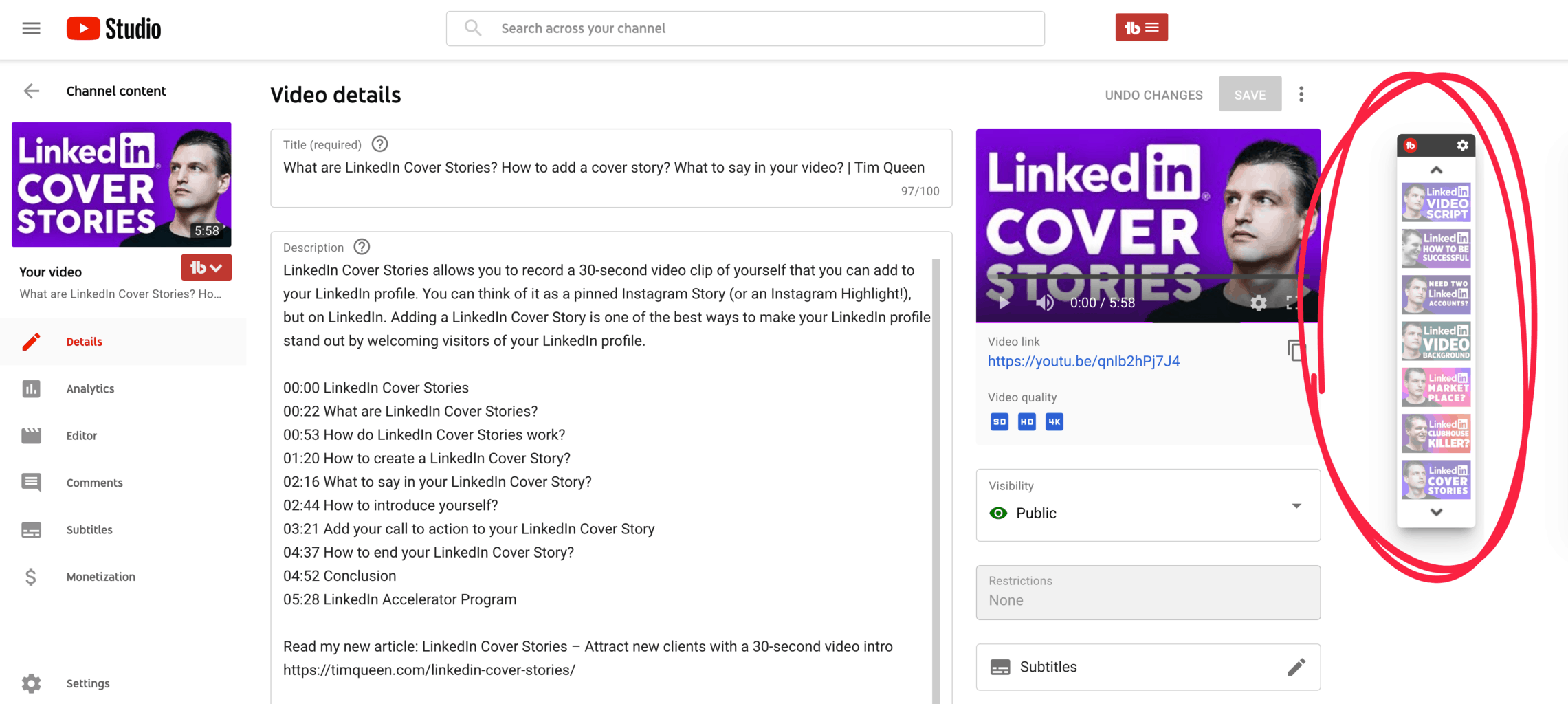
It displays all of your videos that were published before and after the current video.
Or if you're editing a playlist, a list of all videos before and after the playlist sequence.
You can easily jump back and forth between different videos without the need to go through the Content page in YouTube Studio.
How to Access the Quick-Edit Toolbar
When editing your video, you will see it on the right side.
Just click on any video thumbnail to quickly jump back and forth between videos.
Next Steps
I use the TubeBuddy Quick-Edit Toolbar to quickly copy and paste tags or text snippets between videos, or to quickly add missing thumbnails.
Want to learn more about TubeBuddy? Read my detailed review.


