What Is Tubebuddy's Scheduled Publish Feature
Imagine this. You are running a private membership community, for example, on Patreon.
How do you get people to sign up for your paid community? By offering members benefits and rewards such as early access to your latest YouTube videos.
One way of doing this is by switching the privacy of your video to unlisted and then sharing the video with your members.
The problem is that YouTube doesn't allow you to schedule unlisted videos.
Only private videos can be scheduled. The problem with private videos is that you can only share them with specific email addresses one by one, but not let's say with everyone in your membership site.
Of course, you could set yourself a reminder and publish each unlisted video manually, but who has time for that.
As a professional YouTuber who is running his or her channel as a business, you want to automate as much as possible.
Lucky for you, TubeBuddy is here to help with its Scheduled Publish feature.
How to Schedule an Unlisted Video on YouTube With Tubebuddy
To schedule an unlisted video with TubeBuddy, head over to YouTube Studio and open the Content tab.
Next, hover your mouse cursor over a video that you would like to schedule. A small TubeBuddy icon will appear as a popover. Click on it to open the available TubeBuddy tools.
At the top right you can now select the Scheduled Publish tool.
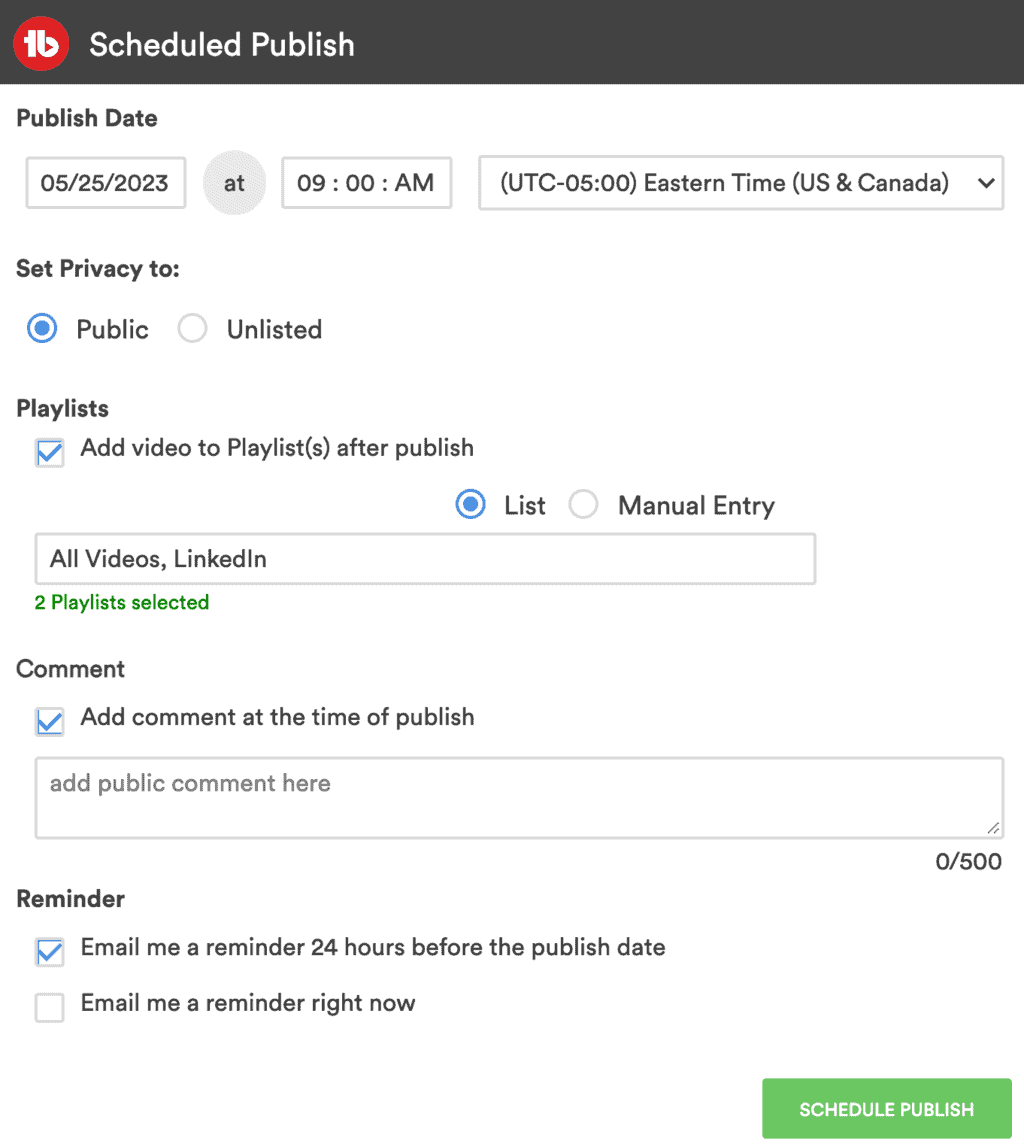
First, select if you want to schedule the visibility to Public or Unlisted at a specific time and date.
For our membership example, we select Public.
Next, decide if you want to add your video to one or more playlists the moment it goes live. That's really useful and ensures that you don't accidentally leak your next video title by adding it to one of your playlists ahead of time.
You can even schedule your first comment to be published the second the video goes live! How cool is that?
Last but not least, TubeBuddy gives you the option to receive an email reminder 24 hours before the video will be published. This allows you to review your video and make last-minute changes if necessary.
Next Steps
TubeBuddy's Scheduled Publish allows you to schedule unlisted videos, as well as adding the video to one or more playlists, and publish a comment the moment the video goes live.
This is super useful for every content creator, especially for anyone who is running a paid membership site with perks such as early access to new videos ahead of time.
If you want to learn more about how TubeBuddy can help you to grow your YouTube channel, check out my TubeBuddy review.


