What Is the Tubebuddy Tag Rankings Tool
Due to YouTube's 500-character limit for video tags, you must be extremely selective when choosing video tags.
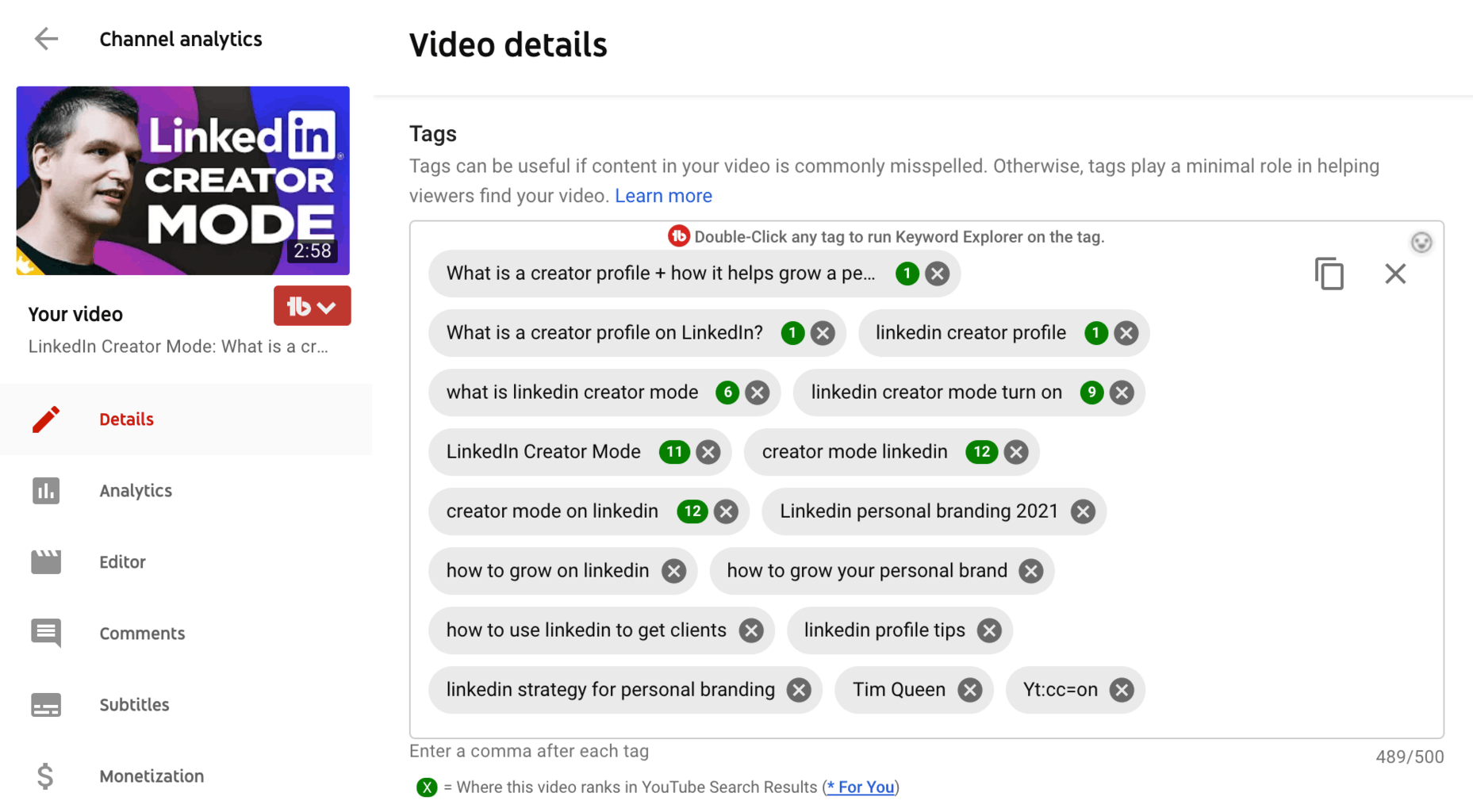
With the Tag Ranking feature, you can check your position against each video tag (in a video).
If a video is ranking, you will see a green circle on the right side of the keyword, indicating the position of your video from the top of search.
When your video content is ranked 1st in a YouTube search for that key phrase or keyword, it indicates that it has the most popularity.
To get unbiased results, TubeBuddy determines your ranking position using the browser's incognito mode.
Next Steps
Don't get discouraged if a new video isn't ranking on position one right away. It will take some time for YouTube to evaluate your video first.
After a few weeks, revisit your older videos and check if your ranking has improved. You can use the Auto Sorter tool to put the best ranking videos at the top.
Some long-tail keywords might have looked promising in the beginning, but might not rank in the end. In those case, you can remove them and replace them with keywords your video is actually ranking for.
Don't forget to check out my TubeBuddy review for more insights.


