What Is the Tubebuddy Tag Sorter Tool
Your tags should always be sorted by importance since this gives YouTube important signals and can improve your ranking.
TubeBuddy's Tag Sorter tool lets you sort your video tags, putting the most important tags at the top.
If your video is already ranking for different keywords, you can also choose to automatically reorder your video tags based on their search position with the click of a button.
How to Reorder Your YouTube Video Tags With Tubebuddy
Open YouTube Studio, navigate to the Content tab and open an existing video.
On the edit page, scroll down to the video Tags section.
Just below you will find TubeBuddy's Tag Tools.

Click on the Sort button to open the Tag Sorter tool.
On this page, you can freely drag and drop tags and move them into a new position.
To sort by how well your keywords are ranking, press the blue Auto-Sort by Rank button.
To apply the new order, press the green Apply & Close button.
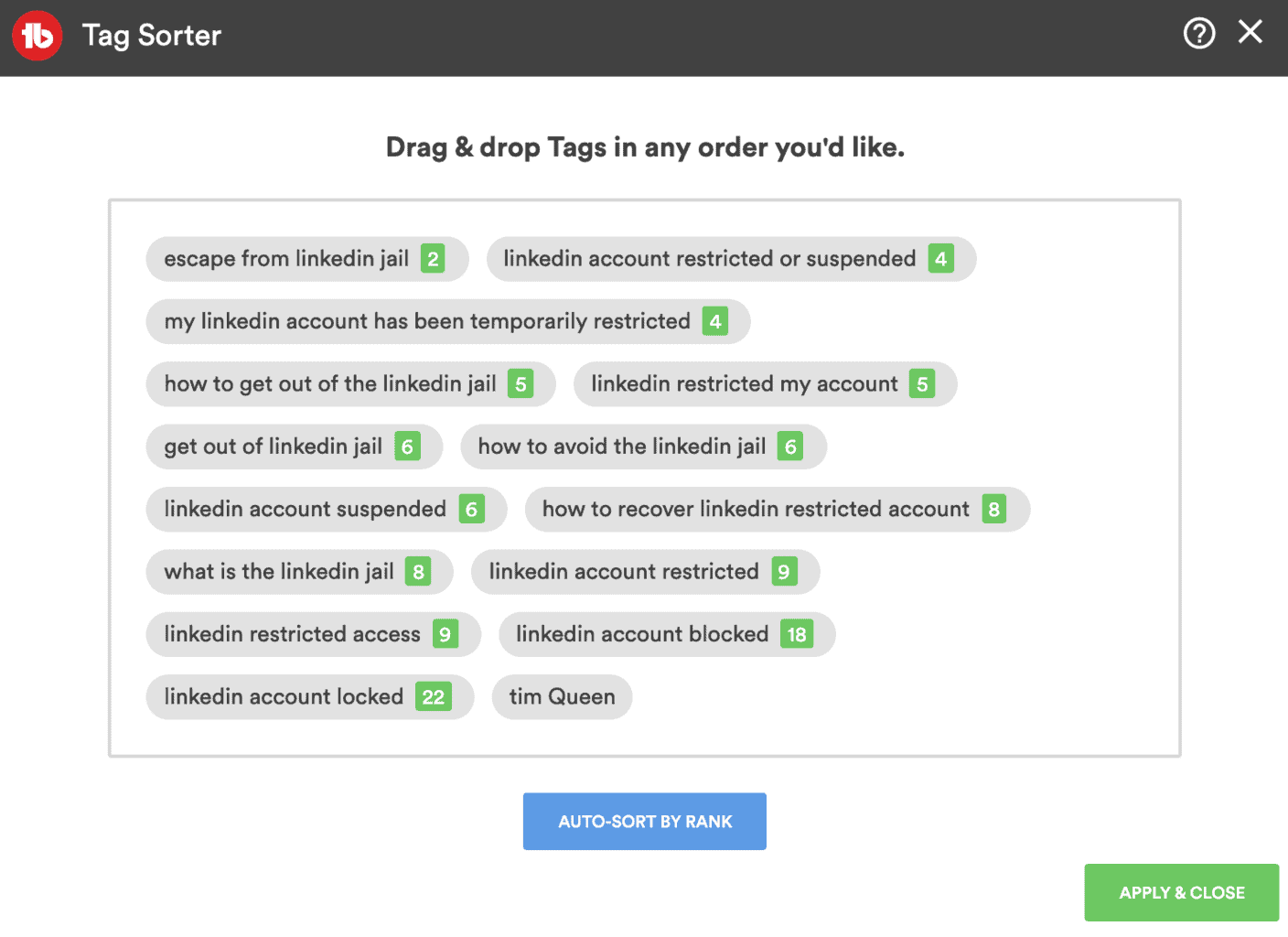
TubeBuddy will now delete all your existing tags and insert the tags in your desired order.
You are not done yet.
Lastly, you must scroll to the top of your edit page and to press the blue Save button at the top right, otherwise your new tag order will not be saved.
Next Steps
Frequently revisiting your older YouTube videos to automatically sort them by rank is a great exercise and ensures that your videos are always kept up to date for optimal ranking.
To learn how TubeBuddy can help you to get more views and subscribers for your YouTube channel, take a look at my full TubeBuddy review article.


