What Are Tubebuddy Card Templates
YouTube allows you to add embedded notifications at specific times of your videos. These notification cards are also known as YouTube info cards.
You can attach and link four different content types with each card: YouTube videos, YouTube playlists, YouTube channels, and external links to approved domains.
Each card requires a timecode for when it should be displayed, a card title, card icon, and call to action text.
Cards are a great tool to cross-promote videos, playlists, and links to your website in your videos.
Adding the same card to multiple videos can be a tedious and time-consuming task, but thanks to TubeBuddy's Card Template feature, you can save each card as a card template and re-use it with the click of a button.
How to Use Tubebuddy Card Templates
Open any video where you want to display a card.
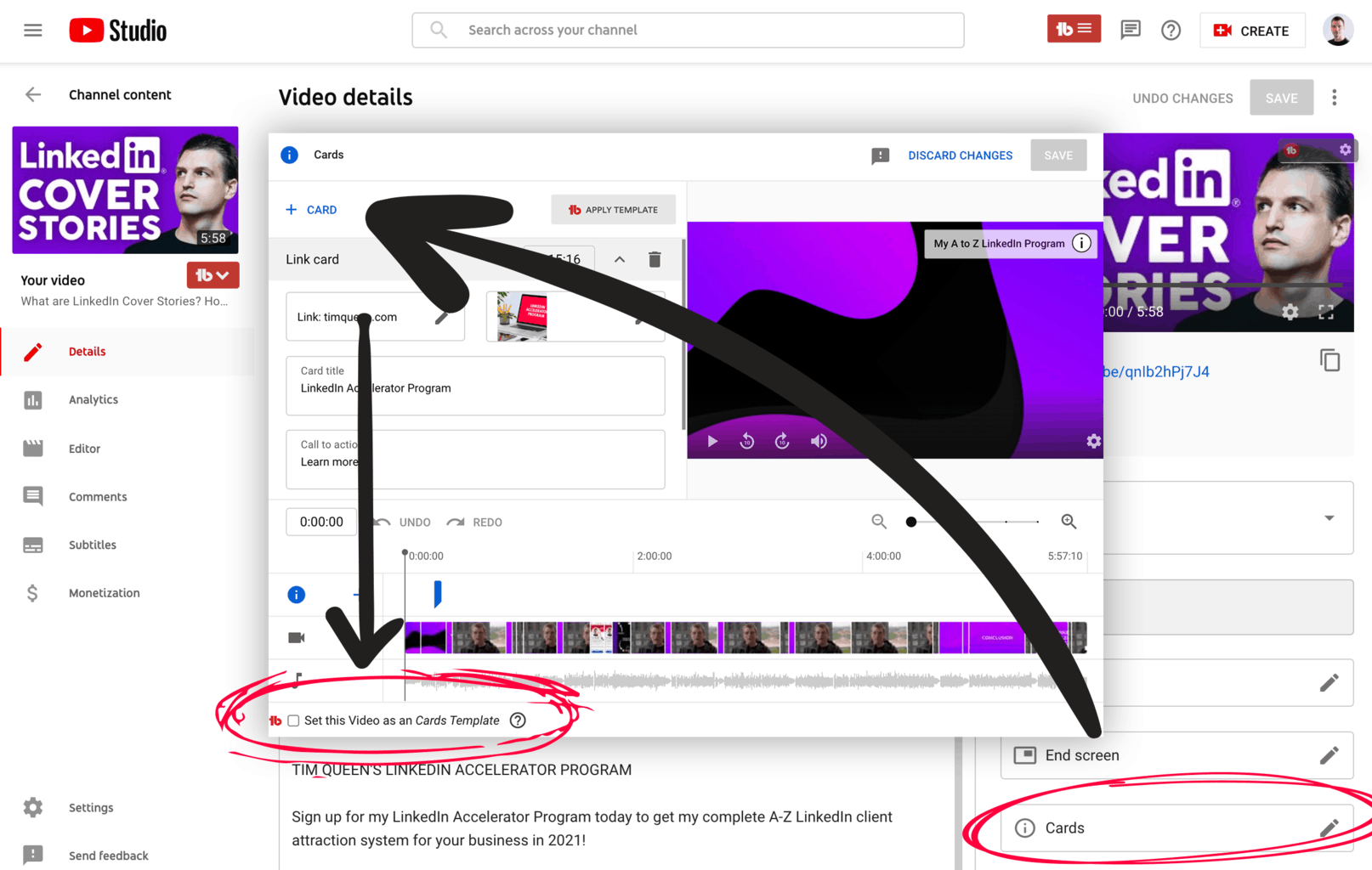
Locate the cards menu on the right sidebar and click on it.
Create a card of your choice and then save it.
To turn this card into a template, click on the checkbox in the footer that says "Set this video as a card template".
Now, you can apply this newly created card template to an individual YouTube video or use TubeBuddy's Bulk Cards feature to apply it to multiple of your YouTube videos.
Next Steps
TubeBuddy's Card Template is a great time-saver and allows you to re-use your card templates over and over again and I highly recommend that you give it a try.
Also, check out my TubeBuddy review for a detailed breakdown of how TubeBuddy has helped me to grow my channel from zero to three thousand subscribers.


