What Are Tubebuddy's Playlist Actions
You probably already know how important it is to get people to watch your YouTube videos to get your videos recommended by the YouTube algorithm.
Whether you're just getting started on YouTube, trying to reach your first 4000 hours of watch time to join the YouTube Partner Program or you're a seasoned YouTuber who wants to increase your YouTube ad revenue, one of the best tactics to increase views of your YouTube channel is to have viewers binge-watch your videos through playlists.
Videos will play automatically one after another, but there is a risk of drop-off if you're playlist isn't properly sorted.
The TubeBuddy Playlist Actions tool can help you sort and optimize your playlists to put your best-performing videos at the top.
Here is how to do it.
Sort Your Playlists With Tubebuddy to Get More Watch Time
Open YouTube Studio and navigate to the Playlist section on the left.
You will find a list of all of your existing playlists.
If you don't have any playlists yet, click the New Playlist button at the top right to create one.
I recommend having at least one playlist with all of your videos to make it super convenient for your subscribers to watch all of your videos in a row.
TubeBuddy allows you to programmatically sort, filter, and optimize your playlists by various factors.
All you have to do is to hover your mouse over any playlist to reveal the TubeBuddy playlist icon.
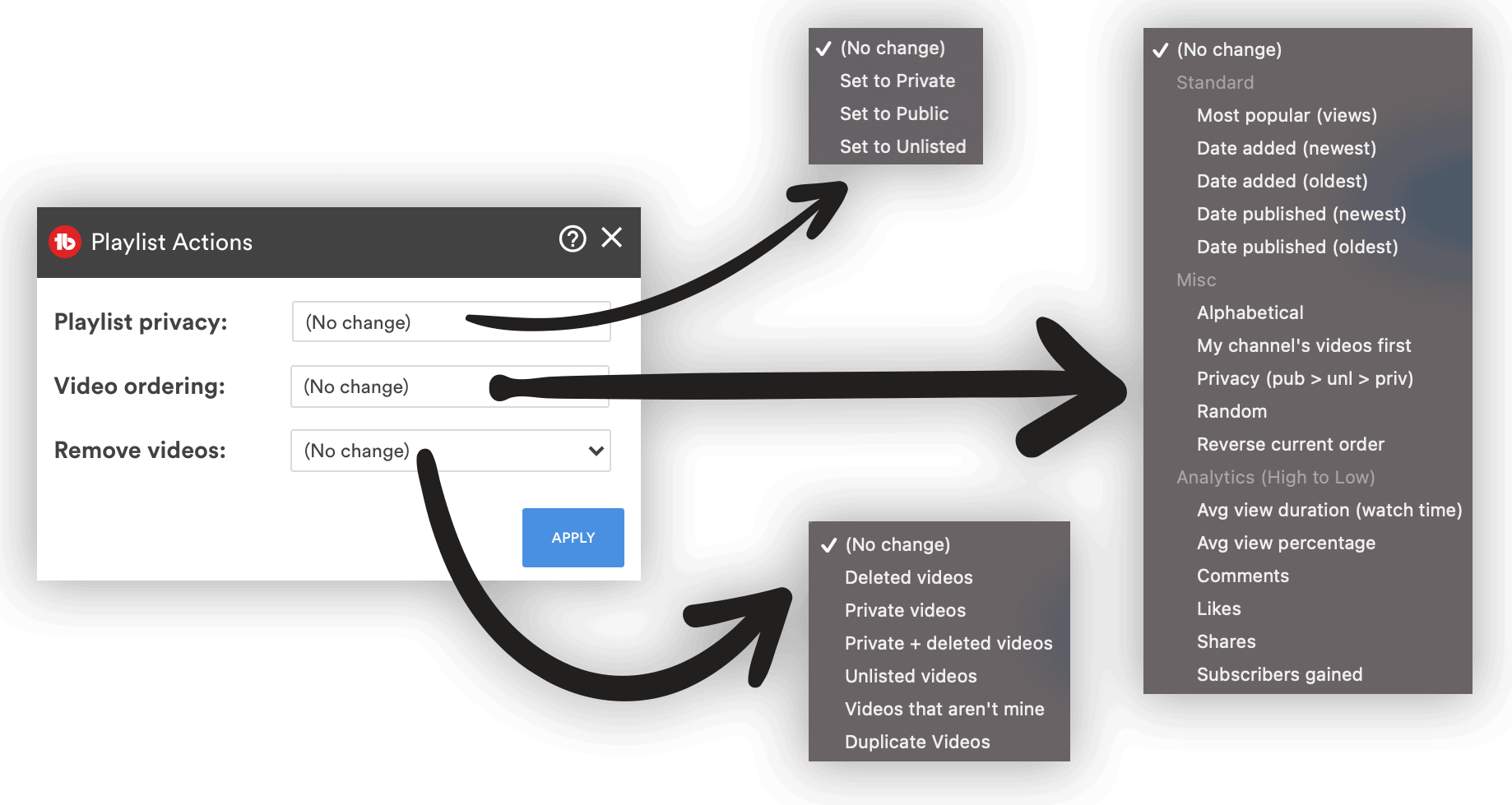
Click on it and you will see three options to sort and filter your playlist.
You can change the privacy of your playlist to private, public, or unlisted.
You can sort your playlist by most popular videos based on views, by date added, date published, alphabetical, privacy, average watch time, watch time percentage, number of comments, likes, shares, subscribers gained, randomize or reverse the current order.
You can also remove videos based on their privacy status, deleted videos, or videos that don't belong to your YouTube channel.
This is an incredibly powerful tool and can help you to get more watch time, views and subscribers.
Next Steps
Putting your best videos at the top of your playlists increases the total binge-watch time of your viewers and makes it more likely that someone will subscribe to your channel.
I recommend going for most views, highest watch time or the largest number of subscribers gained and then review your results in 4 weeks to evaluate your results.
You can learn more about TubeBuddy in my honest TubeBuddy review.


