What Is Tubebuddy's Search Positions Tool
In the process of uploading your video, one of the must-dos is to add relevant YouTube tags to each video.
These tags, also known as "video tags", are words and phrases that give YouTube more information about what your video is all about and are important to rank your videos with the YouTube's algorithm.
The ultimate goal is to list down as many tags as possible (within a 500 character limit) - to increase the likelihood of ranking high on a YouTube search.
How to Use Tubebuddy's Search Positions
To see your search rankings start by opening any of your YouTube videos.
Then click on the TubeBuddy icon below your thumbnail on the left and select Search Positions from the menu.
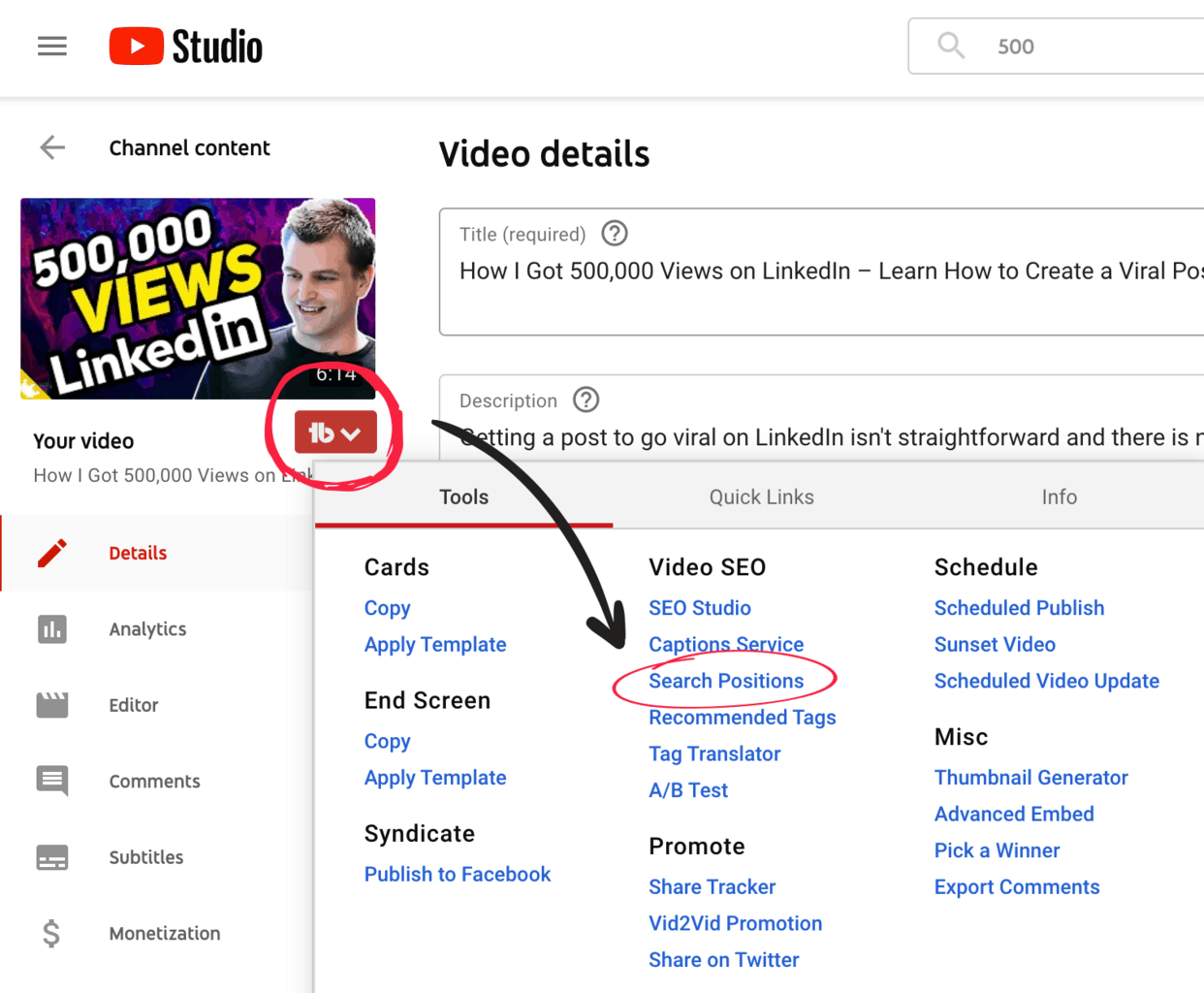
See How Your Video Keywords Rank on YouTube
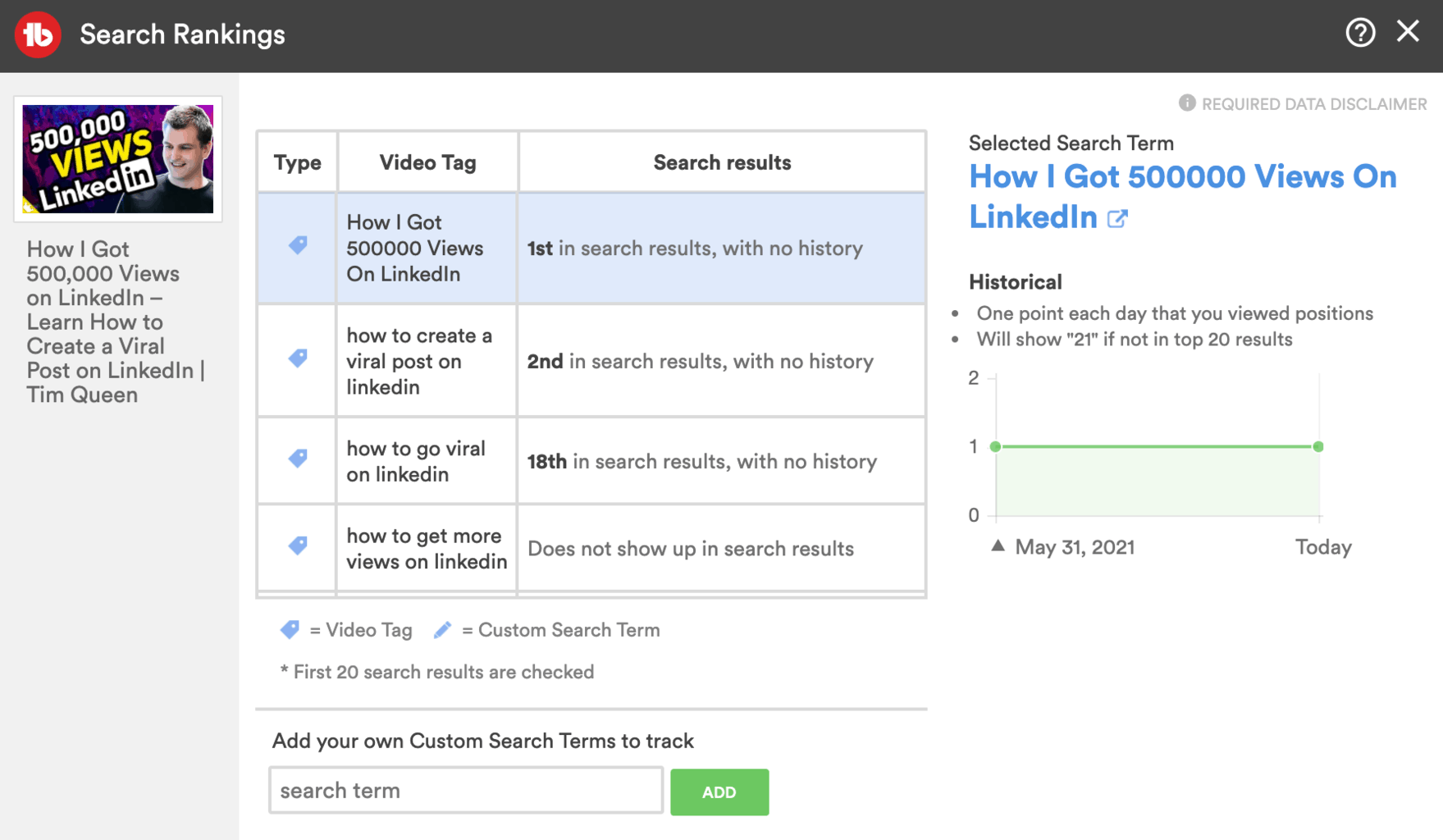
TubeBuddy will open up a popup where you will see a list of all of your video tags are tracked automatically.
You can also add your own custom search terms via the form below.
If your video can be found via a search for your target keyword, the right column will display its position within the search results.
Click on any of the tags to see how your ranking has changed over time.
Ditch any tags that aren't helping you to rank on YouTube top pages.
Next Steps
If you are interested in ranking your videos within YouTube search, TubeBuddy's Search Positions feature in combination with TubeBuddy's SEO Studio is a feature you don't want to miss.
Want to learn how TubeBuddy helped me grow my YouTube channel from 0 to 3000 subscribers by rank my videos in YouTube search, then read my TubeBuddy review here.


