What Is Tubebuddy's Video A/B Testing Tool
How can you make your video thumbnails more appealing?
By running A/B tests on your video thumbnails with TubeBuddy.
By finding the best thumbnails for every video, you improve your video click-through rate and boost your watch time on YouTube.
Creating an A/B Thumbnail Test With Tubebuddy
For a detailed tutorial on how to create an AB Test for your YouTube thumbnails check out my YouTube thumbnails article.
Long story short, TubeBuddy automatically syncs your thumbnail experiment with YouTube's default time zone, midnight Pacific time, to sync your A/B data with your YouTube Studio analytics.
Every 24 hours, it displays one variation. Afterward, it switches to the alternative thumbnail for another 24 hours.
The results page of your A/B tests shows you the data that TubeBuddy has collected.
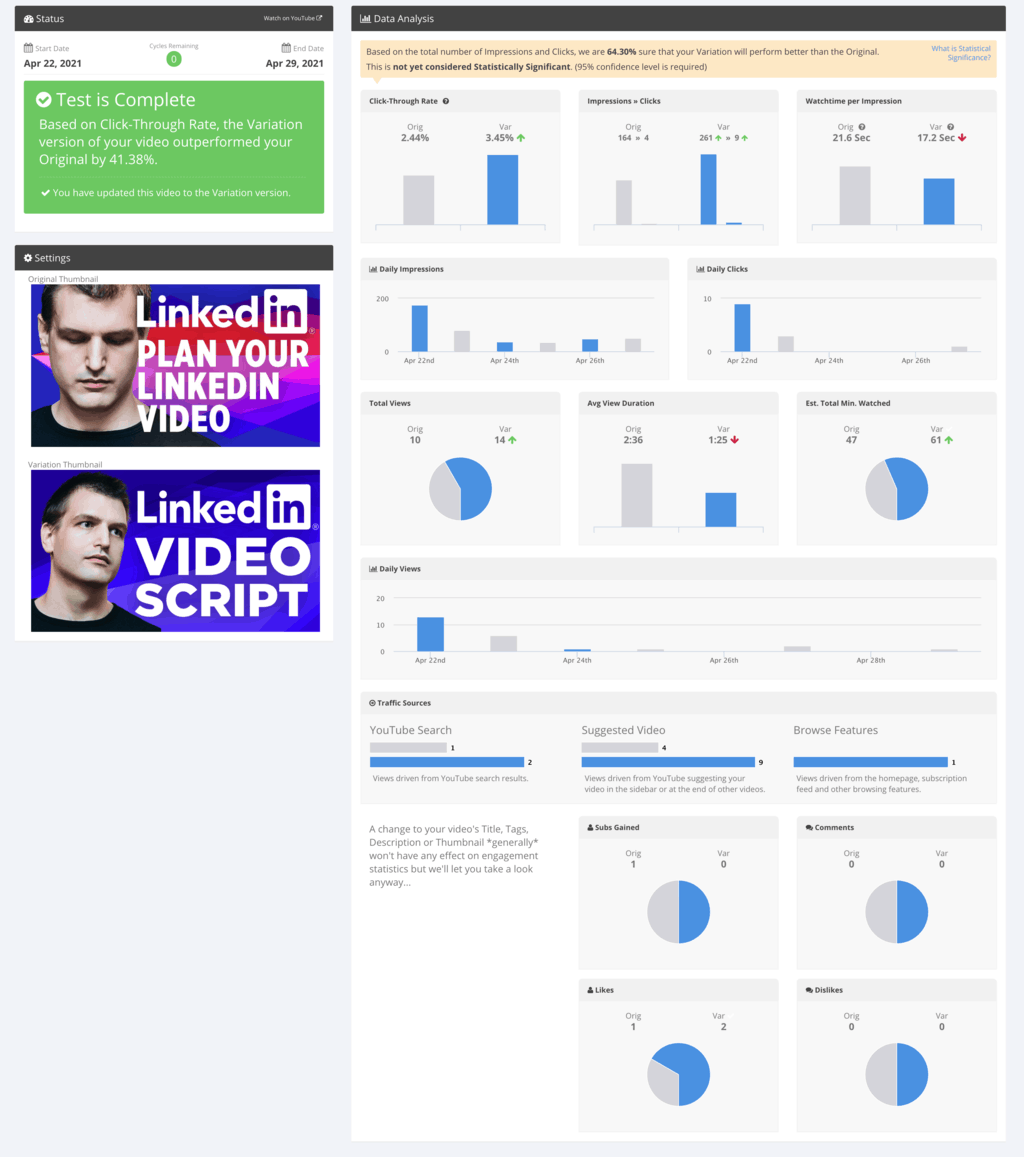
Which Thumbnail Should Be the Winner
You should keep in mind that sometimes the click-through rate might increase if an alternative thumbnail is chosen, but the watch time may decrease if the thumbnail and video content are not perfectly aligned.
If this is the case, it might be better to keep the original but design a third thumbnail option for testing and keep the original with a smaller click-through rate.
Clicks should never come at the expense of watch time.
Next Steps
TubeBuddy's AB tool is super powerful. And you're not only limited to testing thumbnails. You can also run A/B tests on your title, description, and tags.
I recommend running one factor at a time, otherwise, you create too many permutations and your A/B test would take a really long time to complete.
Want to learn what else TubeBuddy can do for you and your channel?
Then read my TubeBuddy review here and find out!


