Introduction
If you are a YouTube content creator who is serious about getting more views on your YouTube videos, you need to know how to make great thumbnails for your YouTube videos.
You could have the most fantastic video, but you don't get someone to click on your video. Nobody will watch it.
YouTube thumbnails are the most IMPORTANT success factors for higher video click-through rates. The higher your CTR, the better your videos will perform in the YouTube algorithm.
This article focuses on the most important, big-picture design strategies to get you more clicks for your videos.
Make sure to bookmark it now, so you can always come back to it when you create your next thumbnail.
What Are YouTube Thumbnails?
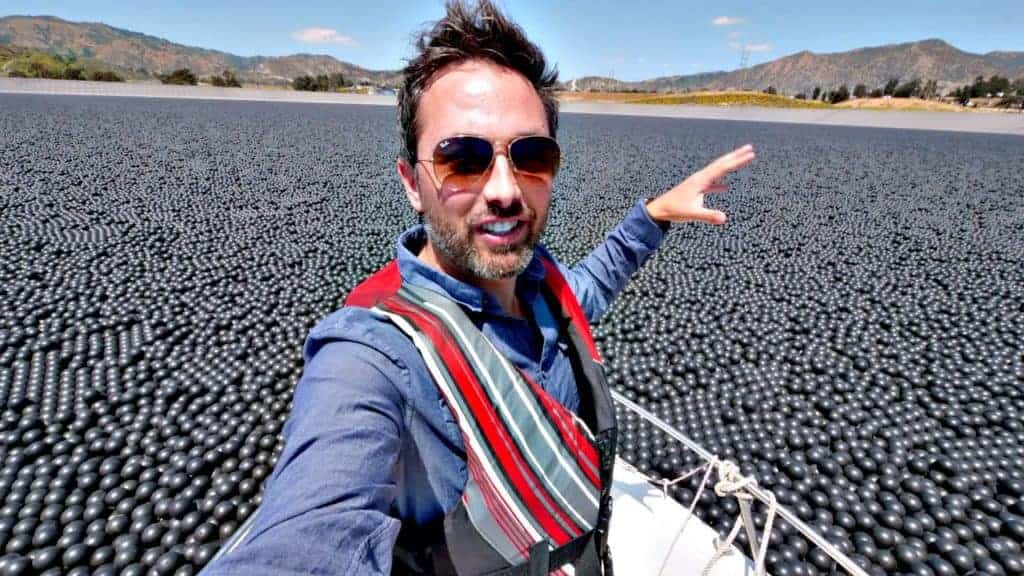
YouTube thumbnails are clickable images that allow you to grab the attention of your ideal audience on YouTube.
A great video thumbnail allows you to communicate the value of watching your video to potential viewers while they browse the YouTube newsfeed. You want them to stop scrolling when they notice your thumbnail and to scream on the inside, "I need to watch this video!".
By default, YouTube will generate three freeze-frames from your video and select one of them as your default video thumbnail during the upload of your video to the YouTube platform.
You always have the option to design and upload your own unique video thumbnail.

Why YouTube Thumbnails Are Important
Did you know that 90% of the best-performing videos on YouTube have custom thumbnails?
YouTube thumbnails are the most important success factor for getting a high video impression click-through rate.
Viewers rely on video thumbnails to decide which videos to watch and which to skip.
Your video is literally competing with thousands of videos on YouTube. If you want to stand out from other channels, it's essential that you create custom thumbnails for your videos.
Do you remember the ancient proverb "For the lack of a nail"?
For lack of a nail, the shoe was lost, for lack of a shoe, the horse was lost, for lack of a horse, the knight was lost, for lack of a knight, the battle was lost, for lack of a battle, the kingdom was lost. So a kingdom was lost—all for want of a nail.
On YouTube, your nail is your thumbnail.
The better your video thumbnail, the more clicks you receive. The higher the number of clicks the more views you attract. The higher the views, the better your video watch time.
The higher your watch time, the more people will subscribe to your YouTube channel. The more YouTube subscribers, the more ad revenue you will be able to generate with your YouTube channel.
Tim Queen
It all comes down to this:
If you are serious about your YouTube journey and want to grow a profitable YouTube business you should pay close attention to the creation of your thumbnails.

Plan For the Thumbnail Before Writing Your Video Script
Your success on YouTube ultimately comes down to your ability to achieve these three things:
- Get people to click on your video, resulting in a high click-through rate.
- Get them to watch your video from beginning to end.
- Give them a memorable, emotional experience that results in them liking, commenting, and subscribing to your channel.
Number two and three are YouTube's primary measurements to determine the quality and relevancy of your video for future audiences.
But... If you don't get number one right, people won't click on your videos and YouTube won't be able to collect any data points on whether or not your video is a quality video that should be recommended to other YouTubers.
That's why it's of the utmost importance to plan for a high click-through rate right from the start.
Since the thumbnail has the biggest impact on your click-through rate plan for the thumbnail before you start writing your video script.
One of the best approaches is to go through your video ideas to identify all ideas with single outcomes.
Example:
- How to make a NY-style pizza. Show the final pizza.
- Best microphone for YouTube. Show the winning microphone.
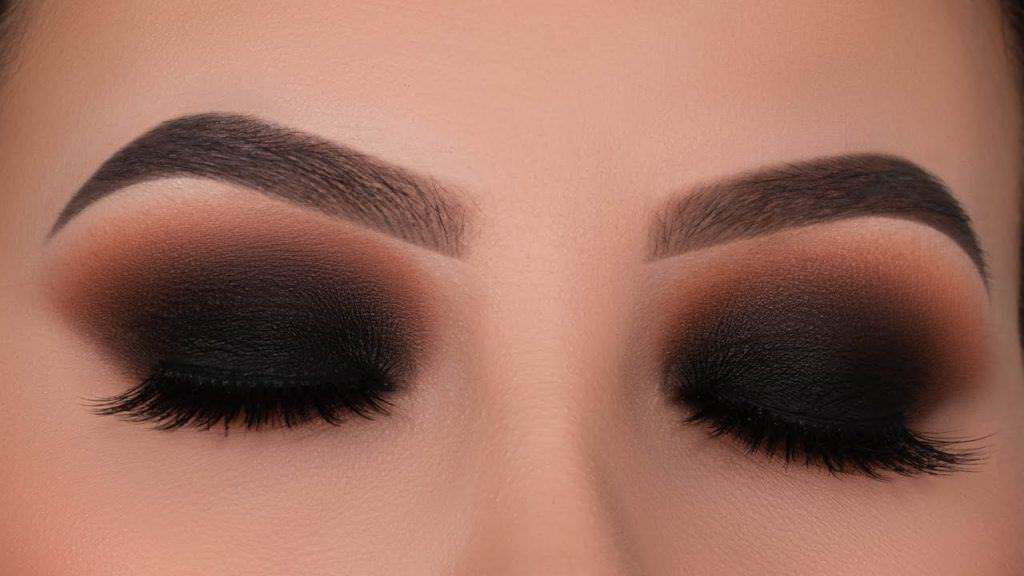
- Smokey eye tutorial. Show the final eye makeup.
- Fun places to visit in Singapore. Show the Merlion.
By deciding WHAT you want to show in your thumbnail you can quickly evaluate if someone might want to click on your thumbnail.
It also allows you to plan your photo itinerary list. If you want to put a pizza on your thumbnail, remember to take several photos from many different angles at the end of your baking session.
How to Create a Custom Thumbnail for Your Video
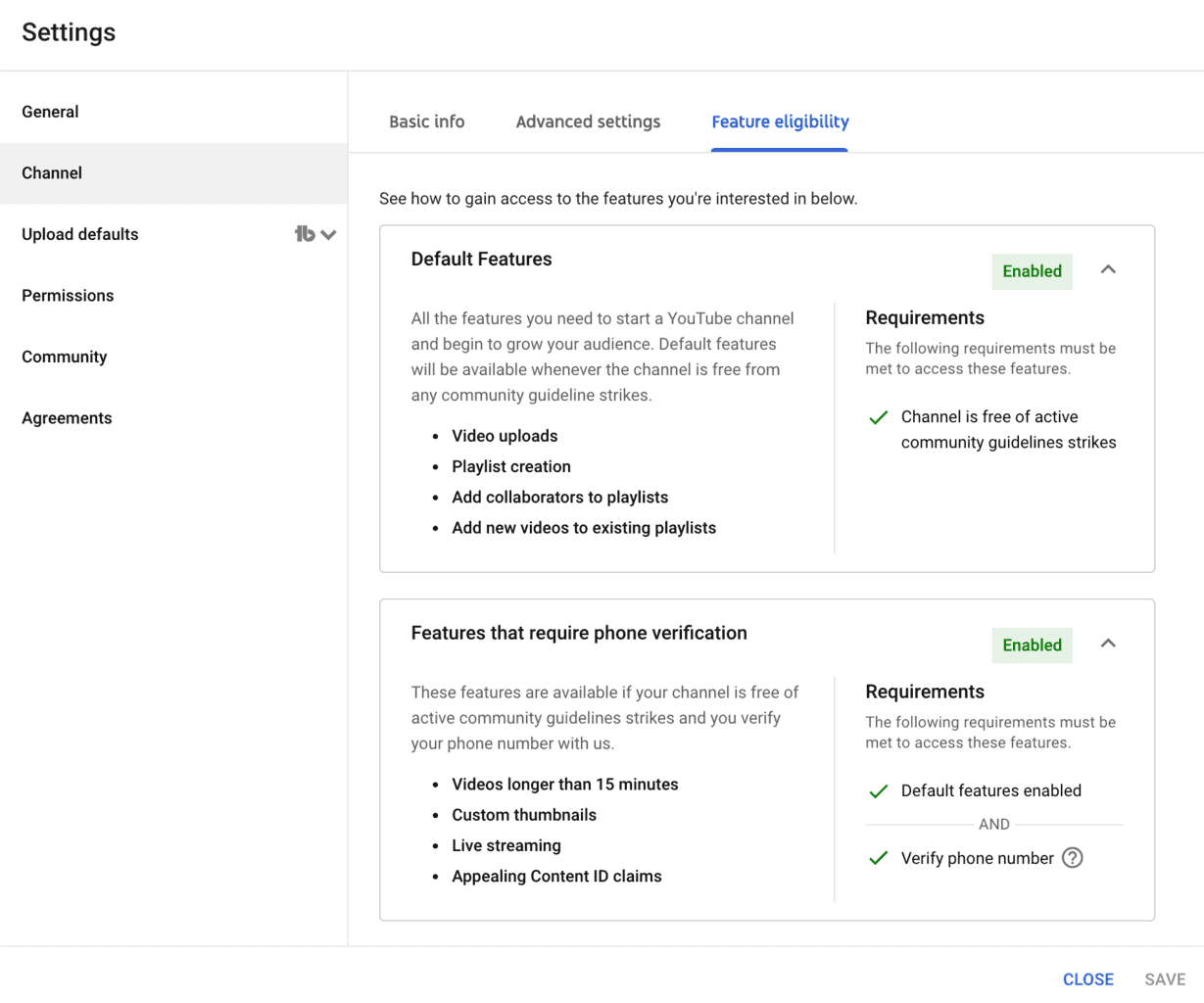
To upload custom thumbnails for your YouTube videos you first have to make sure that your YouTube channel is eligible.
First, open YouTube Studio:
Locate the "Settings" menu on the left side and open it.
Next, open the "Channel" setting and locate the "Feature Eligibility" tab.
Both "Default Features" and "Features that require phone verification" have to be "Enabled" before you can upload custom video thumbnails.
To verify your YouTube channel simply add a phone number to your account and follow the verification process.
When you upload a video, YouTube will run your video through its deep neural network thumbnail generator and automatically select three still frames from your video.
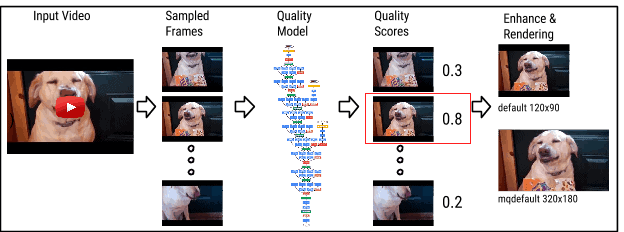
And while it's true that this AI-driven generator is able to select much better frames than YouTube's old thumbnail generator, it's nowhere near as good as a human editor who goes through your YouTube video frame by frame to select the best frame or a well-designed custom thumbnail.
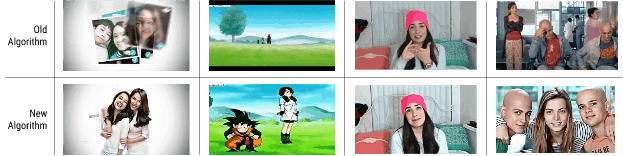
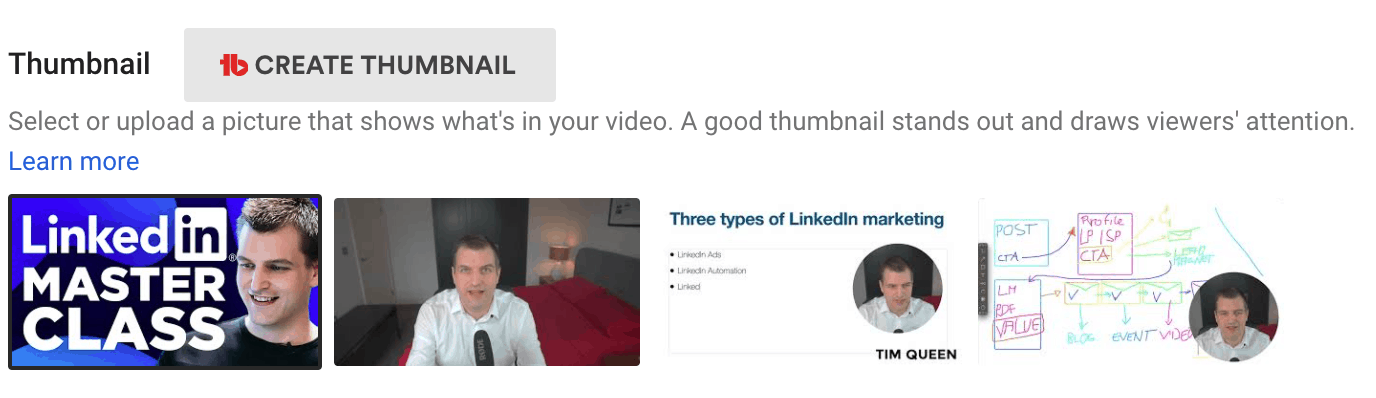
I recommend always putting in the extra effort to design a custom thumbnail.
Have a look at my custom thumbnail on the left and then compare it to the three generated thumbnail ideas on the right. Which would you want to click?
Once you have created your custom thumbnail, you have to upload it. To do this, click on the "Upload Thumbnail" icon on the left.
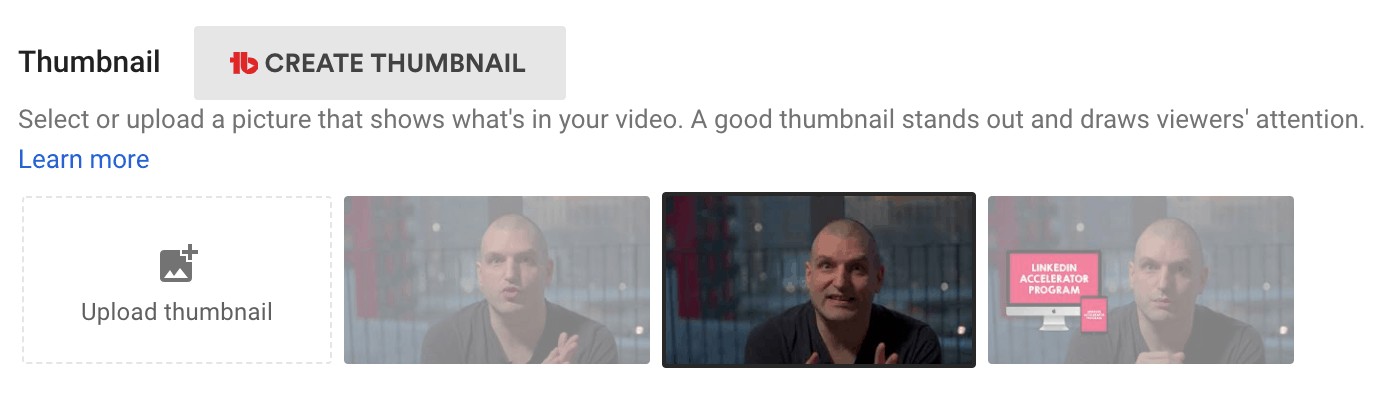
Hover over your custom thumbnail and select the three dots on the top right-hand corner to download the current thumbnail or to replace it with a new thumbnail.
YouTube Thumbnail Dimensions and Formats
Try to use a 16:9 aspect ratio for your YouTube thumbnails.
The file format has to be JPEG, GIF, or PNG.
YouTube has a file size limit for video thumbnails. Make sure that your image is less than 2 MB in size before you upload it. You can use an image compression tool such as ShortPixel to compress your thumbnail before uploading it.
The minimum thumbnail resolution is 1280 pixels in width and 720 pixels in height.
But I recommend picking a much higher resolution if you want to future proof your videos.
- HD – 1920 pixels x 1080 pixels
- 4K – 3840 pixels x 2160 pixels
Best YouTube Thumbnail Design Tools
What are the best design tools for YouTube thumbnails?
Canva
Canva: Free
Canva Pro: $12.99 per month
If you are a total beginner or have no budget use the free plan of Canva.
It's very easy and intuitive to use – especially for total beginners – and has hundreds of built-in YouTube thumbnail templates for you to choose from.
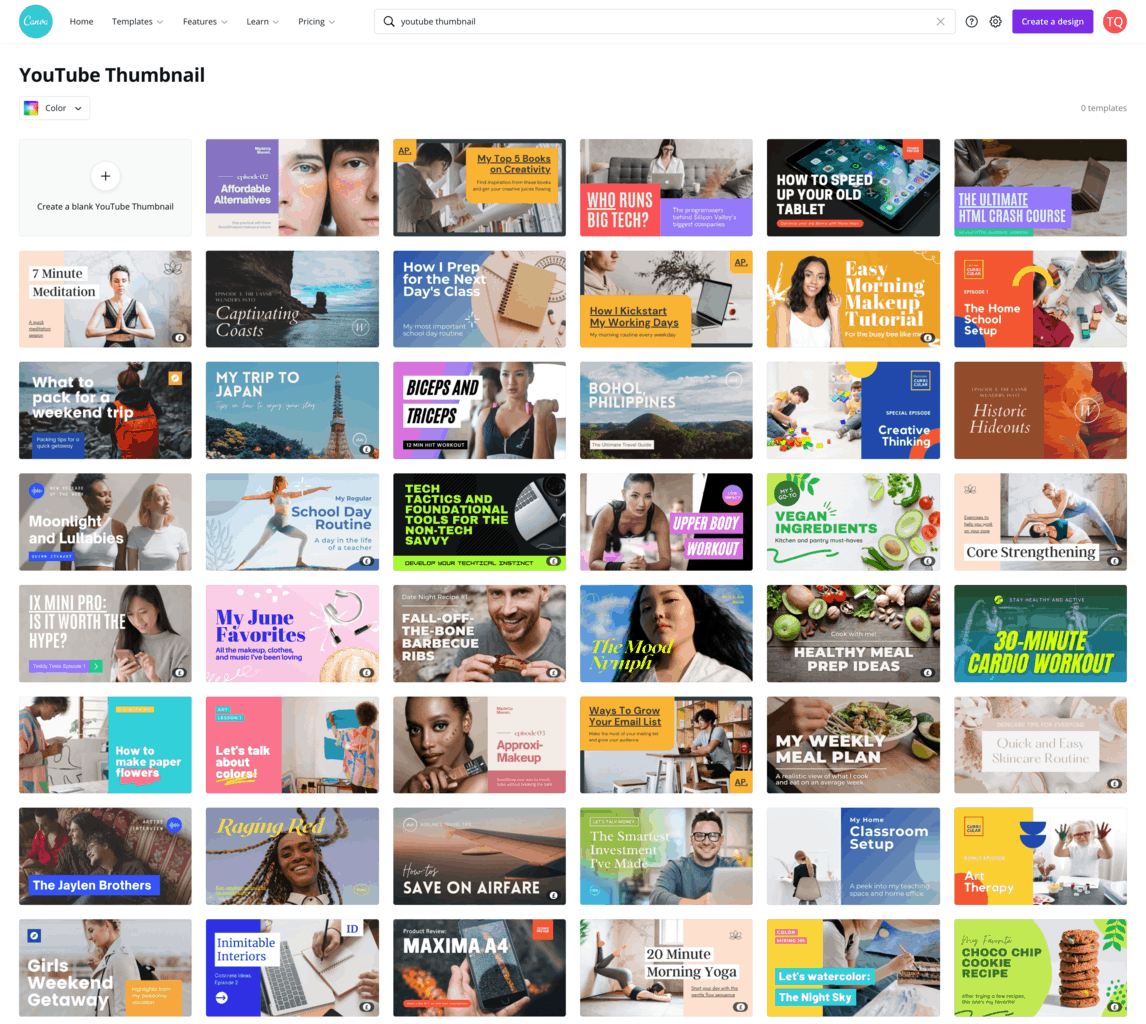
Some templates and features are only accessible with a Canva Pro subscription.
One very cool tool that is only available with a paid subscription is the background removal feature. This allows you to take a photo of yourself and then place it on any background of your choice.
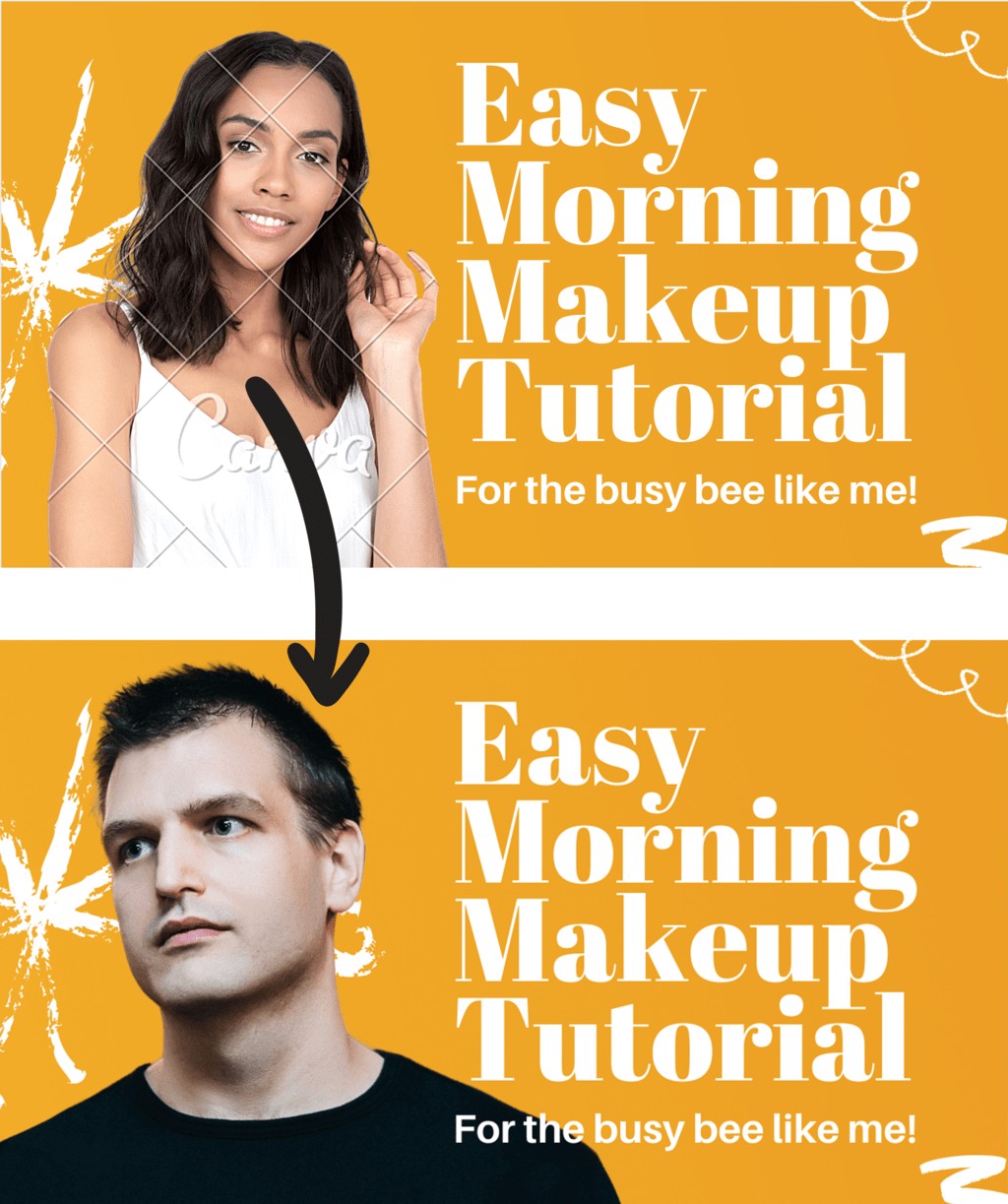
The downside of using Canva is its limited design capabilities compared to more advanced applications such as Affinity Photo or Adobe Photoshop.
Many of Canva's YouTube thumbnail templates feel a bit outdated and you might not be able to find something that fits your brand.
If you want to give Canva a try, sign up for a free 1-month Canva Pro trial to get access to all templates and the background removal tool and see if you can find a few templates that you like.
Affinity photo
Affinity Photo: $49
If you are looking for something more powerful invest in Affinity Photo. It's available for both Windows and macOS and has a once-off investment of just $49.
Affinity Photo has become the first choice for many photographers and creative professionals around the world.
It's lightning-fast, extremely powerful, and compatible with Adobe Photoshop, meaning you can import and work with any Photoshop YouTube thumbnail template.
Affinity Photo is a professional tool and has a learning curve. But once you learned the basics, it's very easy to create amazing thumbnails.
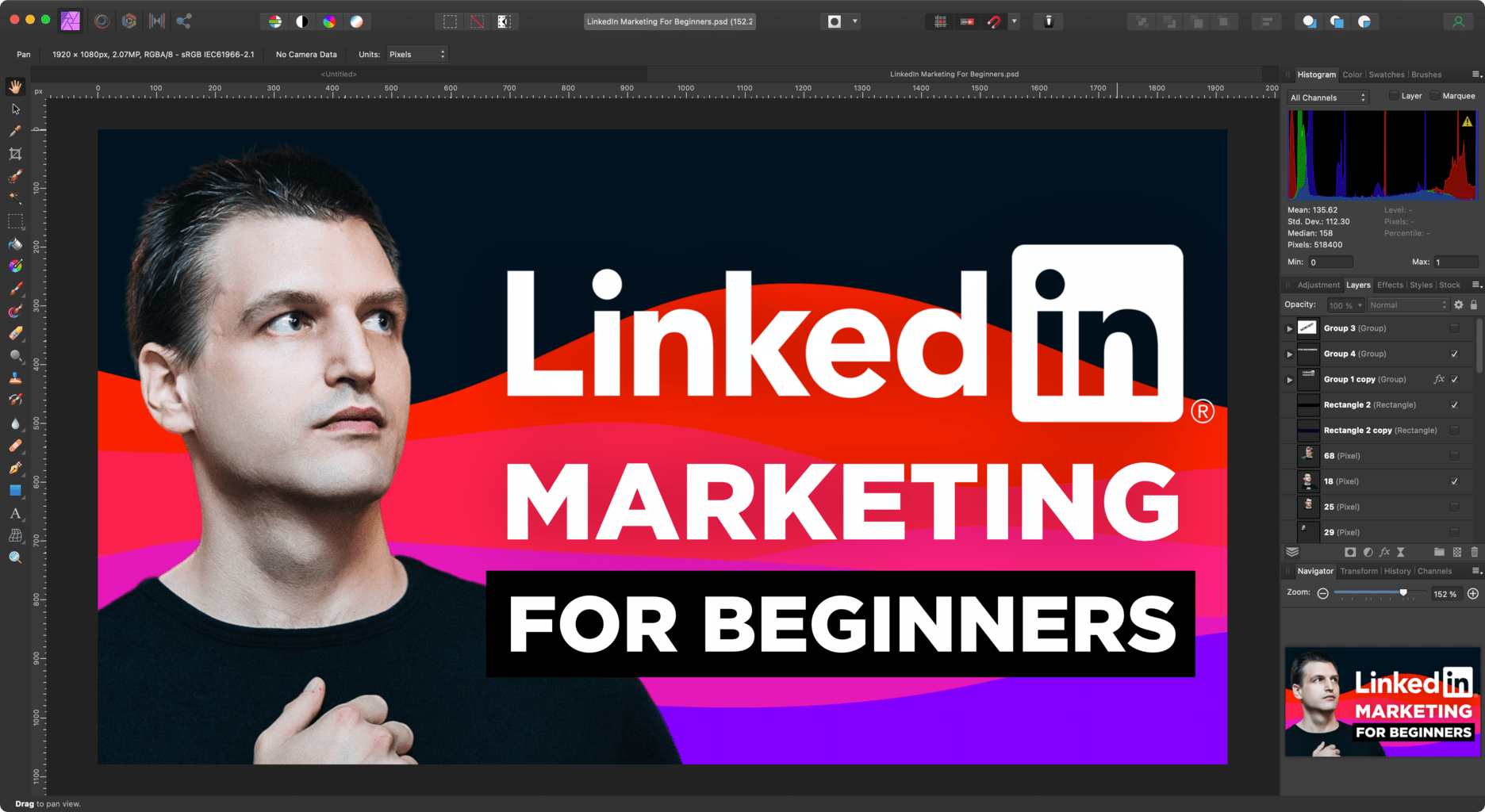
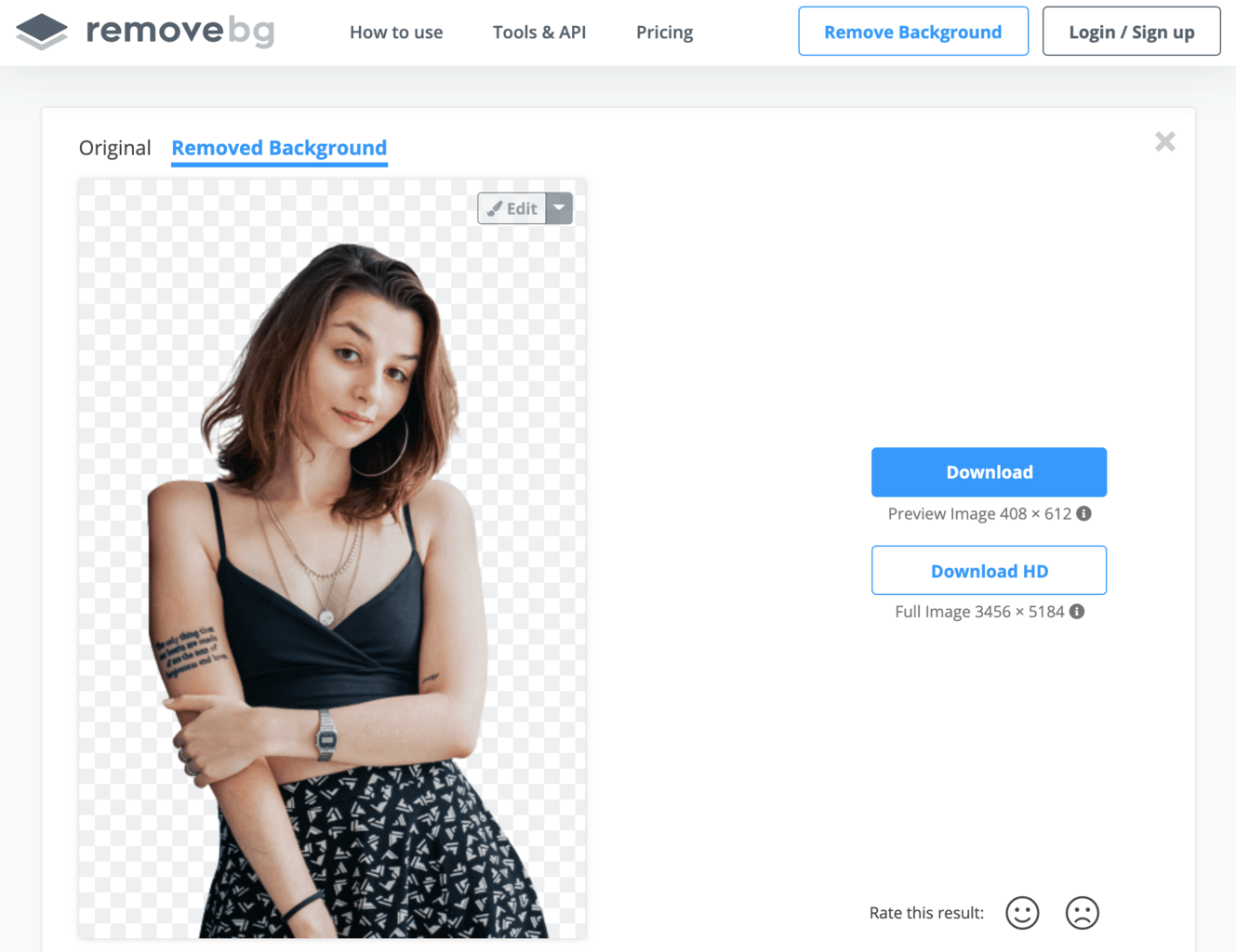
One downside of Affinity Photo is that it currently doesn't offer an AI background removal tool similar to Canva or Photoshop.
As a workaround, you can use a service like Remove BG and then import the final result into Affinity Photo.
Adobe Photoshop / Adobe Creative Cloud
Adobe Photoshop: $19.99 per month
Adobe Creative Suite: $52.99 per month
If you can afford a monthly subscription invest in a Creative Cloud subscription from Adobe. The last option is especially useful if you plan on using the included Adobe Premiere and Aftereffects to edit your videos.
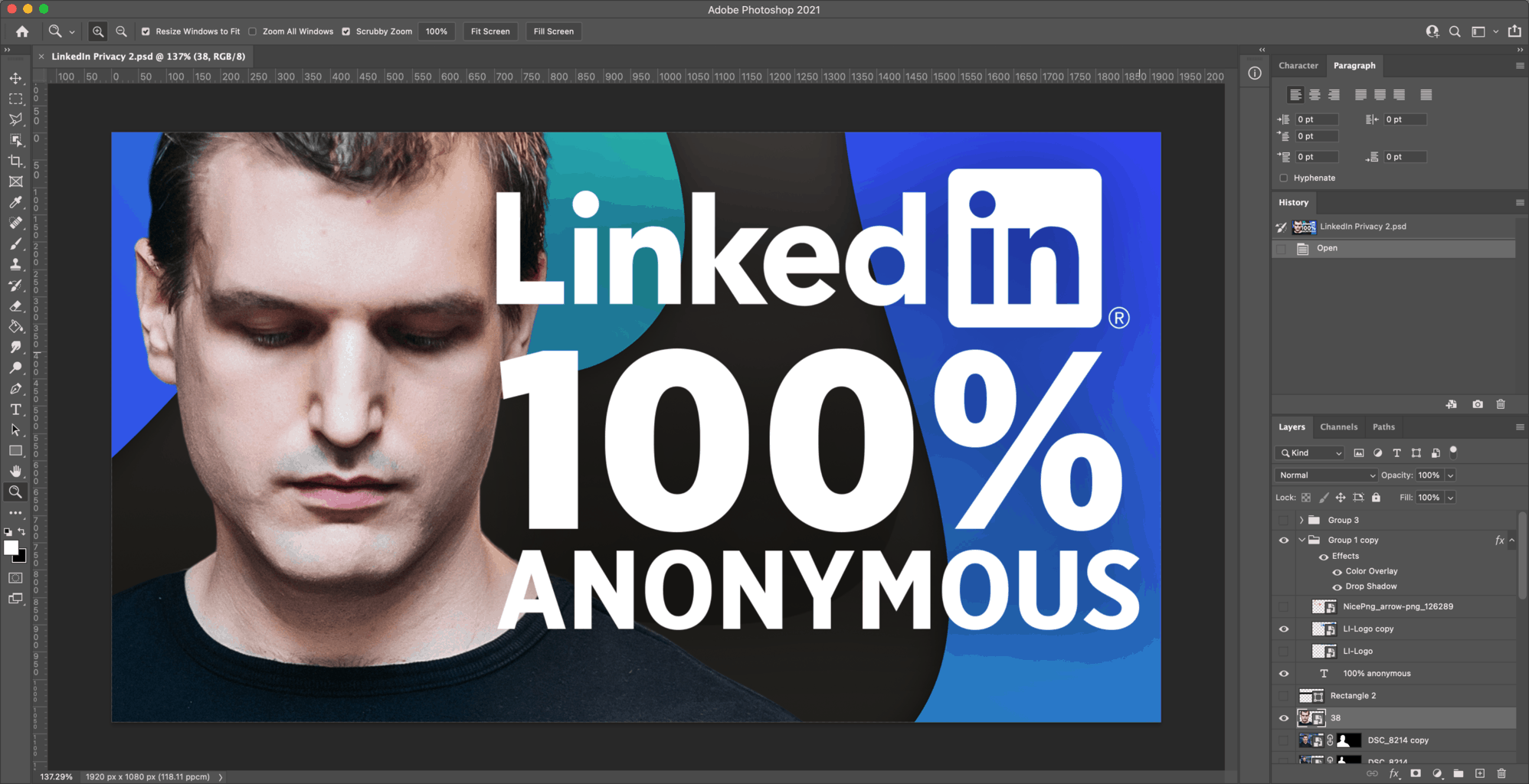
Photoshop also has a built-in AI background removal tool, that is on par with Canva or Remove BG.
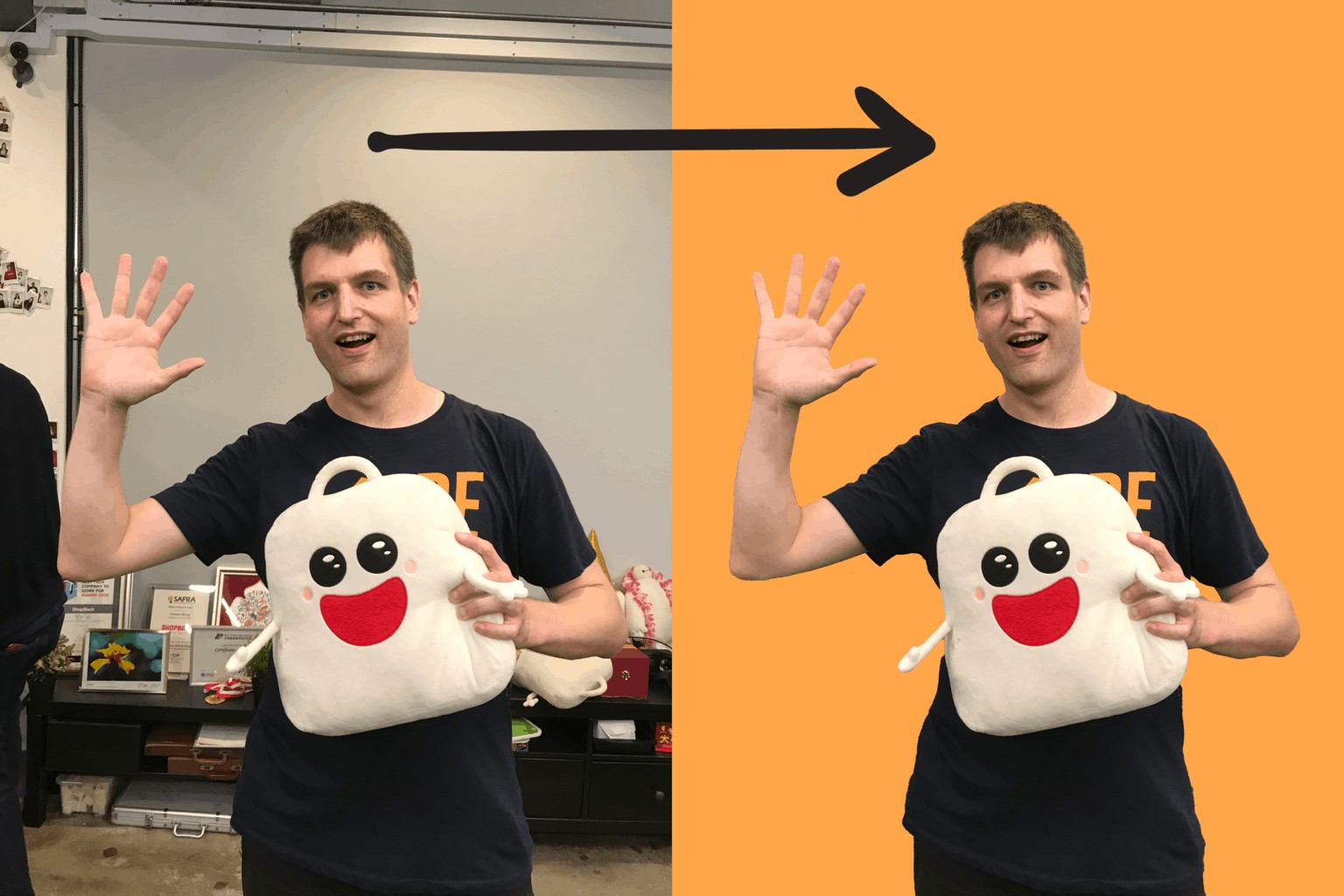
The best thing about Photoshop is that it's the defacto standard in the design industry. That's why it's super easy to find a professional designer who can create a branded template for you that you can easily customize.
You can also find hundreds of thousands of free and paid YouTube thumbnail templates for Photoshop online.
YouTube Thumbnail Templates
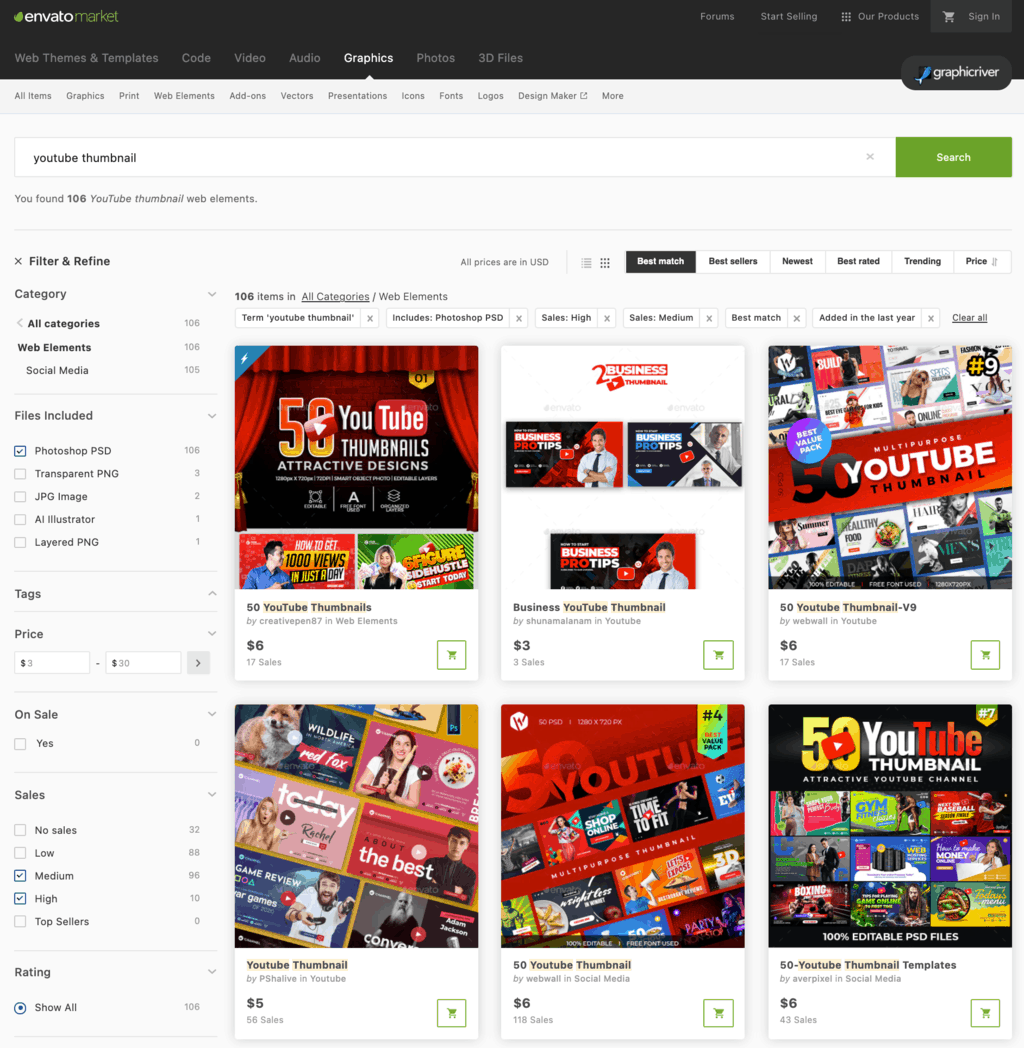
Graphic River
Graphic River is selling more than 600+ YouTube thumbnails at very reasonable prices starting from $2.
Placeit
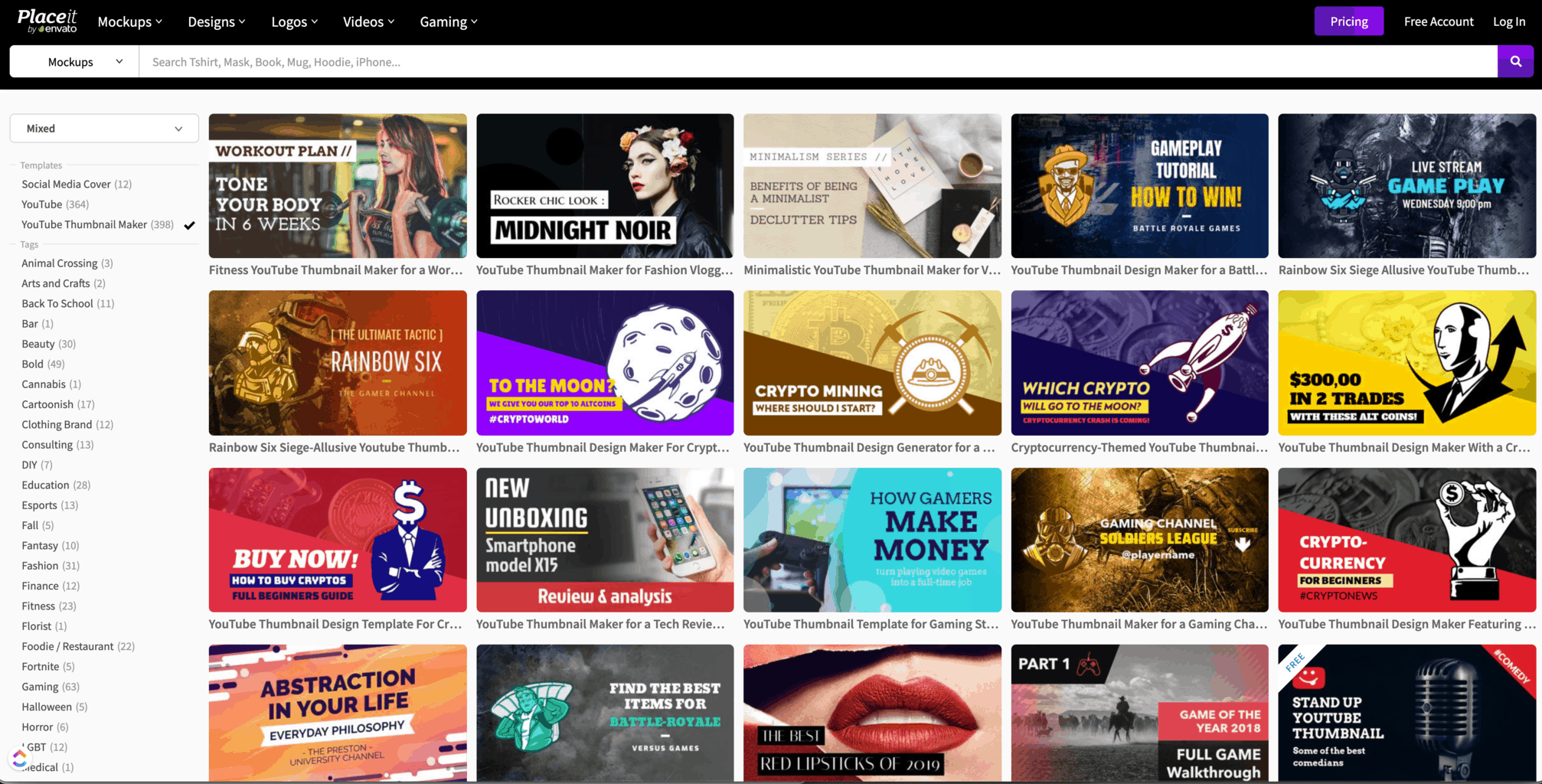
Placeit requires a paid subscription of $14.95 per month and offers you to customize and download an unlimited number of mockups, designs, videos, and logos from more than 100,000+ templates, including 400+ YouTube thumbnail designs.
Canva
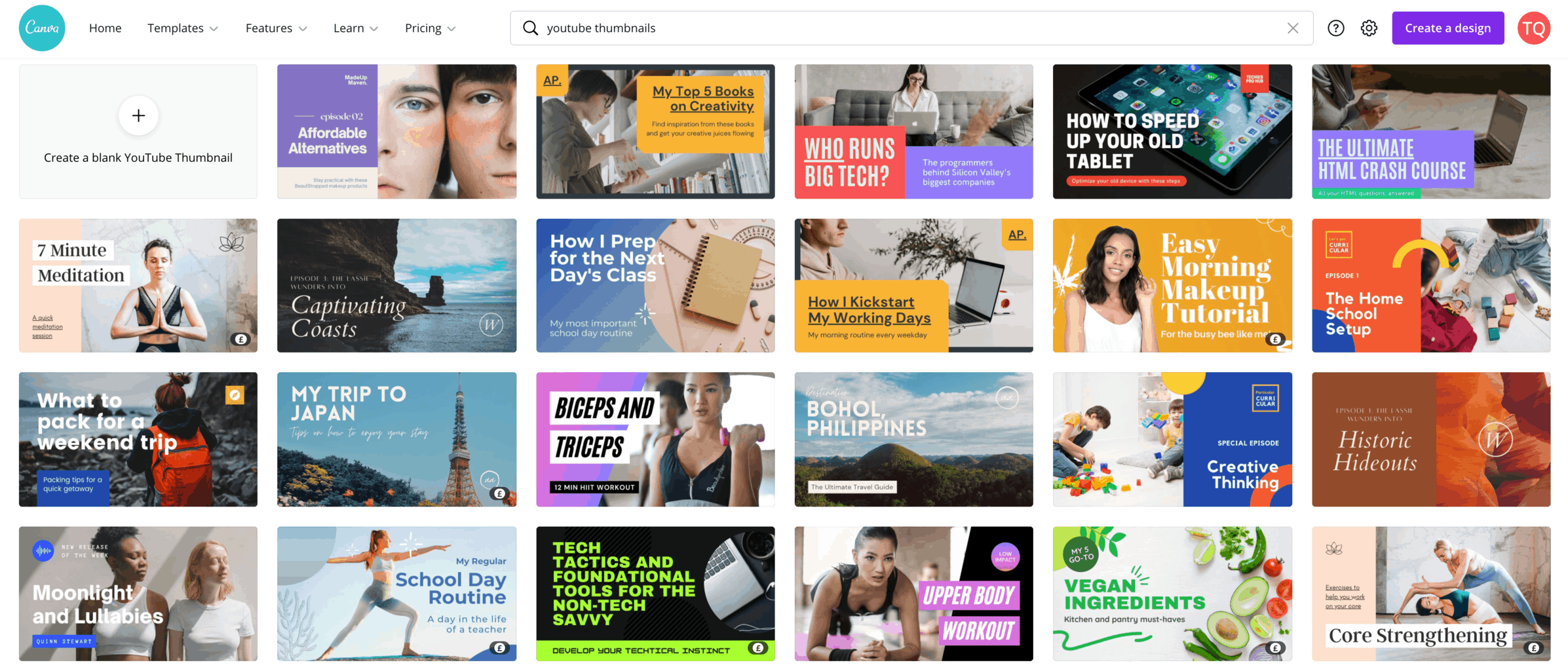
Canva offers hundreds of YouTube thumbnail templates. Many of them are free, some require a Canva Pro subscription.
Fiverr
If you want to get a professional to create a branded YouTube thumbnail template for you, or are just looking for a designer who can create all of your YouTube thumbnails, then check out Fiverr.
Follow YouTube's Thumbnail Community Guidelines
Your custom YouTube thumbnail must follow Youtube's thumbnail community guidelines. Otherwise, your video might at best not receive as many impressions as it could, and at worst result in a community strike on your channel.
Never upload a YouTube thumbnail that fits any of the descriptions below.
- Pornographic images, sexual acts, nudity, or other sexually explicit imagery.
- Violent imagery that is intended to shock or disgust.
- Graphic or disturbing imagery with blood or gore.
- Thumbnails with vulgar or offensive language.
- Misleading thumbnails that are tricking viewers into thinking they're about to view something that's not in the video.
Thumbnails that don't violate YouTube's policies but aren't appropriate for all audiences
Some thumbnails don't violate YouTube's Community Guidelines but may not be appropriate for all audiences.
In these cases, YouTube wouldn't issue a strike against your channel but may place an age restriction on your video or remove the thumbnail altogether.
Here's a list of thumbnails that YouTube's AI might remove or age-restrict:
- The focal point is on breasts, buttocks, or genitals (clothed or unclothed).
- Someone is posing or clothing in a way that is intended to sexually arouse viewers.
- Some degree of violence or gory imagery.
- Written text is intended to be vulgar, to shock, or to disgust viewers.
- Title, description, tags, or other data indicates an intent to shock or disgust viewers.
What happens when your thumbnails violate YouTube's policies
If your thumbnail contains pornography, YouTube may terminate your channel.
If your thumbnail violates other policies, YouTube will either age-restrict your video, remove the thumbnail or issue a strike against your account.
If this is the first time that you've posted content that violates YouTube's Community Guidelines, you'll get a warning with no penalty to your channel.
Afterward, YouTube will issue a strike against your channel for each violation.
If you get three strikes your YouTube channel will be terminated.

What YouTube's AI Thinks About Your Thumbnail
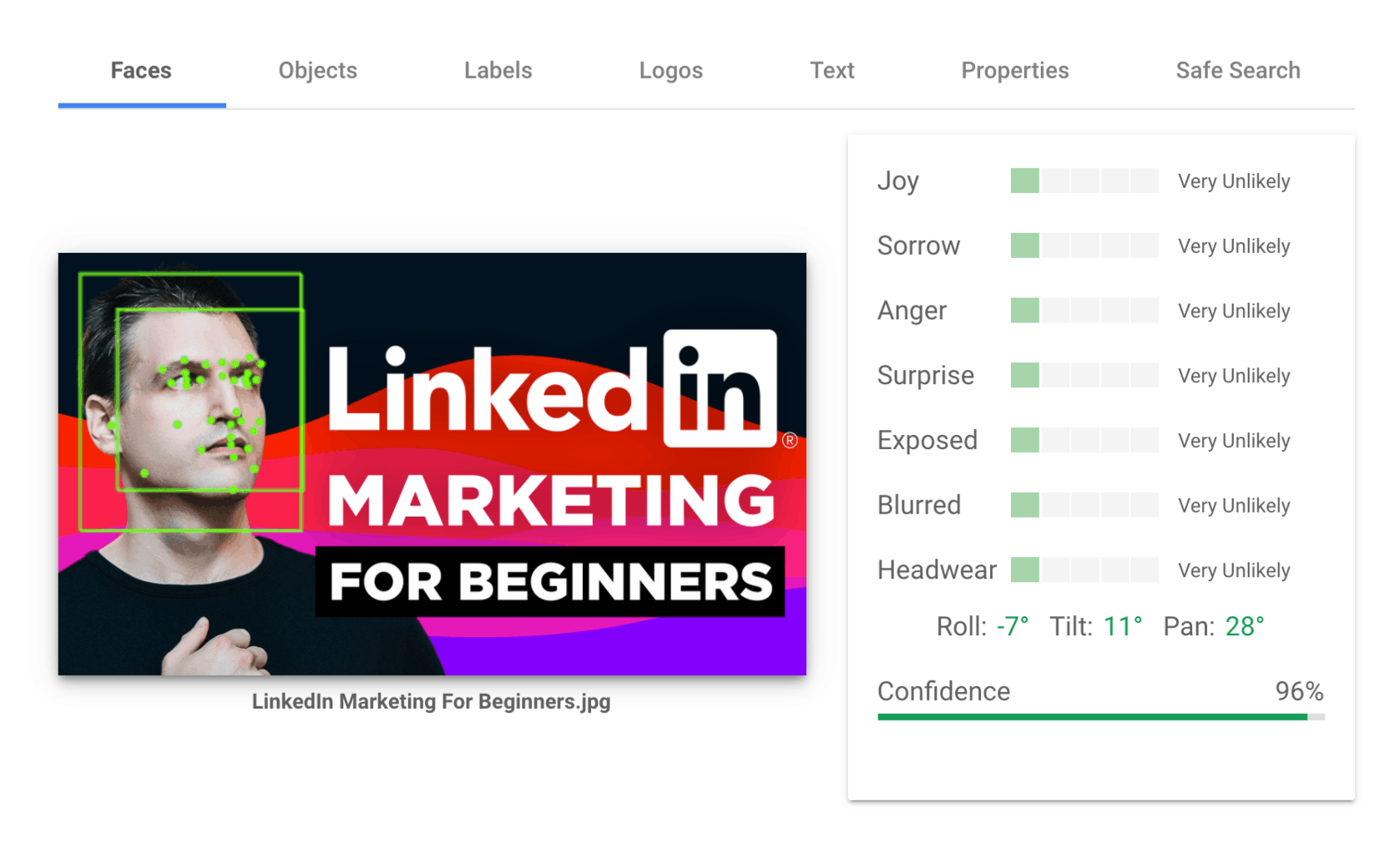
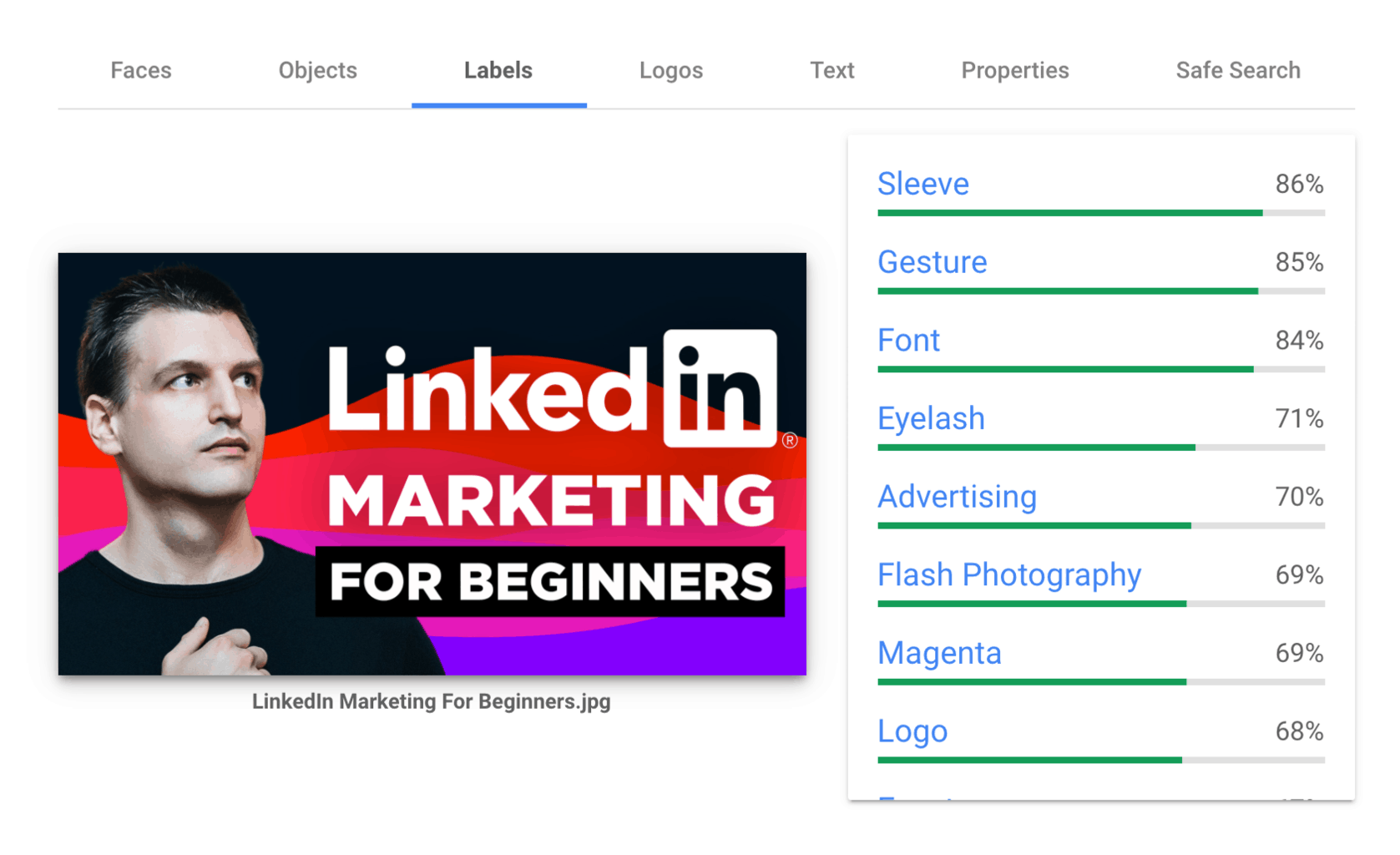
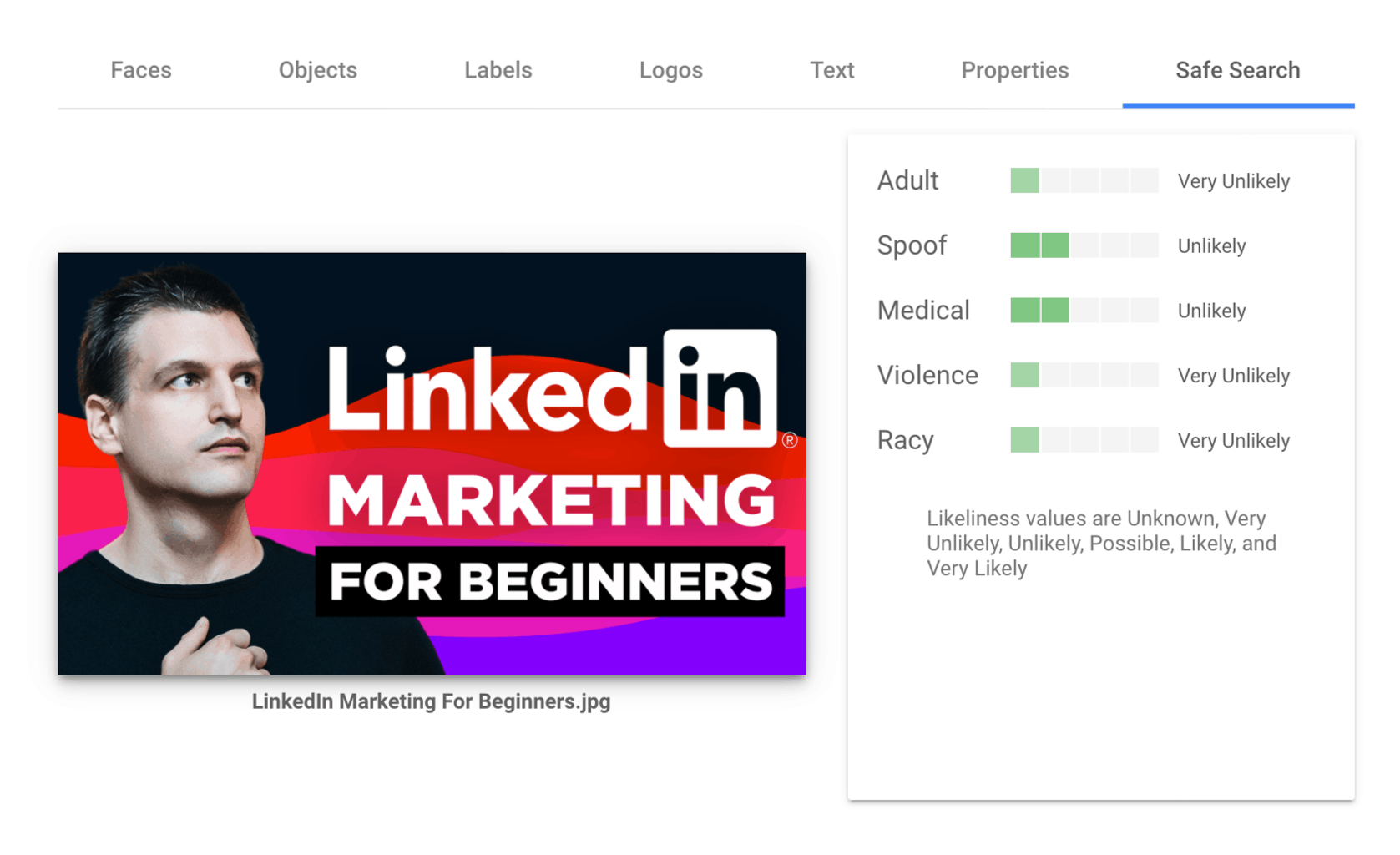
To keep your YouTube channel safe, make sure to test all edgy YouTube thumbnails with Google's Cloud Vision AI tool BEFORE you upload them on YouTube.
It's the same AI technology that YouTube is using to analyze your custom thumbnails.
Just open the Cloud Vision homepage and scroll down to the API Tester section.
Here you can upload your video thumbnail for free and determine how YouTube might interpret your thumbnail.
Cloud Vision can read human emotions and facial expressions.
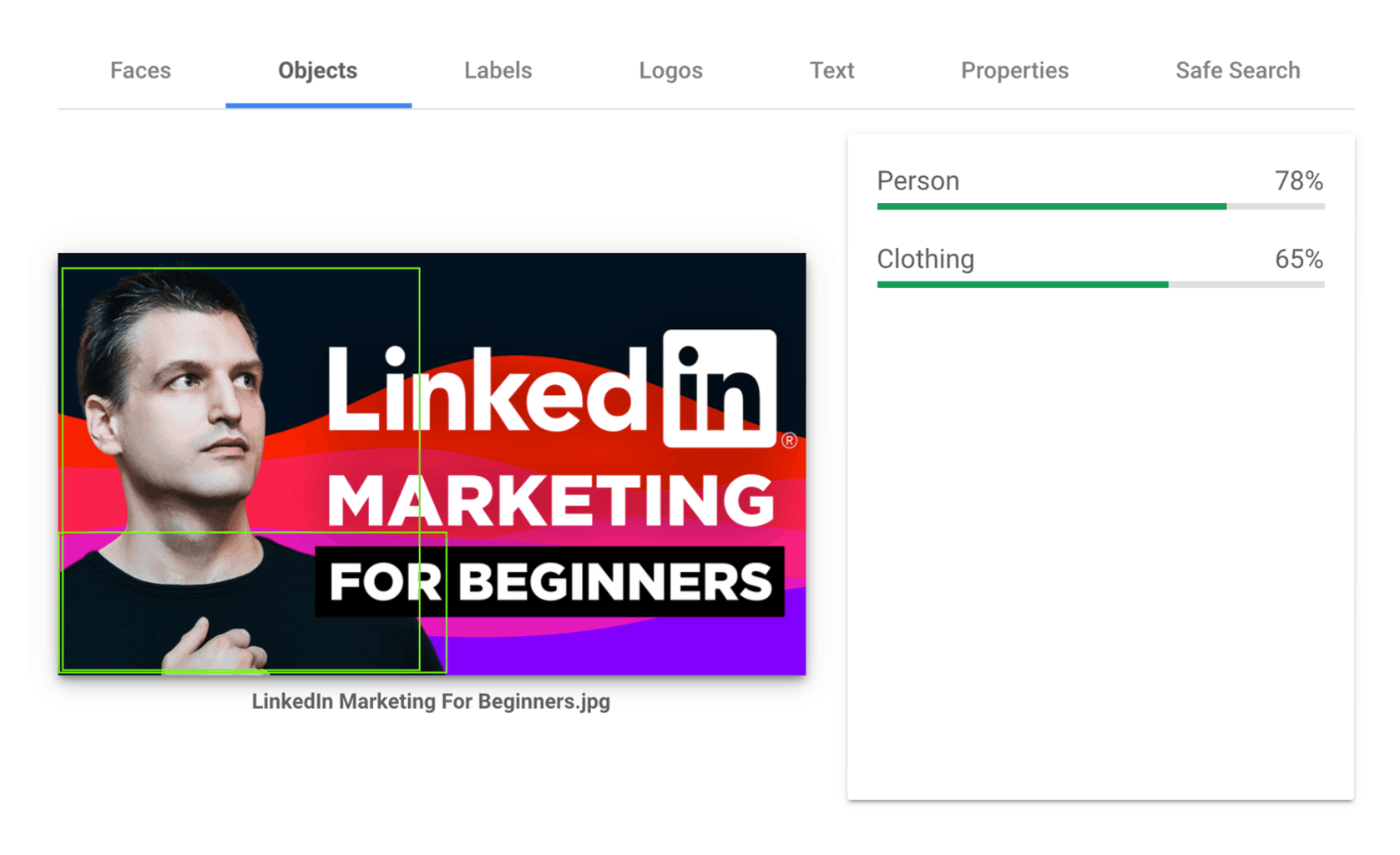
Identify if a thumbnail contains people and clothing.
YouTube can identify thousands of objects and characteristics of your thumbnail with various confidence levels.
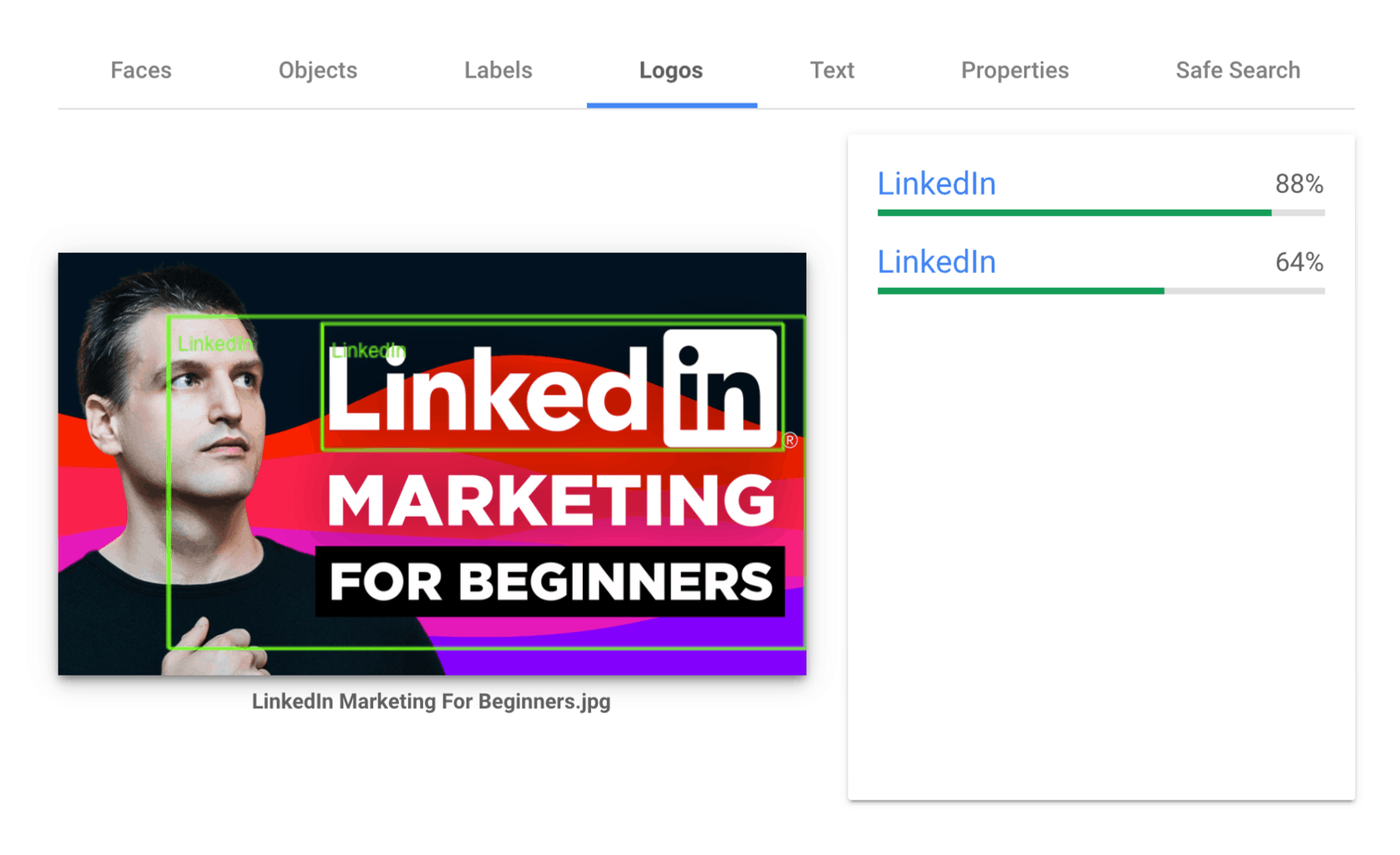
YouTube is able to recognize company logos.
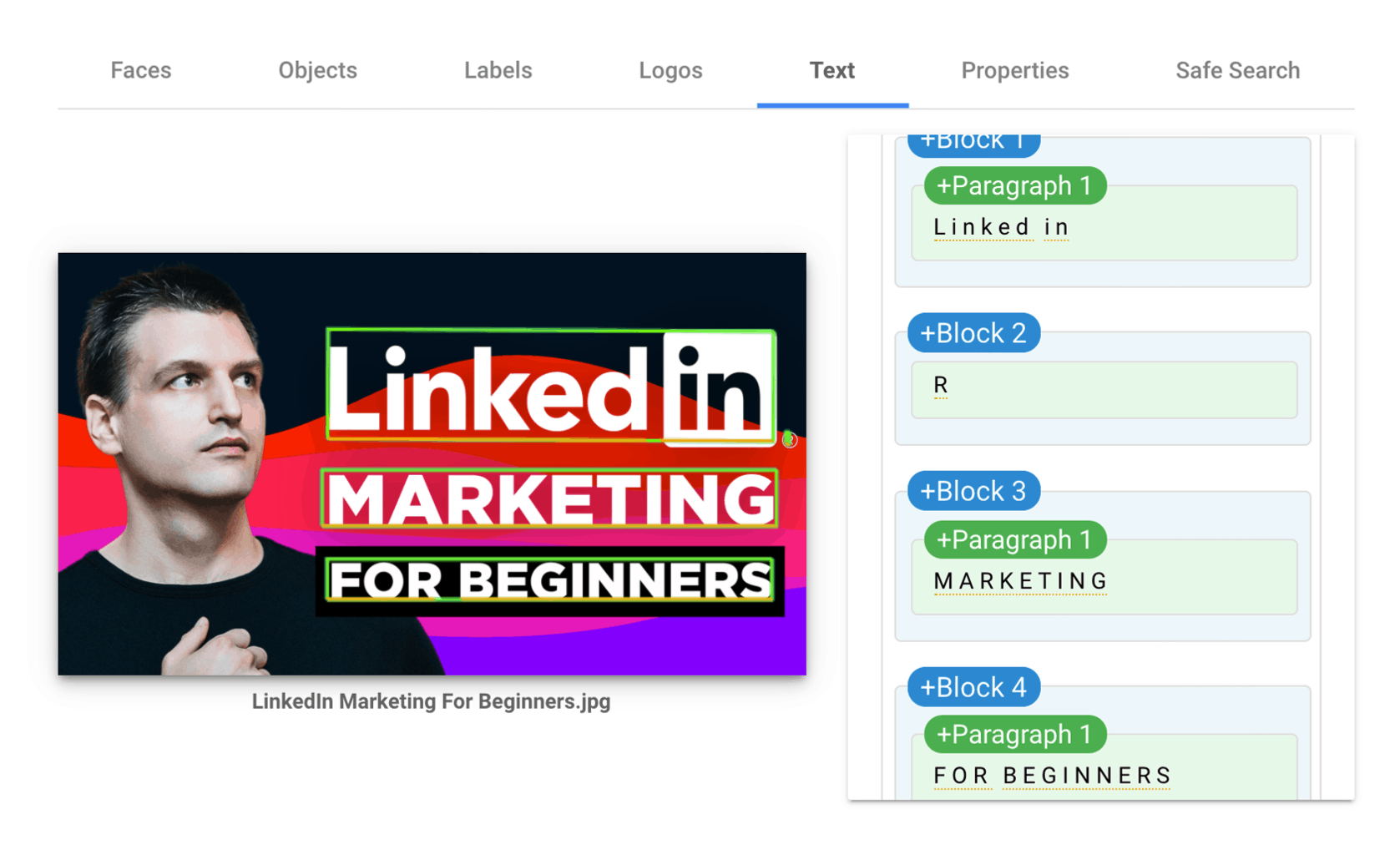
Read and understand any text on top of your video.
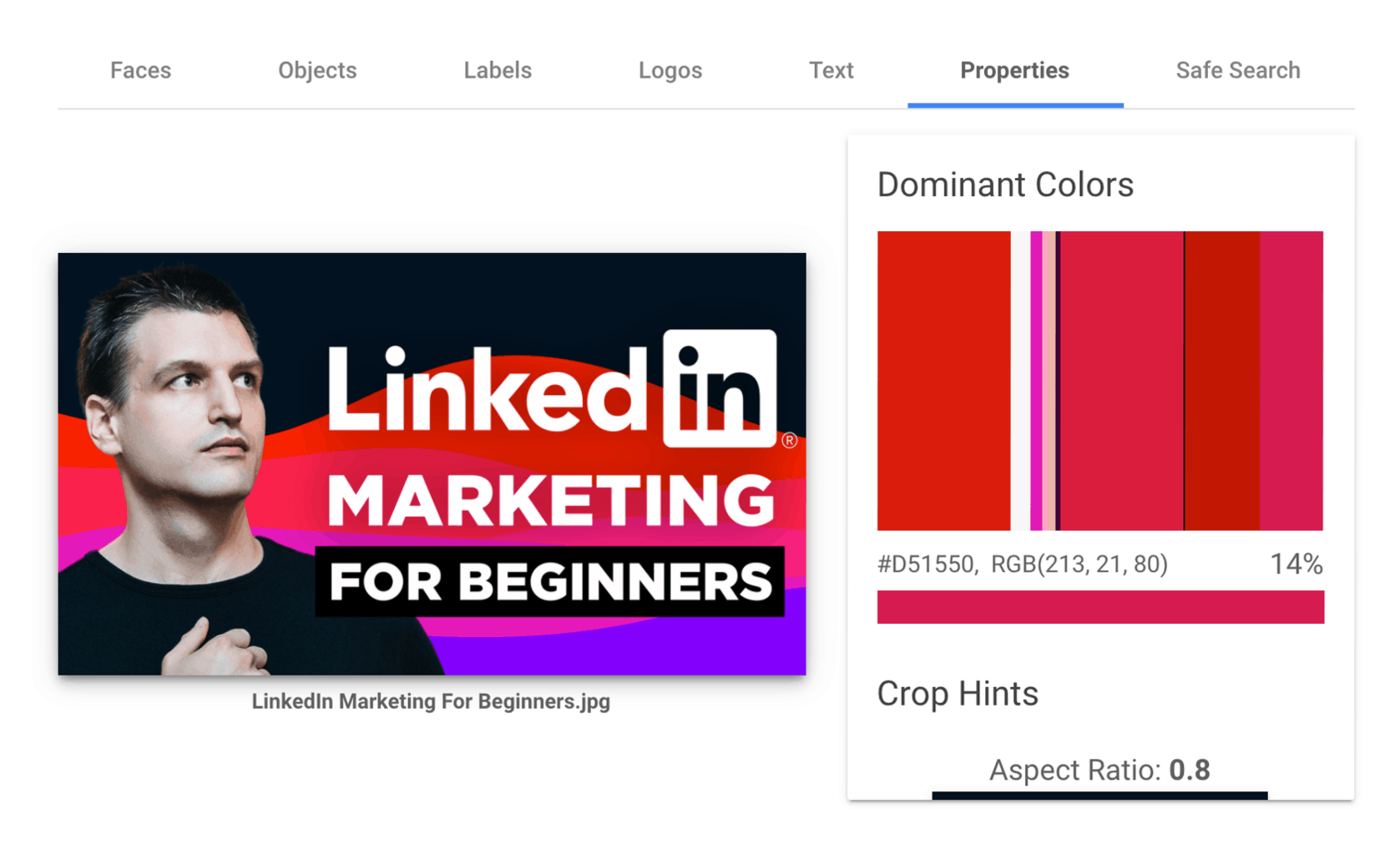
It understands colors.
And most importantly give you in-depth insights into what Google considers to be safe for work.
Optimize Your Video Title to Maximize Your Click-Through Rate
Your video title is the second most important success factor, right after your video thumbnail, and has a huge impact on how many clicks your videos will attract.
Your title has three main functions.
- Allow viewers to understand if a video is right for them?
- Help YouTube and other search engines such as Google or Bing to understand what your video is all about?
- Trigger enough curiosity within a potential viewer to get them to click on your video.
To get the best results with both your thumbnail and your title, you have to optimize your YouTube video title and make sure that both are in alignment and complement each other.
I recommend using TubeBuddy to identify the best keywords for your YouTube title.
You can learn more about how to find amazing YouTube titles here.
How to Make Great YouTube Thumbnails That Get Clicks
If you want to attract more clicks for your Youtube videos, you have to achieve a few things.
Make your that your thumbnail stands out and people notice it among thousands of other videos.
Communicate what your video is all about, so everyone looking at it instantly understands if this might be worth watching or not.
Trigger enough curiosity and intrigue so that people who are interested in it, click on it, either to watch it or to bookmark it for a later time.
In the following sections, I am going to walk you through some of the best practices when it comes to thumbnail design, why they work and how you can use these principles to design click-worthy video thumbnails for your own YouTube channel.
Consistent thumbnail design, channel recognizability, and YouTube branding
Want to increase the odds of getting more clicks on your YouTube videos?
Then creating a consistent style for your YouTube thumbnails might be the answer.
Think about your favorite YouTube creators.
Can you recognize their videos on your homepage just by looking at their thumbnail?
Most creators customize their YouTube thumbnails with their brand color, the creator's face, or a specific text overlay style.
Think about how you can build a strong brand with some simple tweaks to your YouTube thumbnails.
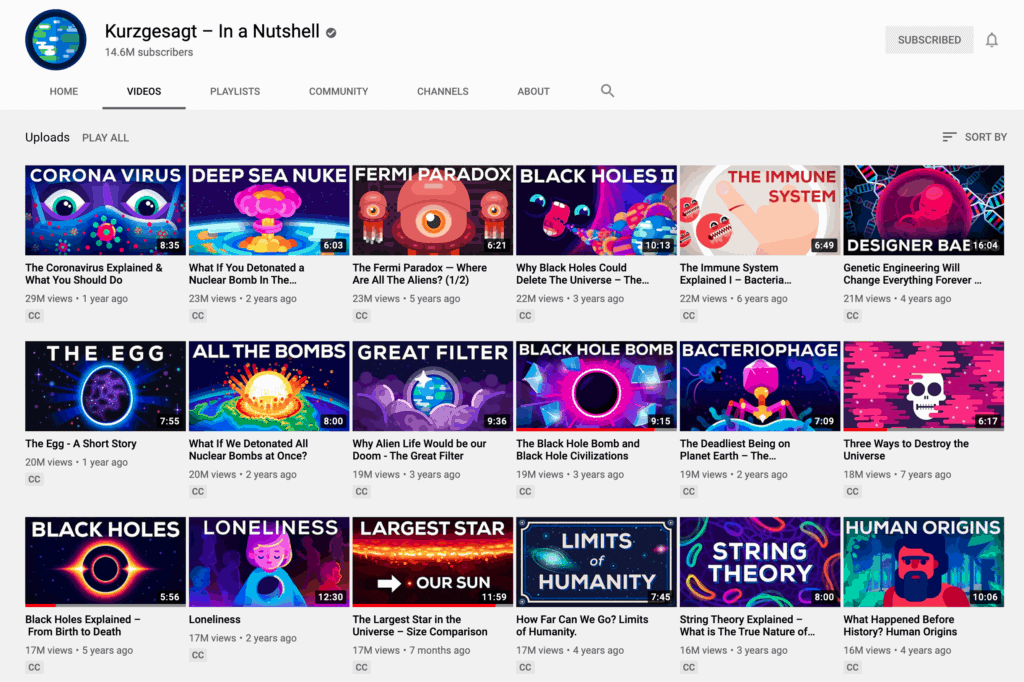
You can also take advantage of TubeBuddy's Bulk Thumbnail Overlays tool.
It allows you to add a logo or branded watermark to each video thumbnail to create a unique look across all of your videos.
The best part is, that this is a non-destructive operation. TubeBuddy creates a backup of every original thumbnail that you can always restore at a later time, before merging your watermark with the original thumbnail.
(Side note: TubeBuddy also has a thumbnail generator feature that you can leverage. A simplified version of Canva, the TubeBuddy Thumbnail Generator allows you to add text, images, shapes, emojis, and frames on top of a background of your choice.)
Focus on simplicity
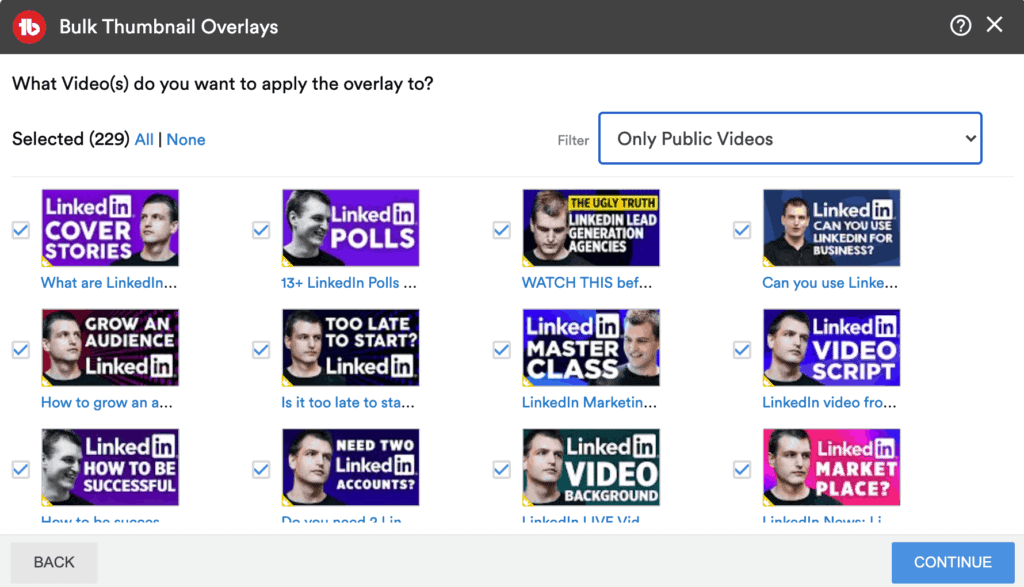
One of the most common mistakes when it comes to YouTube thumbnail design is making it too complex and complicated.
Many content creators are trying to convey too many ideas and information in a single thumbnail. The result is a cluttered mess that is difficult to understand.
The more time someone has to spend decoding and understanding your thumbnail, the less likely they will click on it.
Tim Queen
To avoid this keep your thumbnails as simple as possible. Focus on the most important and most attractive key idea of your video.
- Show the THING what your video is about.
- The one end result someone wants to achieve.
- Before and after.
- One desired or undesired outcome.
- One scenario that triggers strong emotions.
Here are a few examples:
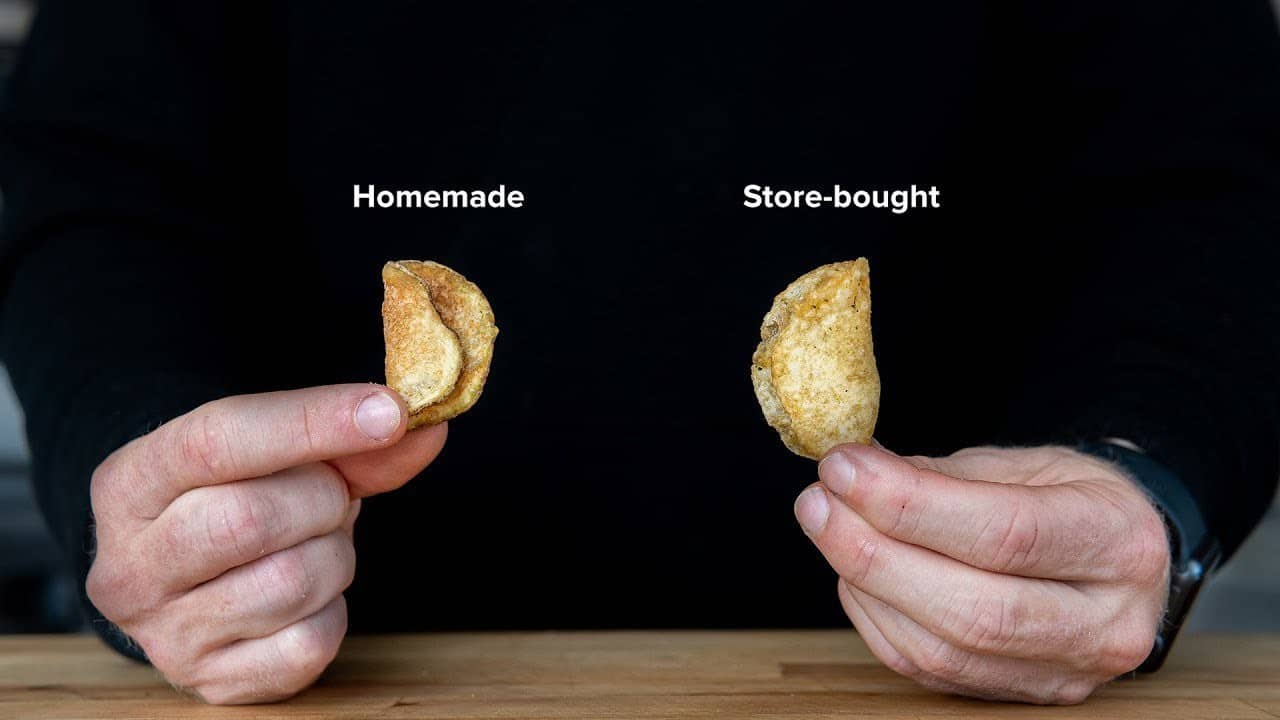
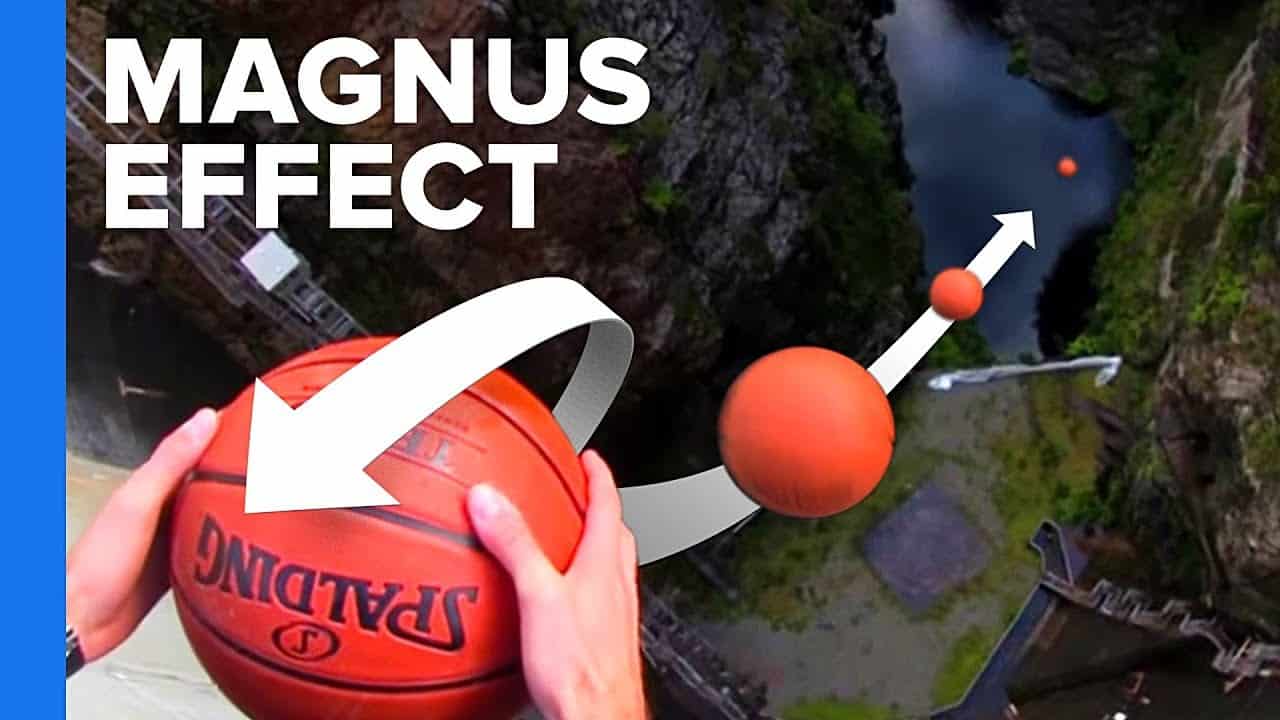
Select an attractive thumbnail background
Show the final outcome or destination
This background works exceptionally well for any form of travel or adventure YouTube video where you are either traveling to or exploring a specific destination or location. Let the view do the talking.
This also works great in combination with a full-body shot of yourself within the scene itself.


Use a color overlay on top of your background
Adding a color overlay on top of your background photo can help you to bring more attention to a foreground element that you are trying to highlight.
It's also a great tool to increase the contrast between your text overlay and your background, especially when there are too many details in your background composition.

Single color background
Backgrounds with just one background color are one of the best choices for thumbnails. They are super easy to create in any graphic design software from Canva to Photoshop.
They also offer exceptional contrast and make it very easy for viewers to read your overlay text.

Pattern background
Very similar to the one-color backgrounds are pattern-based backgrounds. They usually combine a single color with a pattern overlay to make the background more interesting without creating too much distracting noise.
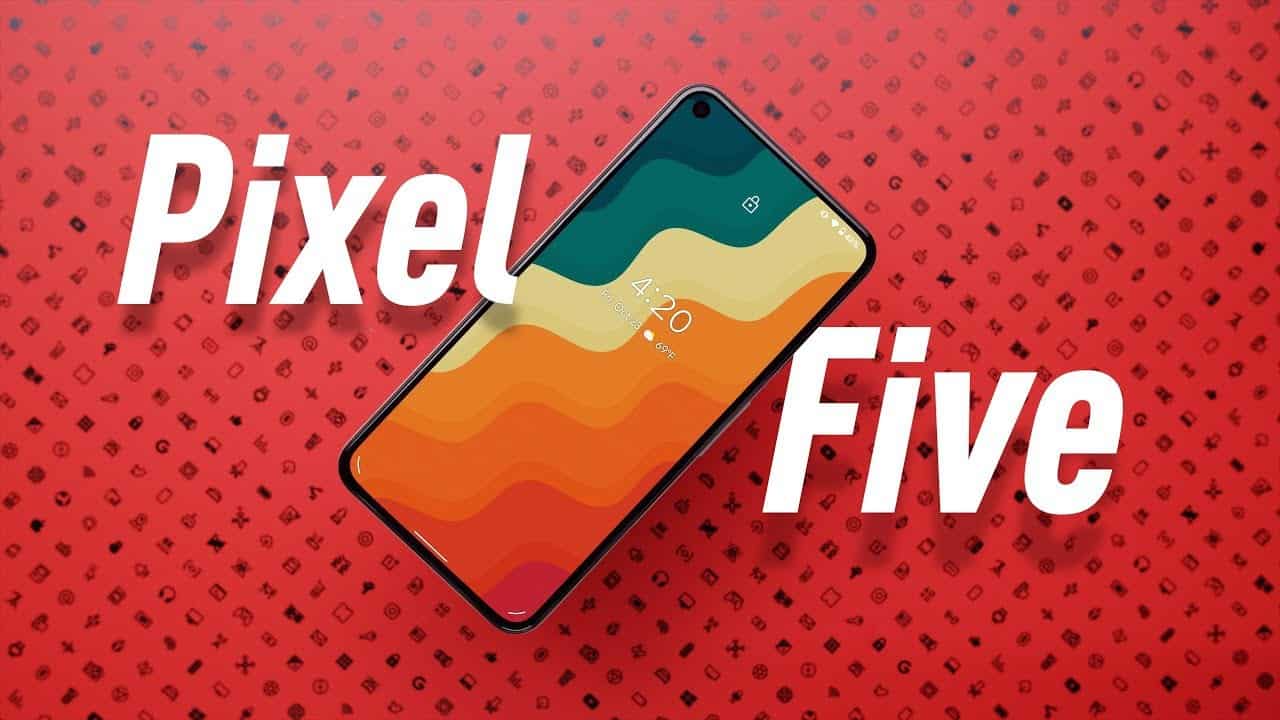

Watermark background
Alternatively, you can use a single color background and add a semi-transparent watermark on top of it. This works great if you take a foreground element and repeat it in the background in a highly enlarged version.

Vector or 3d backgrounds
Sometimes photos just don't get the job done. In these cases, you can think about using either 2D vector-based backgrounds or 3D renders.


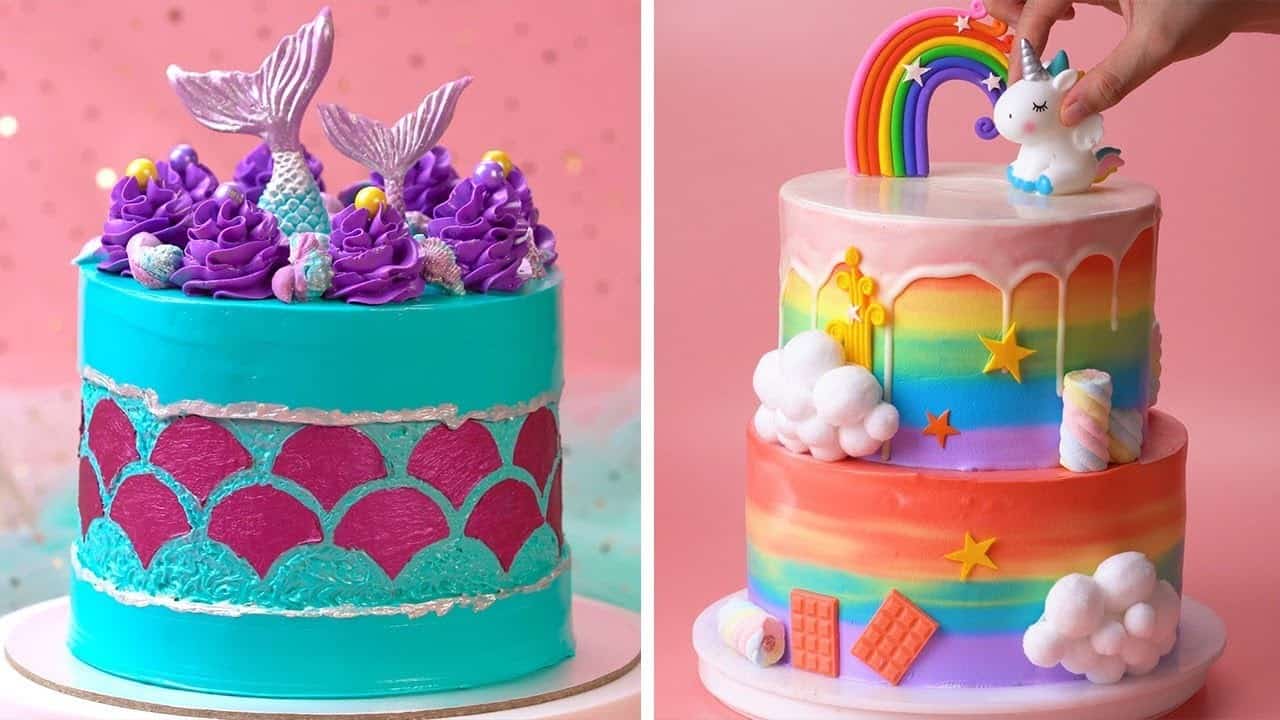
Photo background
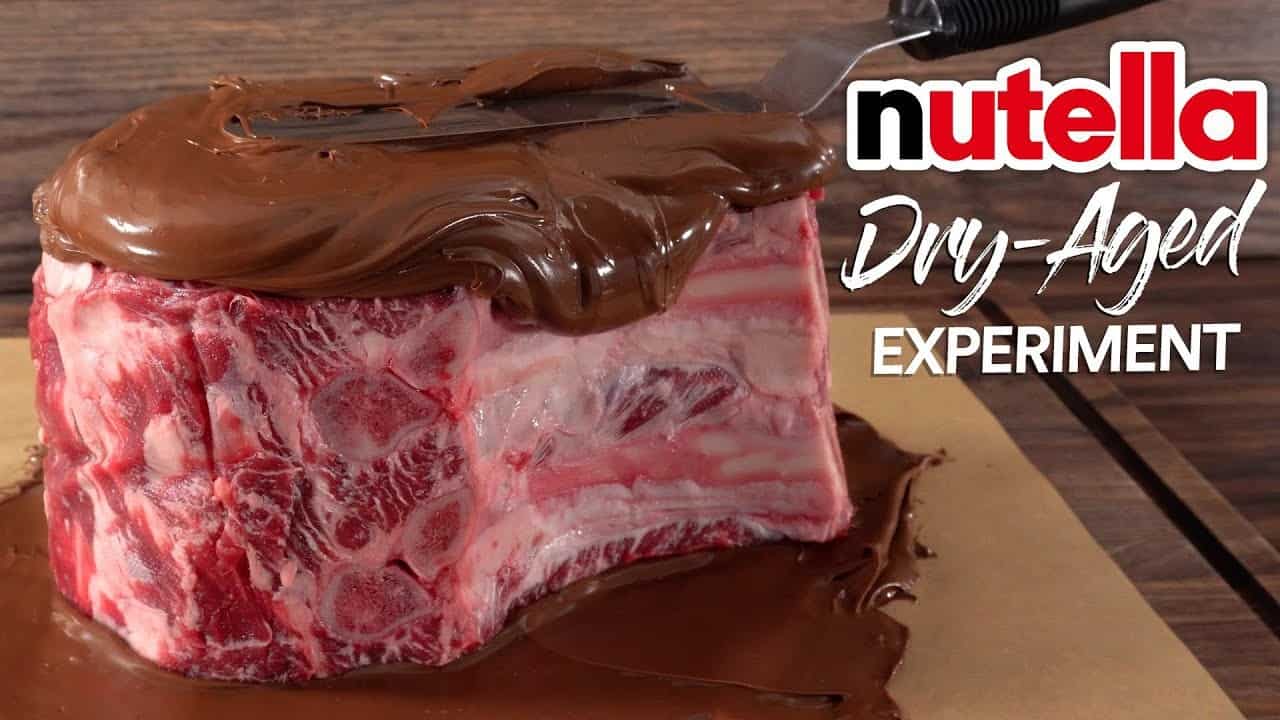
Similar to the destination thumbnail, the photo background focuses on the final outcome. This works great for any form of transformation from cooking video to car makeover.
Add text to your thumbnail
Focus on power words and keywords
When selecting your text overlay for your thumbnail, focus on search keywords and power words that trigger emotional responses first.
Especially as a small YouTube channel, the majority of your organic video views on YouTube will come from YouTube search. That's why it is so important to optimize both your thumbnail and video title for search.
Tim Queen
When your video shows up for any given search term, viewers have to be able to determine if your video would give them the answer they are looking for.
Adding the most powerful keyword on top of your video will cut down this thought process significantly.
Text-only thumbnails
While you can create a text-only thumbnail, it is generally not recommended. Every person is different, some prefer to process information in the form of reading, most people prefer visual cues.
By combining text and visual elements, you allow both groups of people to understand the content of your video quicker.

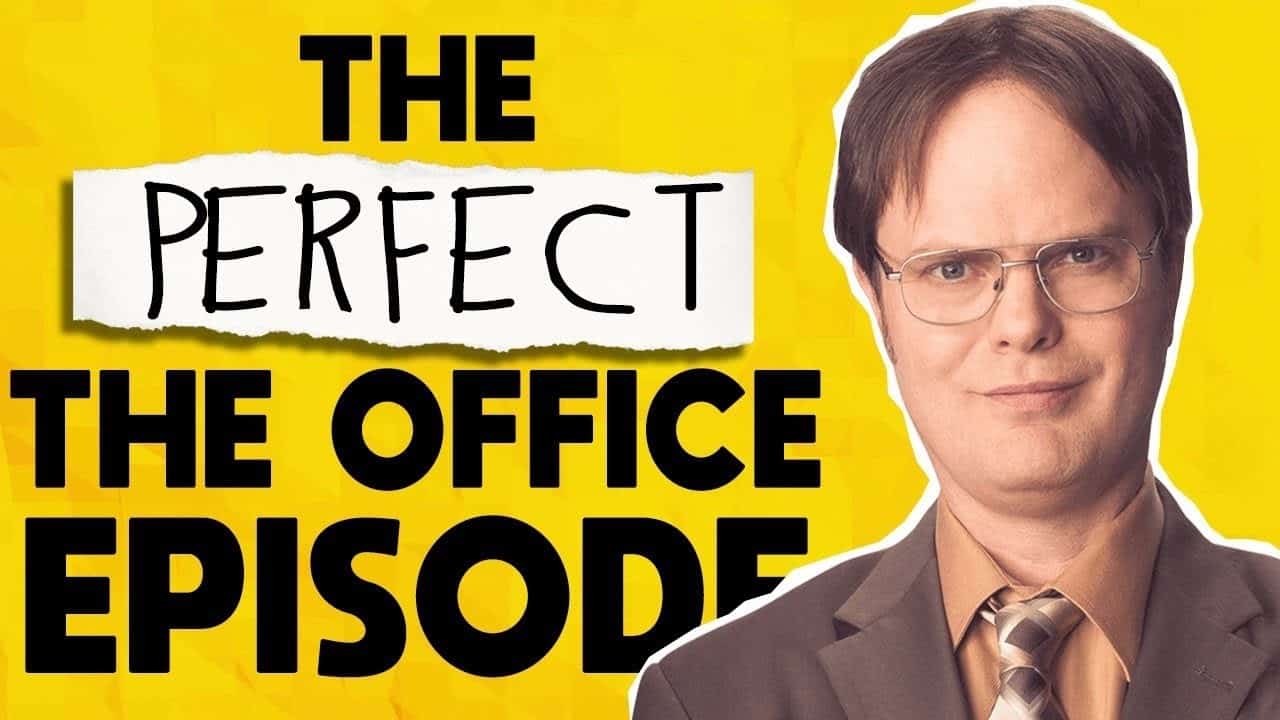
Text on background
Here is a great example of combining text-only overlays with visual elements. By using a photo of a character from the tv series "The Office" viewers can instantly put two and two together and understand that "office" in this context refers to the American version, and not to the British version of "The Office" tv show.
People who are only interested in the British show are less likely to click on it. That's a good thing because it will increase the overall watch time percentage of your videos because of their high relevance.
And this in return will help your videos to rank better on YouTube.
Text on overlay
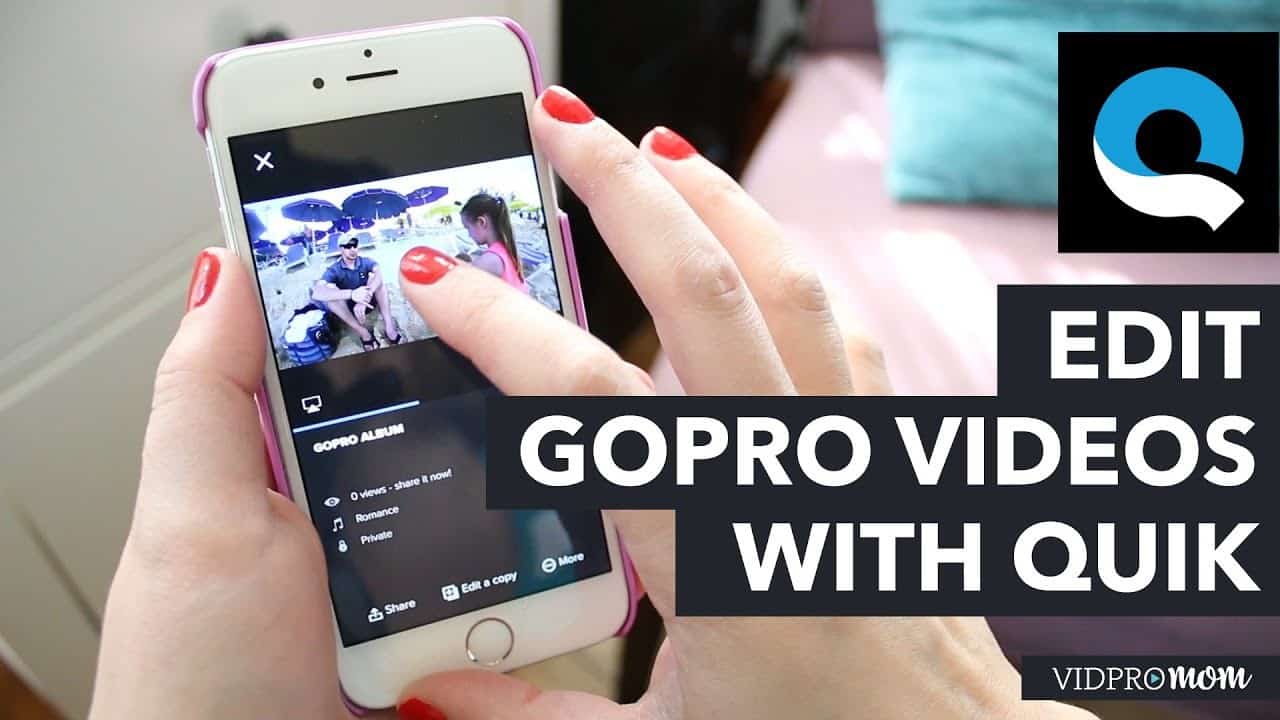
When your background isn't as clean as the two examples above, especially when there are a lot of things going on, it can be difficult to read your overlay text.
In such a case you can create a single color background behind your text that massively increases the readability of your text, making it stand out more.
Keep your text short
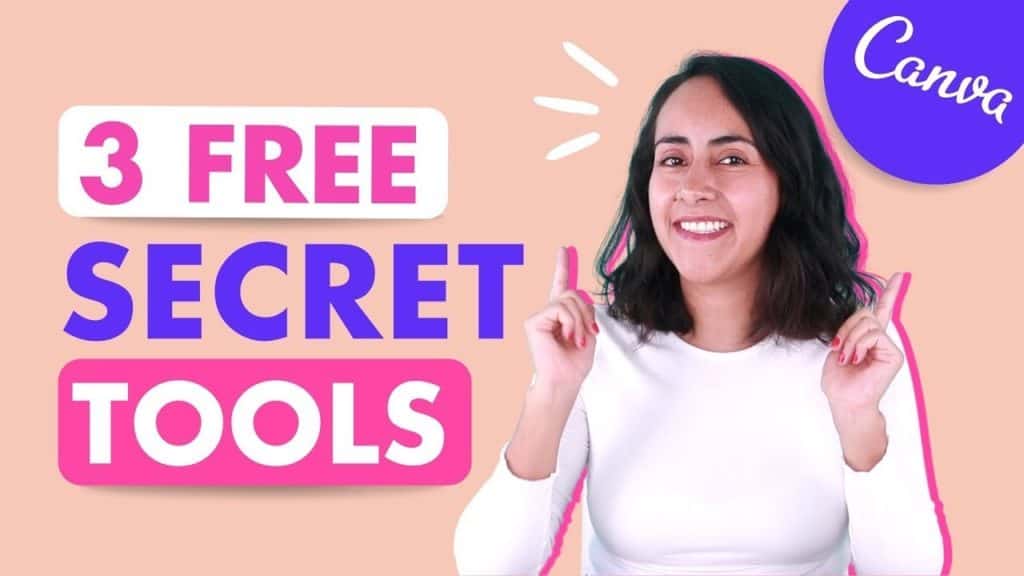
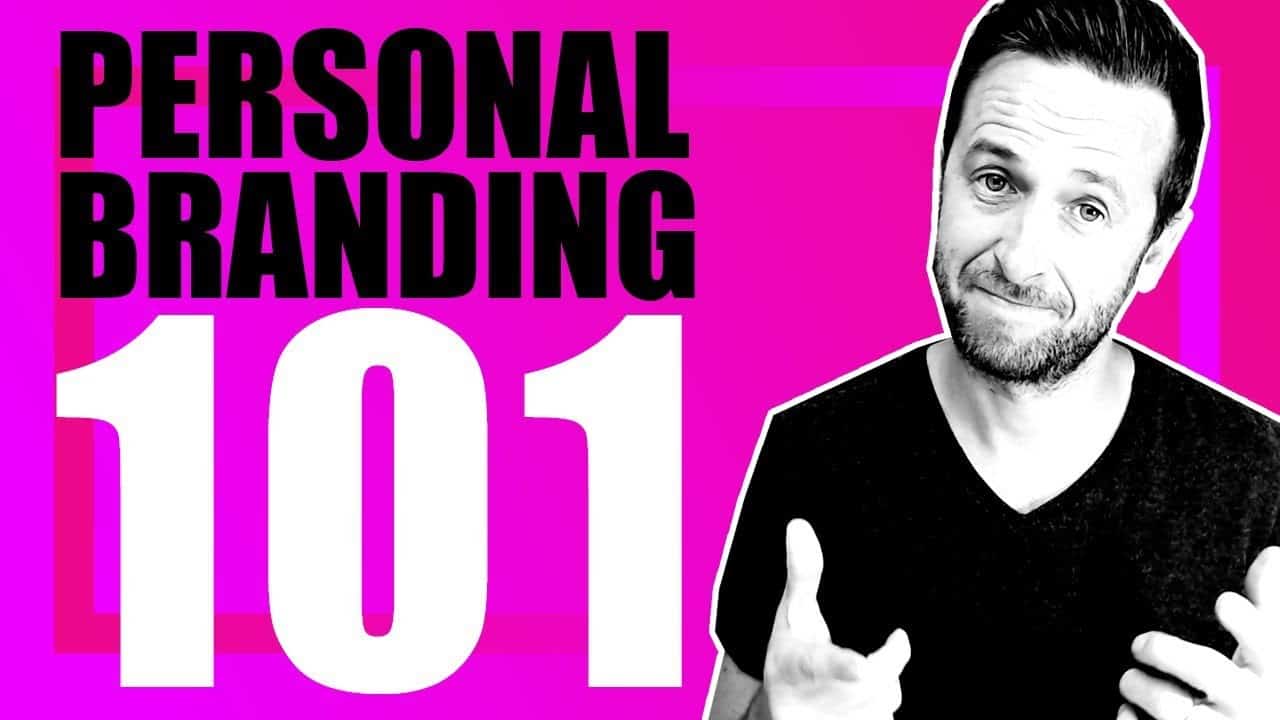
For the best results, keep your text overlay as short as possible. 3-to 5 words usually work best.
Fewer words allow you to increase your font size, allowing viewers to read your text overlay, even if the thumbnail is very small.

Select the right font for your thumbnail
Sans serif
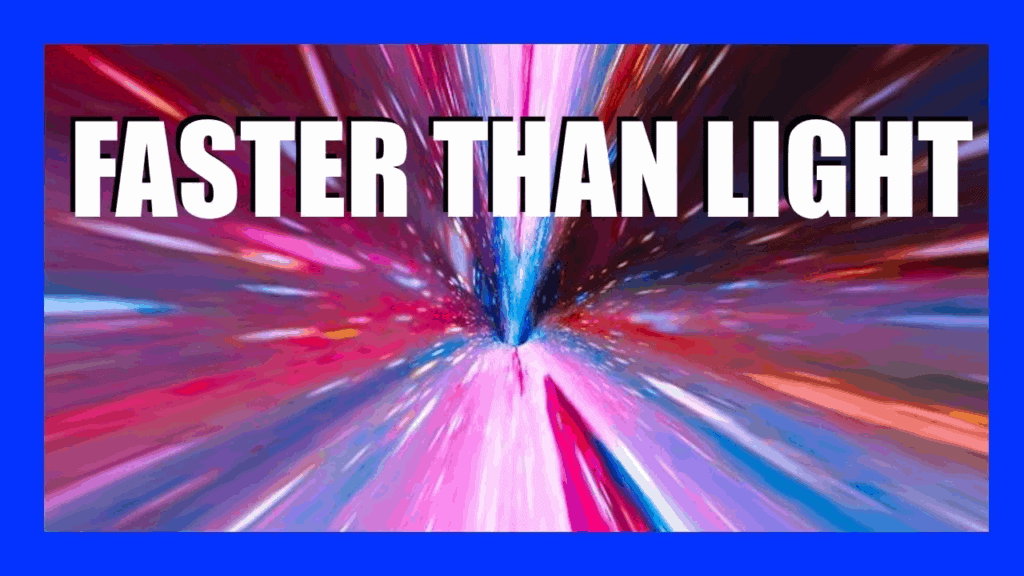
Sans serif fonts such as Arial or Helvetica work best for most YouTube thumbnails. Their simple shape is easy to decipher, even on very small thumbnails.
Serif fonts
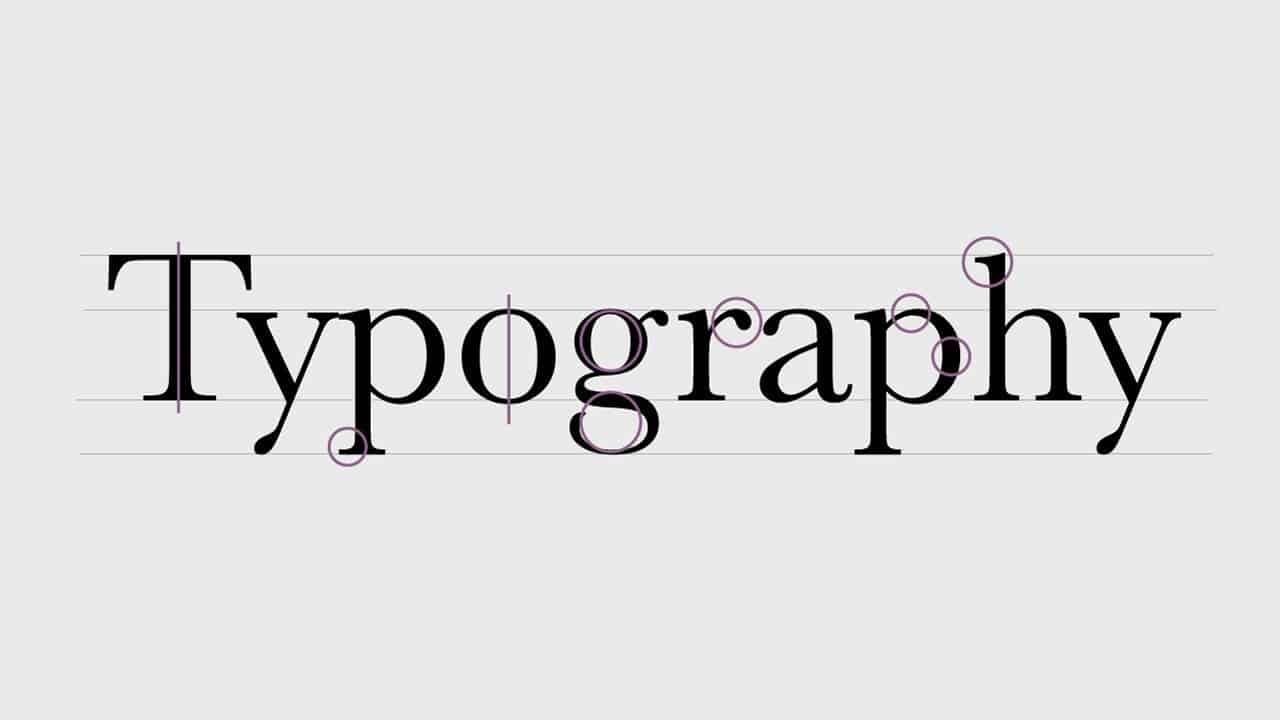
Serif fonts such as Times New Roman generally don't work well on thumbnails. They have a ton of tiny details around the edges of each letter that are lost on smaller screen sizes and when the background is more complex with a lot of details.
If you want to use them, use a single color background layer behind your text to increase the contrast for better readability.
Handwriting fonts
Handwriting fonts are generally more difficult to read than sans serif fonts, but they also add emotion to your thumbnails.
If you want to give this font type a try, keep it below three words and select a font that is very clean and easy to decipher, otherwise, your click-through rate might suffer.

Always add faces to your thumbnail
Adding your face to your thumbnail is the single biggest YouTube thumbnail hack. It's an incredible branding tool, as it allows people who watched some of your videos in the past to instantly recognize a new video of yours because of your face. (You can also increase your recognizability by having in place the same YouTube channel profile picture.)
Large, zoomed-in faces work better than faces that are further away. Scroll down to the TubeBuddy Click Magnet section to see how faces of different sizes compare in terms of click-through rate.

If you zoom out slightly, you can use your body to immerse yourself in the situation.
In this case, Mark Rober is doing a fantastic job of holding an unlocked lock in his hands, perfectly matching the message of the text overlay "beat any escape room".
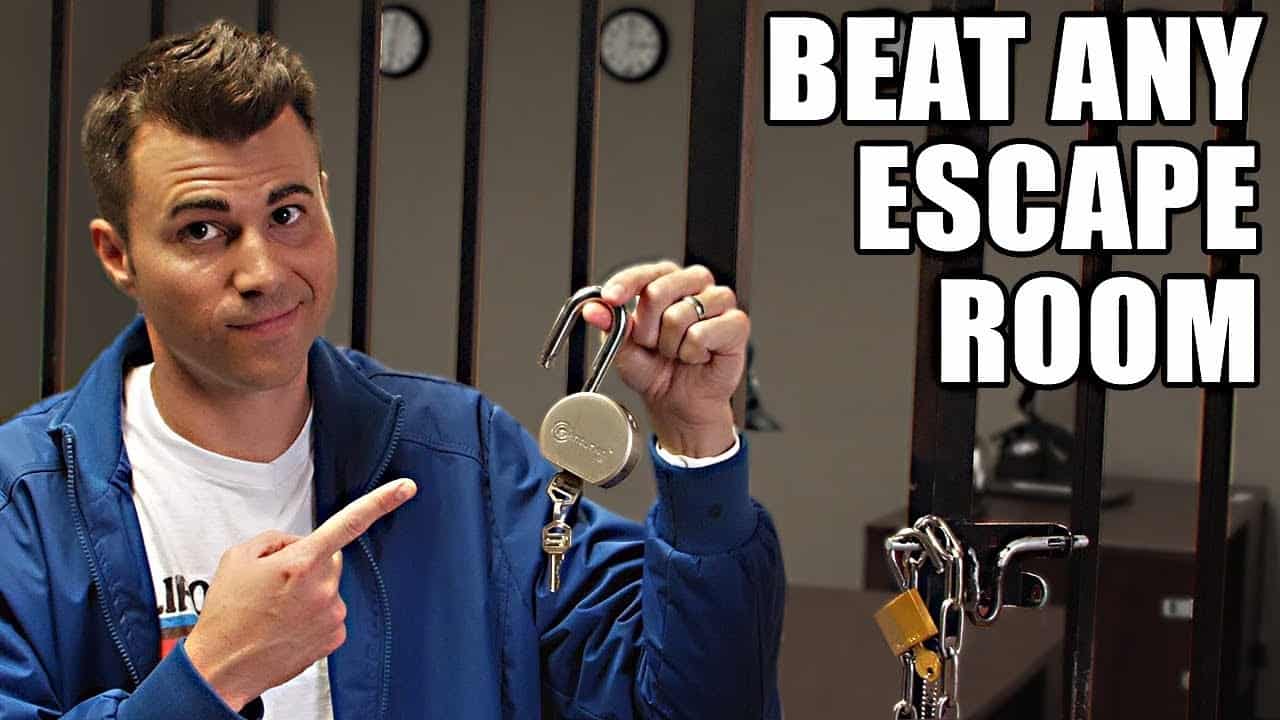
If you zoom out even further you get into the territory of full-body shots. This type works great for before and after videos, especially in the health and fitness niche.

You can also show multiple faces of different people who appear in your video, for example in an interview or an epic rap battle. 😎

Get more clicks with strong emotions
Our brains are hardwired to recognize faces and read emotions.
This part of our brains is so dominant that we even see faces in inanimate objects. This phenomenon is referred to as face pareidolia.
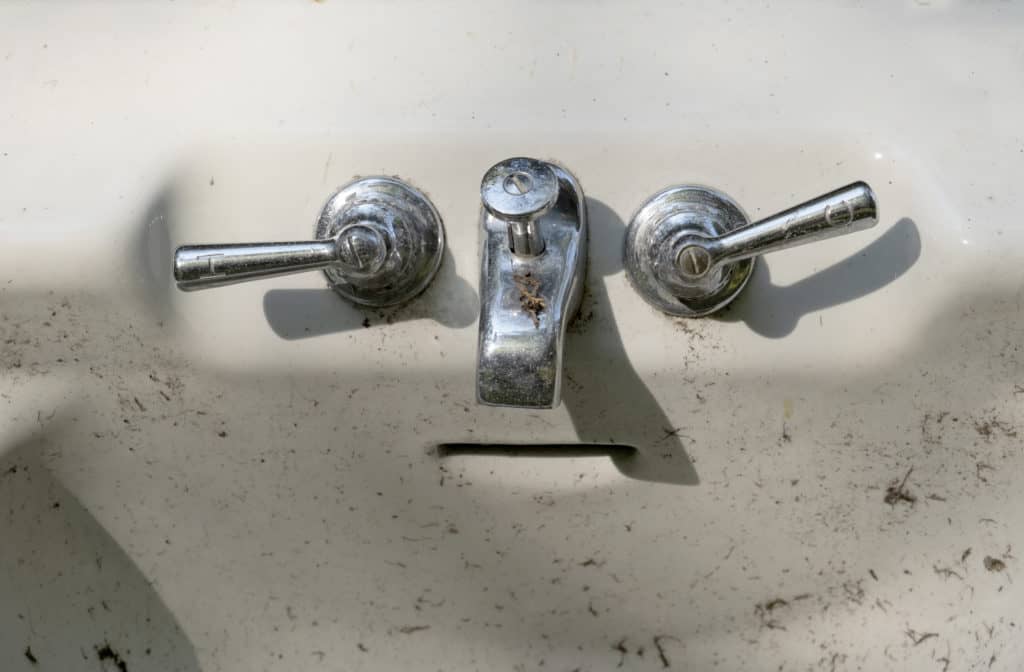
Evolutionary this makes total sense and allows us to identify potential threads instantly.
Once we identified that "someone" is a real person and not a bathtub, we proceed to identify if we know this person. Is it someone we know, or someone unknown, is it a friend or enemy?
Most people have a great memory for faces. Not necessarily in the sense of recognizing a face and remembering their name. 😇 But in a sense of certainty that we definitely met someone or know someone.
Last and most important, we decipher someone's emotional state or "mood". Is someone friendly towards us or do we read hostile signals?
Our brain is able to do this through so-called mirror neurons. These allow us to feel and replicate a glimpse of someone else's emotion based on their body language, facial expressions, and pheromones.
In other words, if we see someone who is happy, we instantly feel a little bit happy or happier inside ourselves.
On YouTube, we can use that to our advantage by creating YouTube thumbnails that create emotional reactions that make viewers want to click on them.
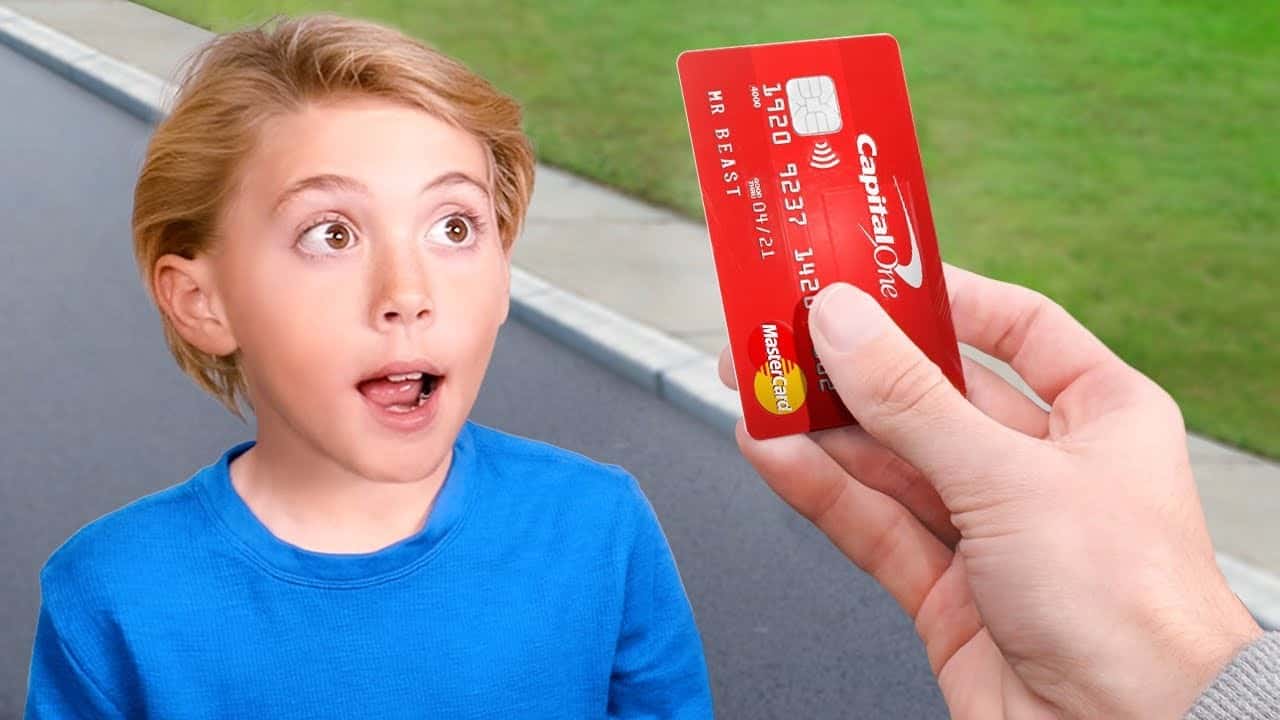
Surprise
There are two types of surprise.
Finding something new and unexpected that we don't yet understand. And finding a positive surprise that we didn't expect.
Both cases trigger a sensation of curiosity that makes us want to learn more.
Happiness
Happiness or joy is one of the most powerful and most desirable emotional states. We are naturally attracted to people who are happy as this usually indicates an environment of safety, abundance of resources, or other desirable outcomes.
On YouTube, this emotion works great on thumbnails.
We all want to go on adventures that lead us to a path of transformation. Whether this is trying out a new and exciting recipe in your kitchen or traveling to a new country.
If you can show yourself at the end of your journey in a state of happiness and accomplishments, you have a winning thumbnail.

Calm / Serenity / Thoughtful
This emotional state is similar to joy, but with a much calmer level of energy. This emotion works great for mediation, yoga, spirituality, and personal transformations.

Sadness
Sadness is a very powerful emotion. We naturally feel compassion for someone who is sad. Displaying sadness on your YouTube thumbnail can be very powerful especially if your video is covering tragedy and unfortunate life events.

Fear
Fear and the sense of danger can trigger strong emotional responses. On YouTube, you have to be careful with this emotion.
It is much better to playfully exaggerate a scary but not dangerous situation than to show something actually dangerous, especially dangerous behavior, as this could get you in trouble with YouTube's community guidelines.

Disgust
Disgust is generally a very undesirable emotion as it's closely linked to things that usually pose a real threat to us, as for example the sight and smell of rotten meat.
I generally recommend staying away from this emotion and only using it in the context of highlighting the taste of food.

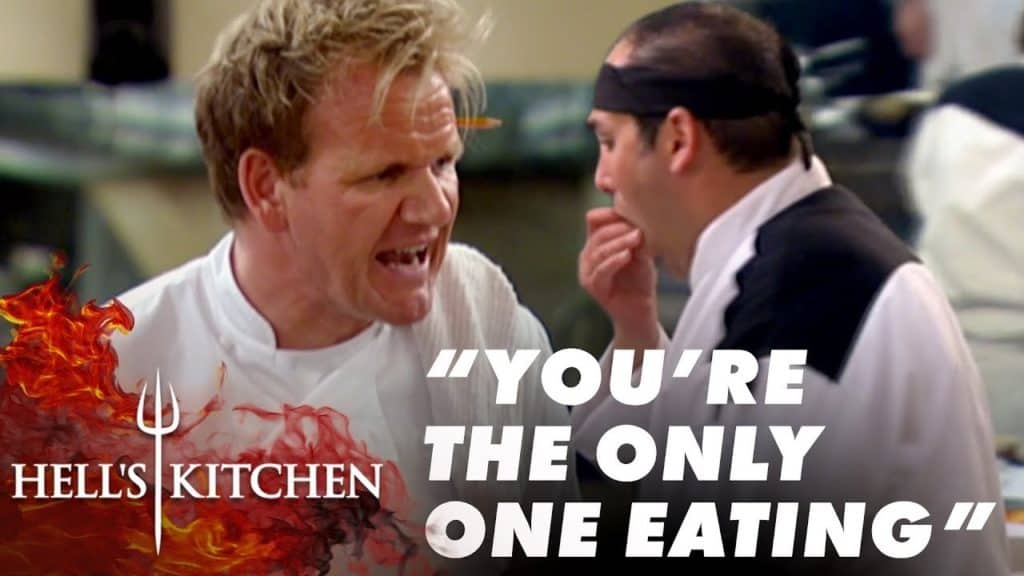
Anger
When we see anger, we are naturally curious. It's a very important indicator to quickly identify potential dangers. Why is someone shouting at someone else? What did they do wrong? How can we avoid this?
On YouTube playful anger usually works best.
Use vibrant colors to stand out
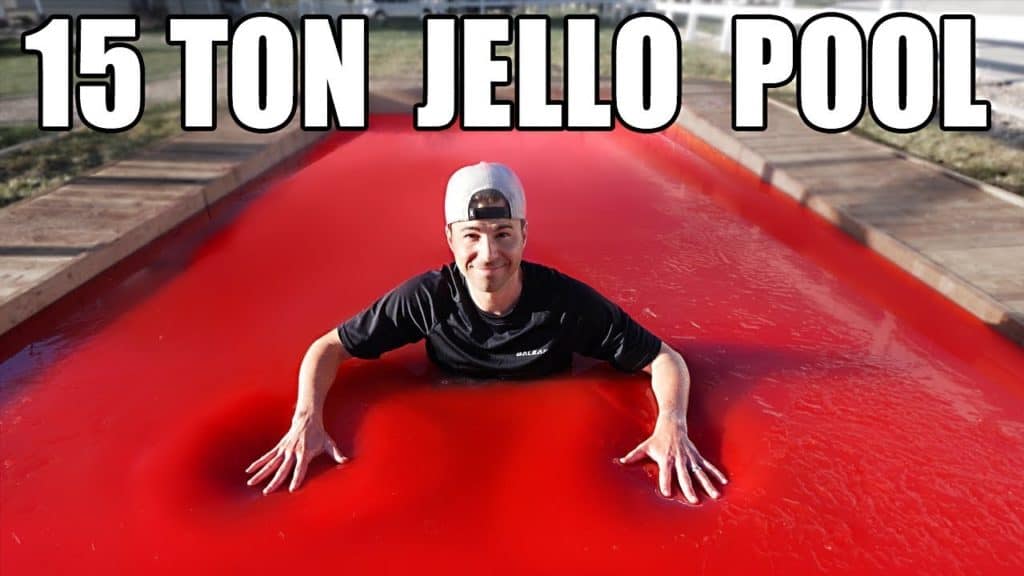
Single color
Single colors work very well because of their usually high contrast, especially for text overlays.

Big blobs of colors are also easily recognizable and allow your thumbnail to stand out.
Limited color palette
Generally speaking, limited color palettes work better than using too many colors.

A simplified color palette should focus on 3-5 base colors max, to get the best results.

They naturally increase the contrast of your images and make them easier to process.

Vibrant colors
Vibrant colors make viewers feel more energetic work great to trigger an emotional response.
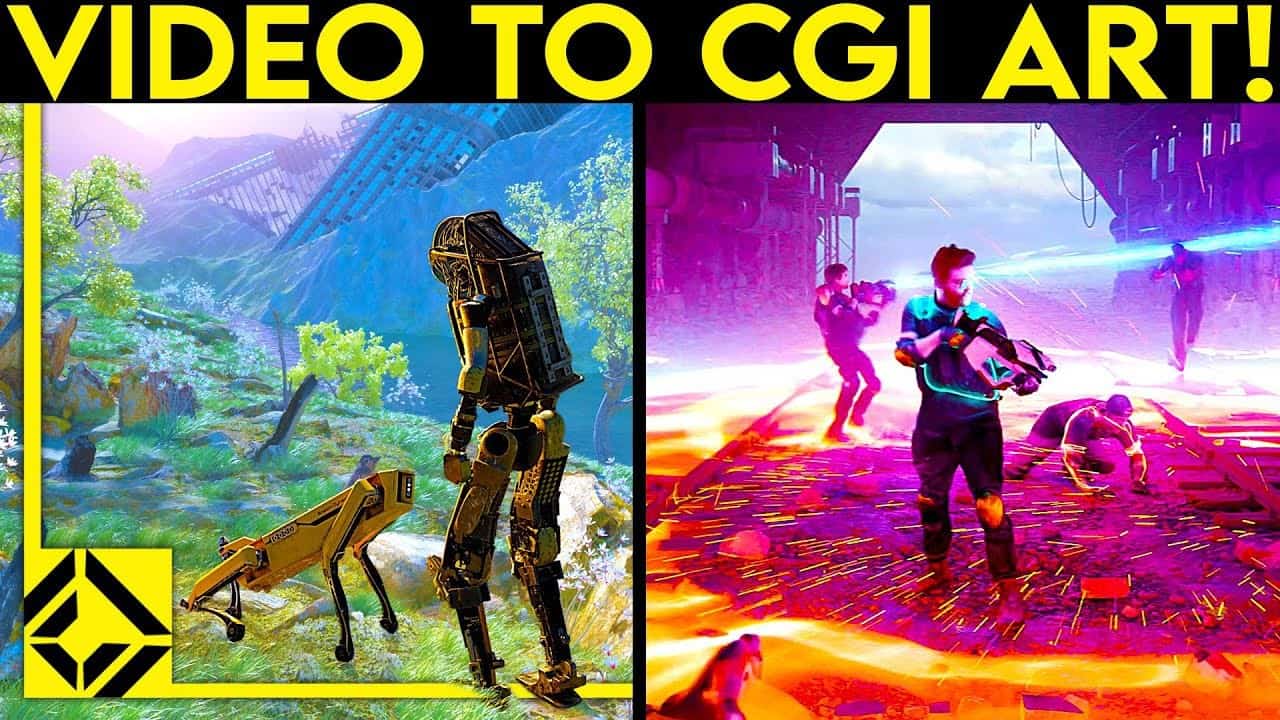
Brighter designs are more likely to achieve higher click-through rates.

Focus on a high contrast
It's essential to achieve a high level of contrast with each of your YouTube thumbnails.
The higher the contrast, the easier it is for your viewers' brains to identify objects and process text on top of your thumbnail.

You can use a tool such as the Accessibility Color Generator to identify high contrast color combinations and then change either the font color or background color to match it.

You can increase the contrast of your thumbnail by varying your font colors and adding colored backgrounds behind your text as in the example below. This makes it easier to read.

YouTube Thumbnail Analytics
YouTube studio analytics
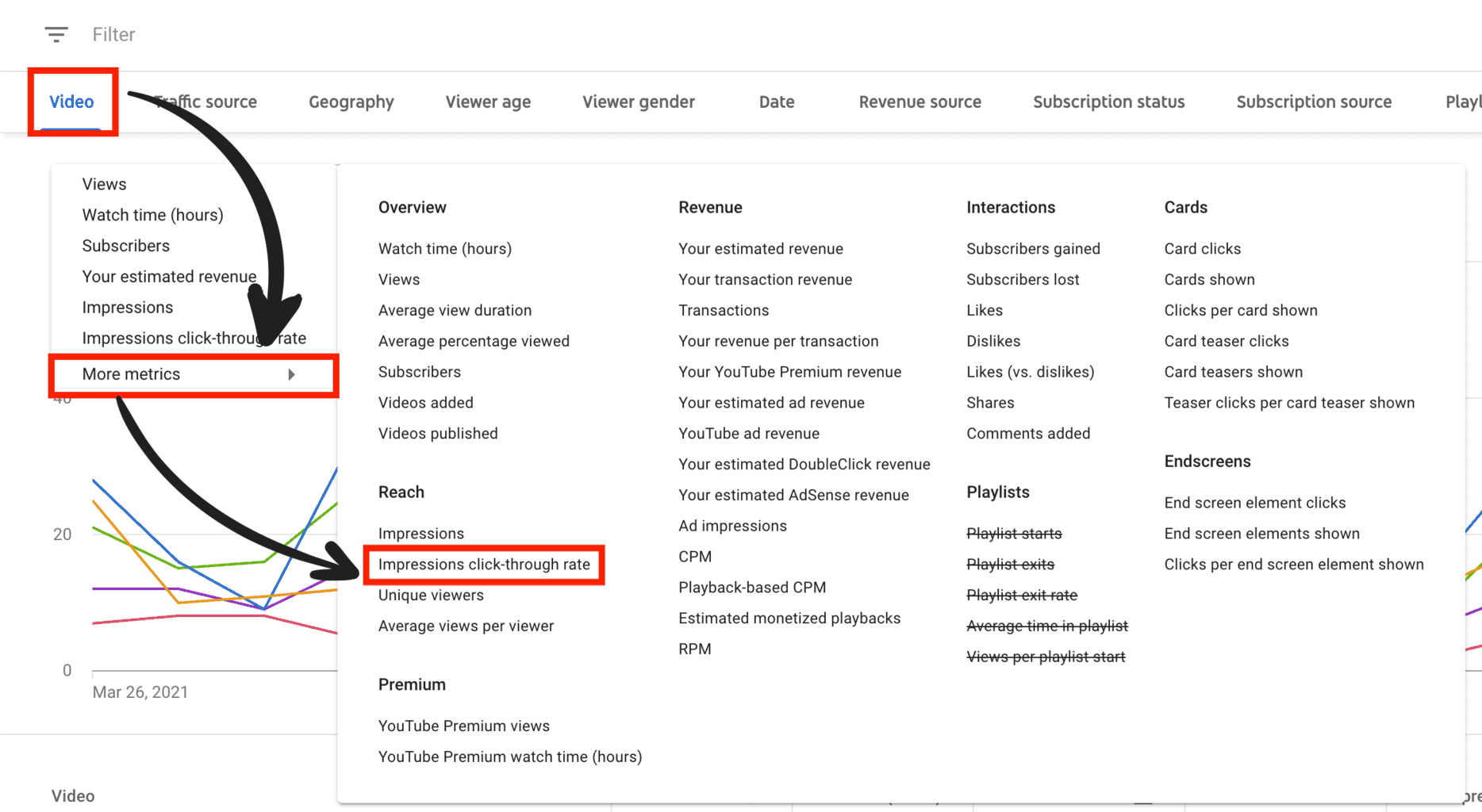
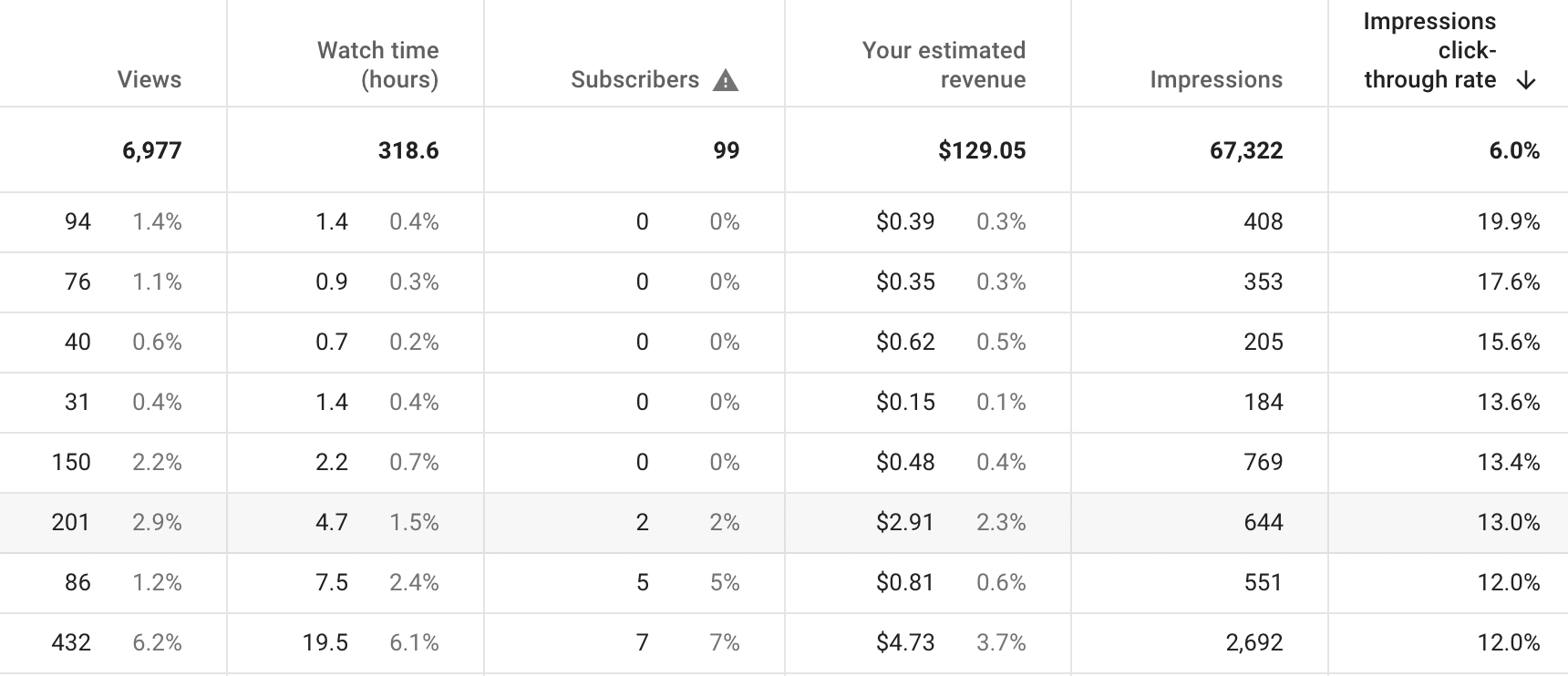
Tubebuddy click magnet
My favorite YouTube tool is called TubeBuddy. It's a Google Chrome extension that adds additional features to YouTube and YouTube Studio.
TubeBuddy recently added a new feature that allows you to optimize your YouTube thumbnails click-through rate.
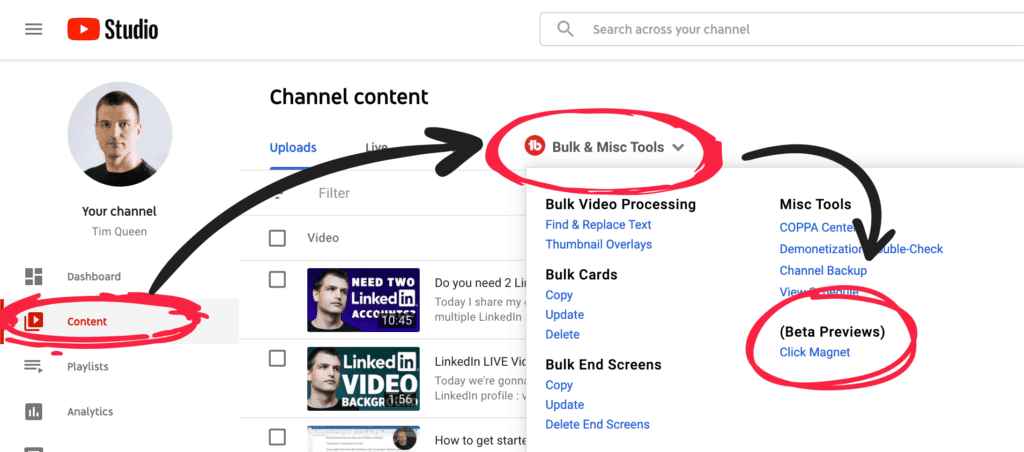
It's called Click Magnet and you can find it by accessing the "Content" page in YouTube Studio.
Find the red TubeBuddy icon, right next to the Uploads and Live tab, and click on it. From the menu select "Click Magnet".
This is what the Click Magnet dashboard looks like.
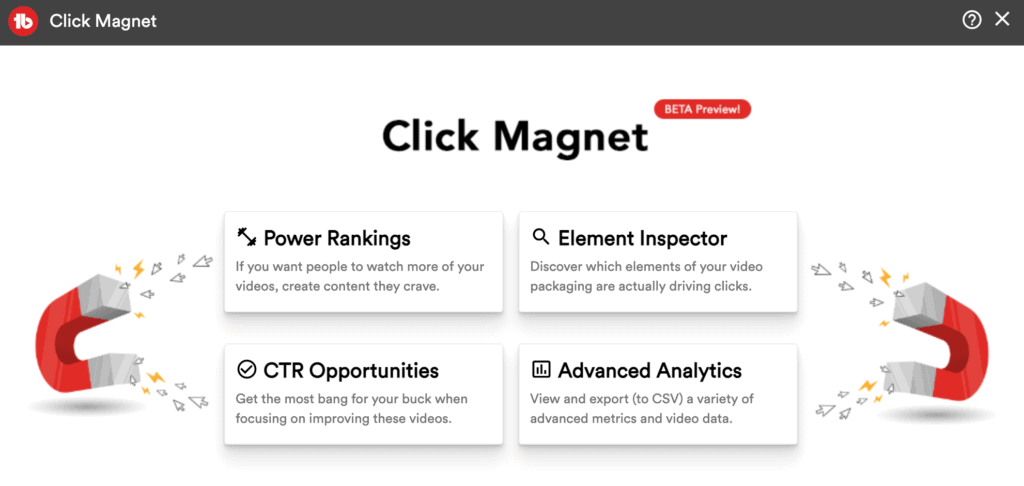
There are four tools within Click Magnet. Power Rankings, Element Inspector, CTR Opportunities, and Advanced Analytics.
Click magnet power rankings
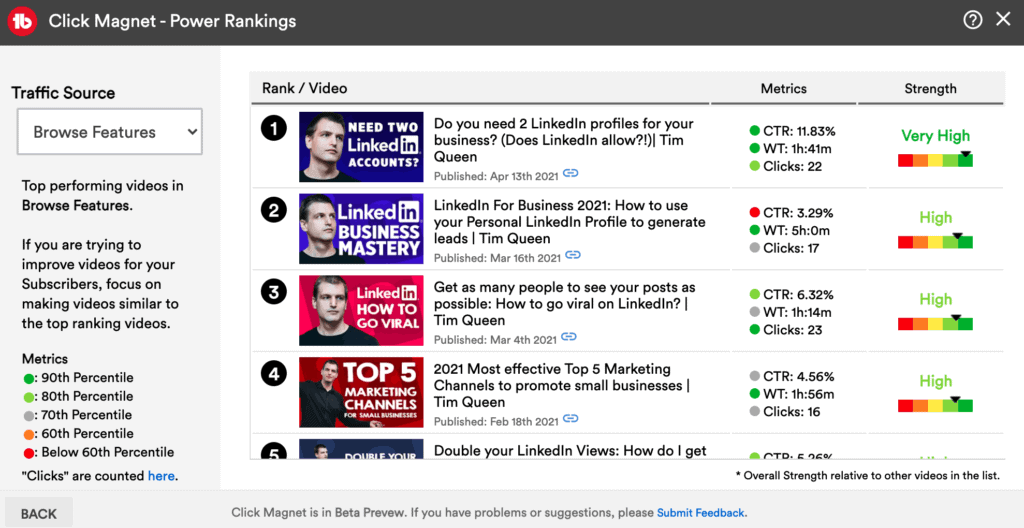
Here you can see a list of your videos with important metrics such as your click-through rate, watch time, number of clicks, and overall performance.
You can filter your results by traffic sources, all traffic, YouTube search, suggested videos, and browse features.
The traffic light on the right helps you to identify videos that are not performing as well as they should.
Look for videos with a "high" or "very high" value in the strength column, and a weak "gray", "yellow", or "red" indicator for CTR.
Then design a new thumbnail and run an AB thumbnail test with TubeBuddy to select a winner.
Click magnet element inspector
The element inspector in TubeBuddy's Click Magnet uses AI image recognition, similar to Google Cloud Vision, and allows you to analyze your thumbnails by element type and click-through rate.
Let's have a look at what I see for my channel.
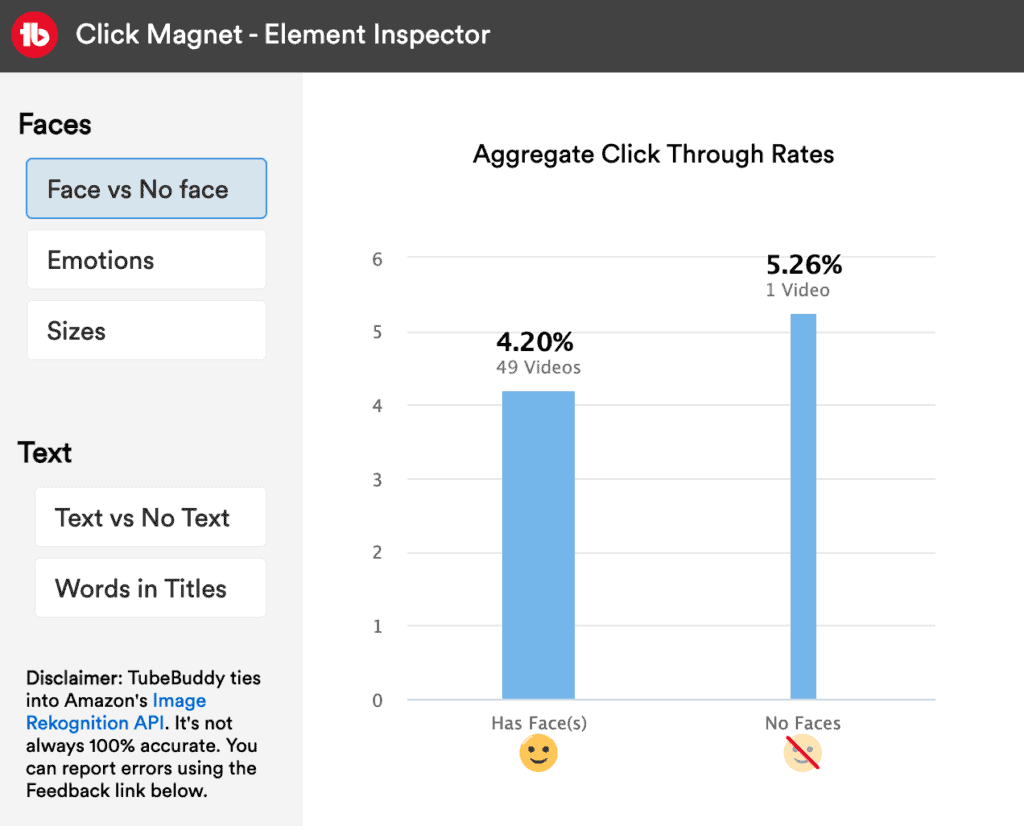
Face vs no face
Video thumbnails with faces seem to have a lower click-through rate than videos without, going against every recommendation I just told you in this article.
This can easily be explained by the fact, that I only have 1 video without any face. So it's most likely just an outlier.
Emotions
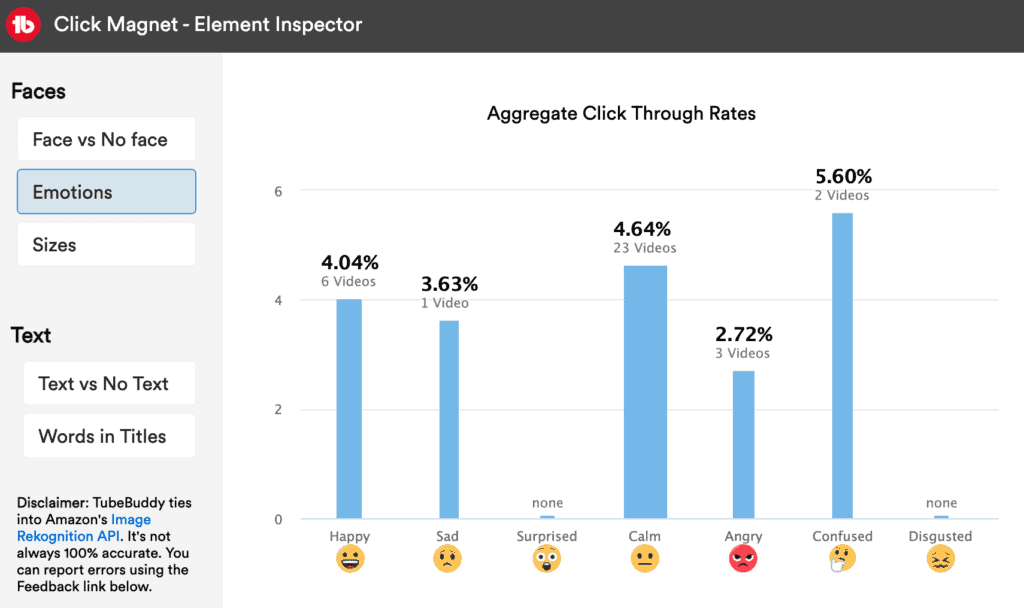
Let's see how emotions affect my click-through rates. For my channel "confused", "calm", and "happy" perform best.
Click Magnet has no data for "surprise" or "disgust", because I didn't use these facial expressions in my thumbnails. I might test some of these missing facial expressions with future thumbnails.
Face sizes
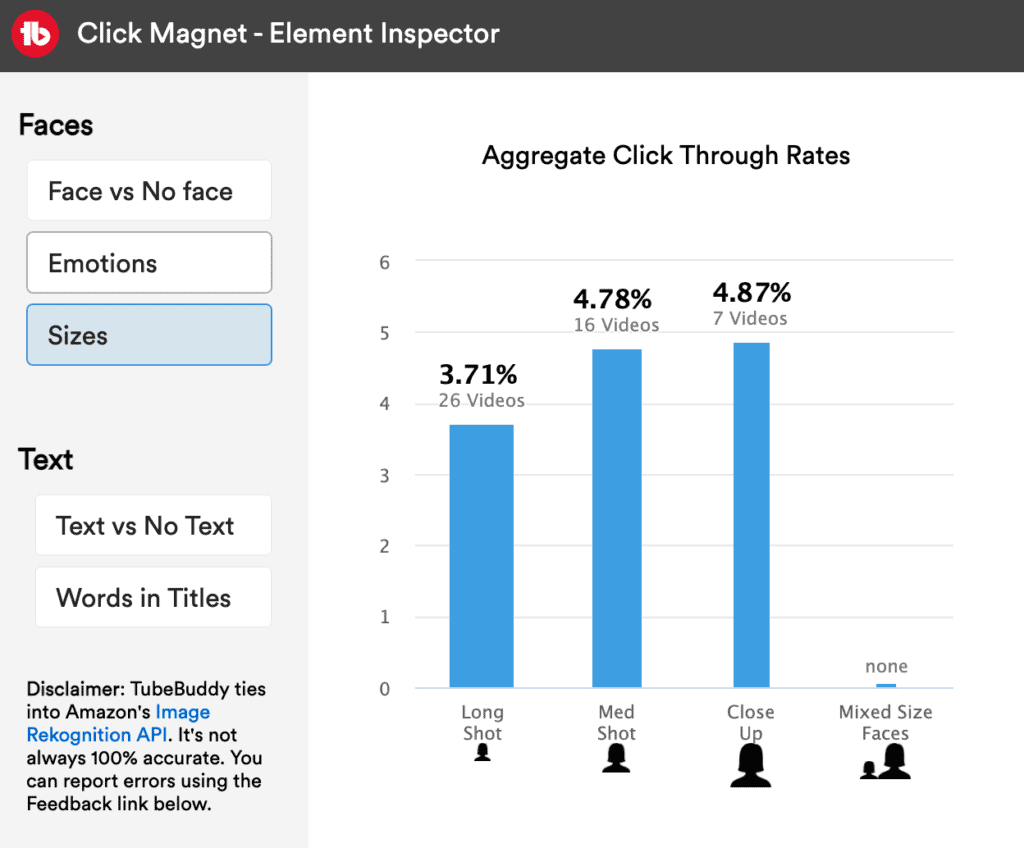
Now let's check out if matters how far we zoom in on my face. For my YouTube channel, close-ups of my face seem to perform best!
You can hover your mouse cursor over any of the blue bars to see example videos for each category. Here is what I can see when I hover over "Close-Ups".
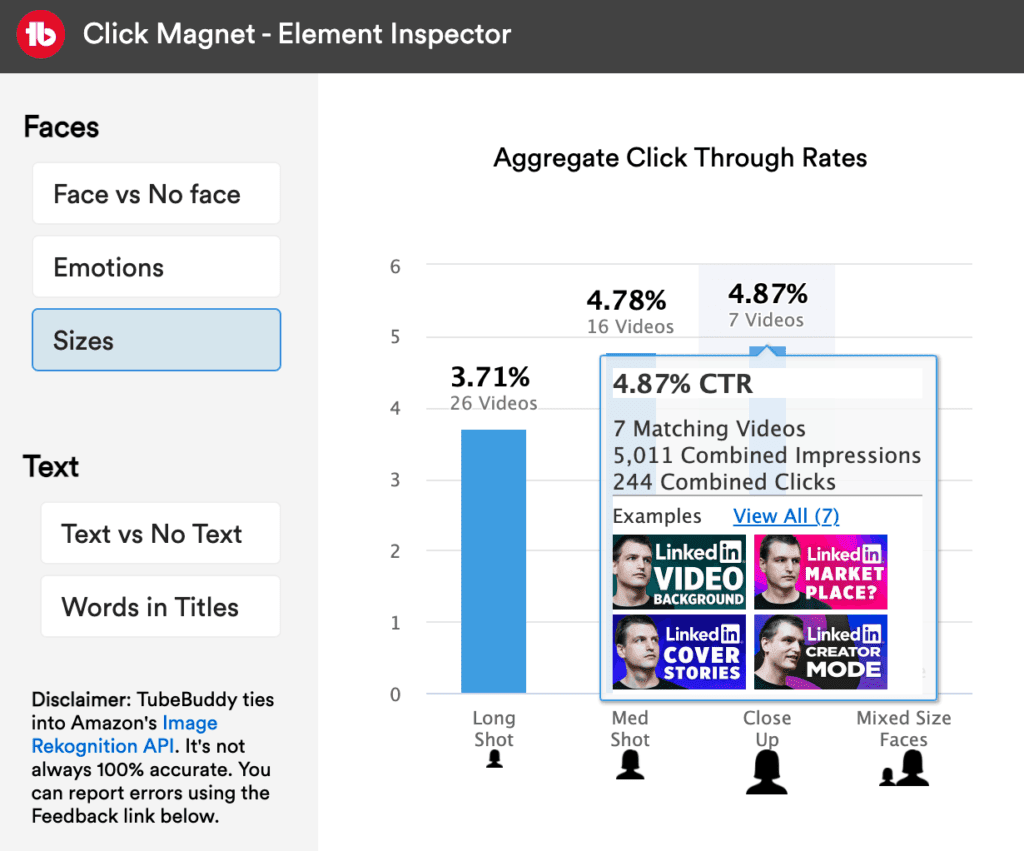
Text vs no text
Next, we are going to explore, if video thumbnails with text or without are getting more clicks?
In my case 100% of all videos have text, so I don't have anything to compare my click-through rate to. I might experiment with no text versions with my upcoming vlog channel.
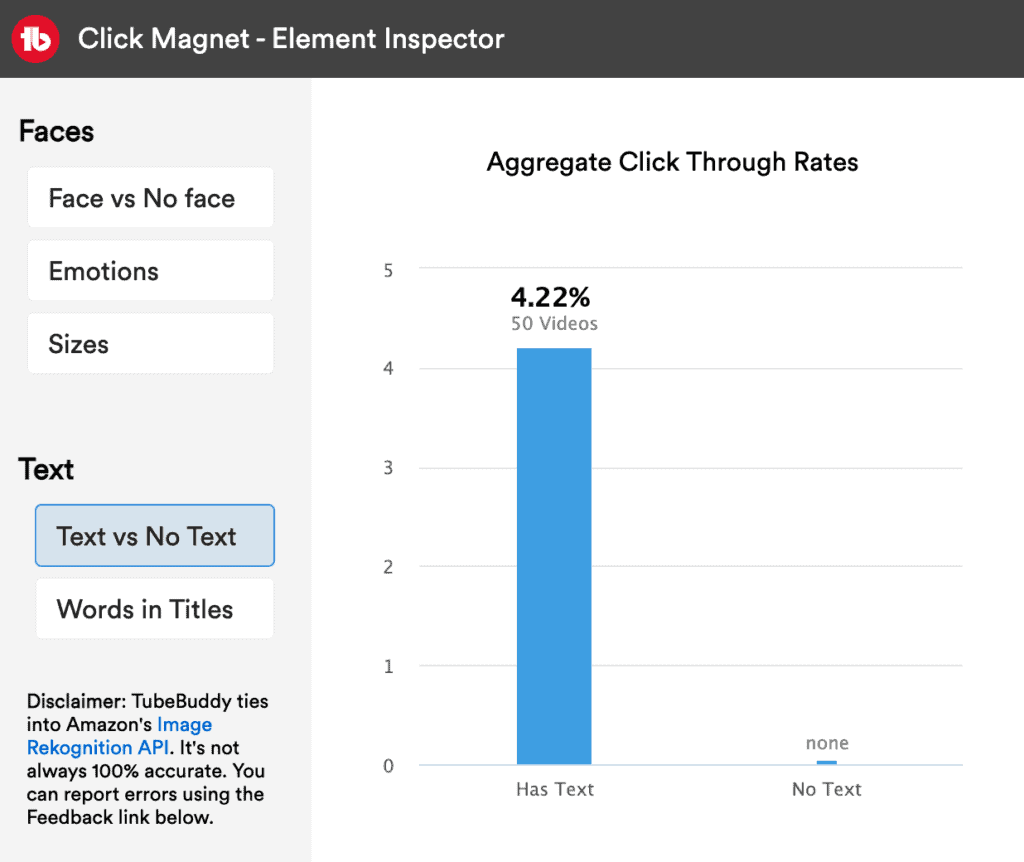
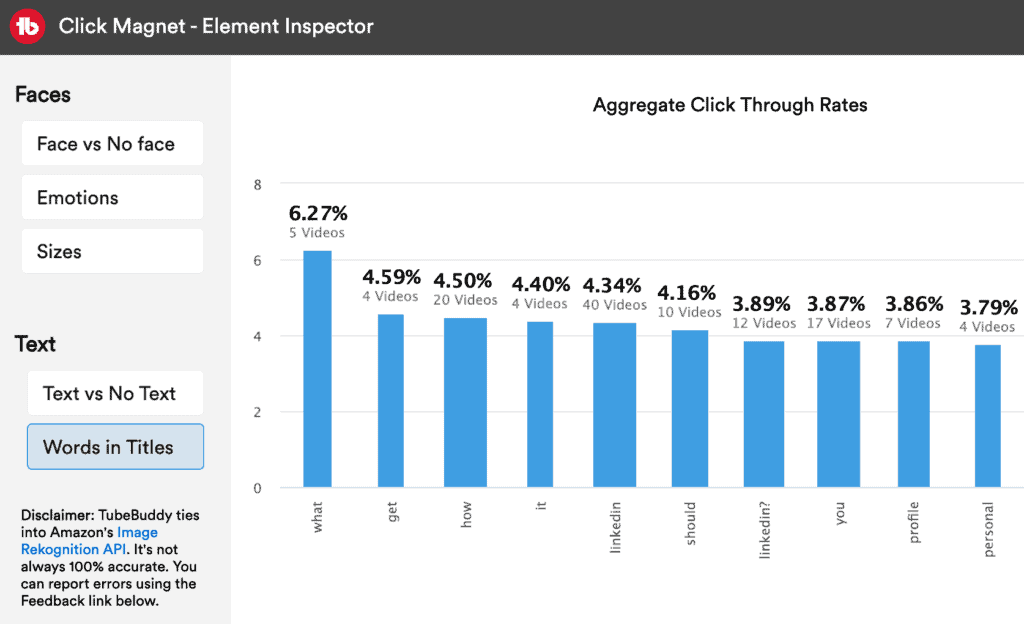
Words in titles
This feature allows you to rank your video click-through rate by power words on top of your thumbnails.
"What", "get" and "how" seem to perform really well for my YouTube channel! 🙂
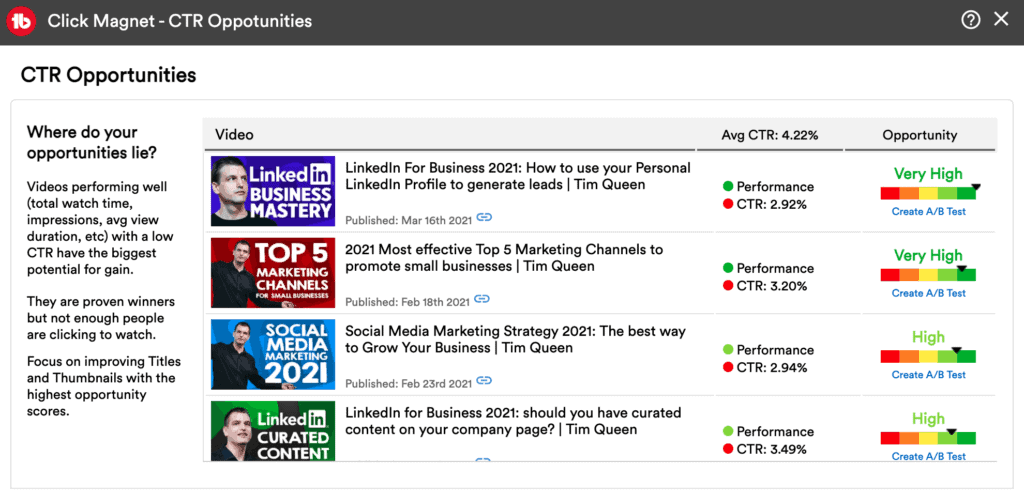
Click-through rate opportunities for your videos
This view is very similar to the Power Ranking view, but TubeBuddy has already identified good opportunities for you. In other words, video with a great watch time performance but a low click-through rate.
Think about redesigning all of these thumbnails and then run AB tests against the original thumbnail and see which gets more clicks.
Click magnet advanced analytics
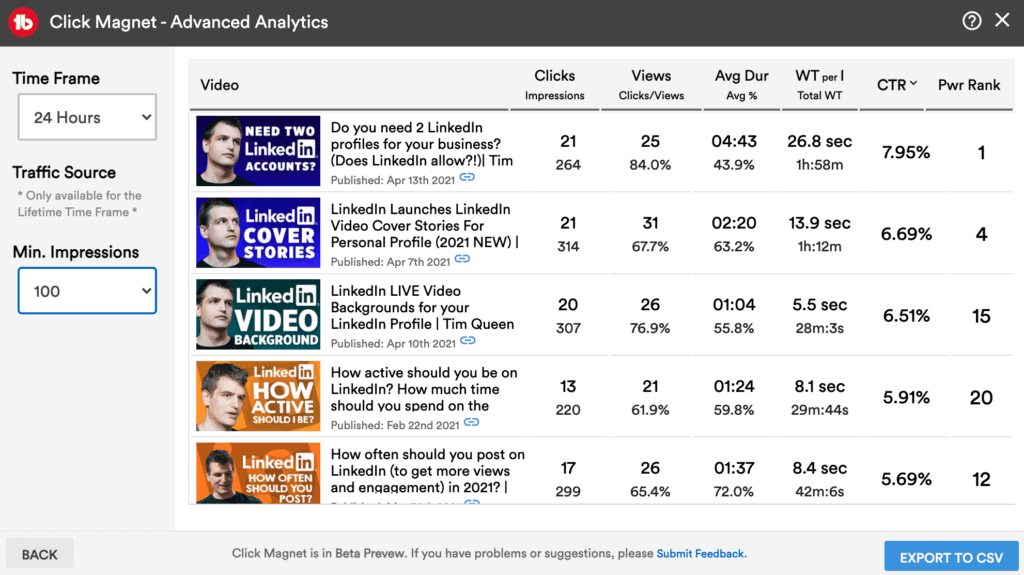
Last but not least, let's have a look at Advanced Analytics. You can filter by time frame, traffic source, and a minimum number of impressions to find new opportunities for improving your thumbnail click-through rate.
YouTube Thumbnail Ab Testing With Tubebuddy
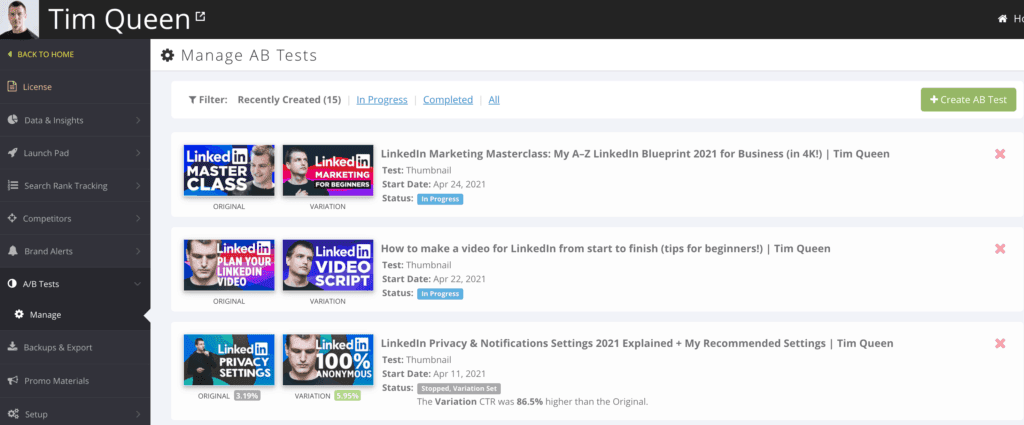
To access the AB YouTube thumbnail testing tool, open your TubeBuddy dashboard and locate the A/B Tests entry on the left. Here you will find a list of all past AB tests and those that are still in progress.
Click on the green button "+ Create AB Test" in the top right corner.
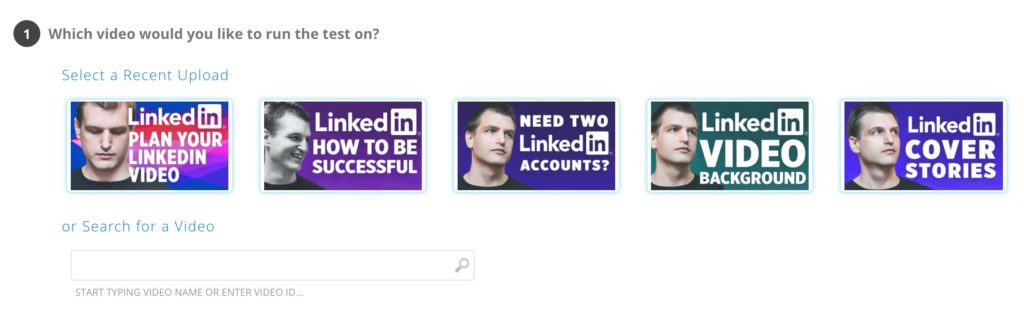
In step 1, we select the video that we want to test. You can pick one from the list of most recent videos, or type in the name of your video in the search field.
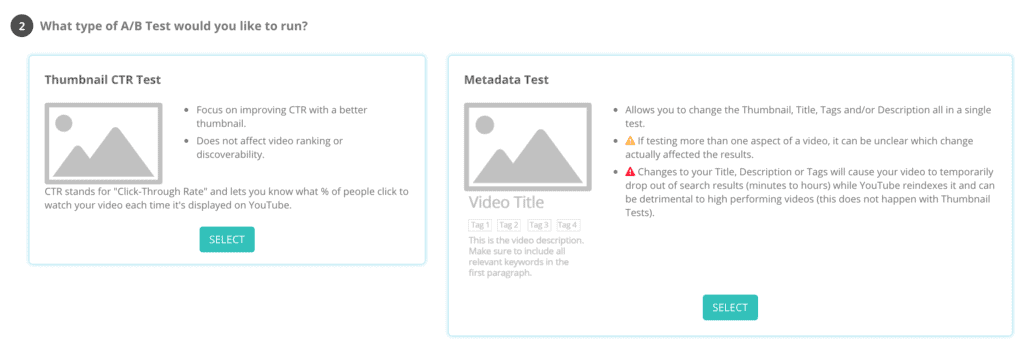
In step 2, either select a simple thumbnail click-through rate test on the left, or if you want to test multiple combinations of video title, thumbnail, tags, and description select the option on the right.
As a rule of thumb, if you have less than 100,000+ subscribers always select the thumbnail CTR test on the left, otherwise it might take a VERY LONG TIME till TubeBuddy is able to collect enough data points for all permutations.
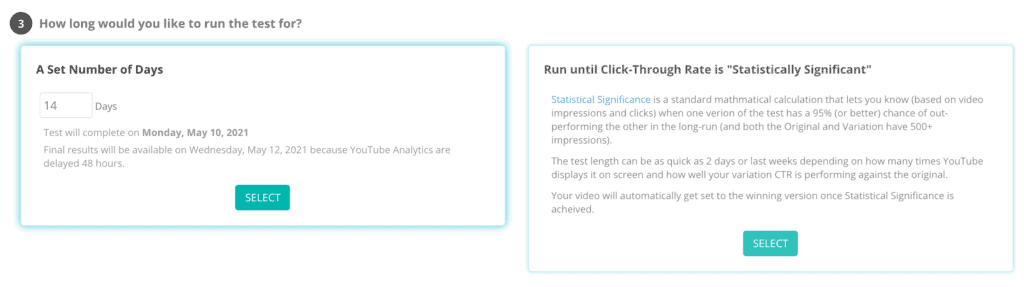
In step 3, either select a fixed number of days or until the click-through rate is statistically significant. In doubt, go with the default setting of 14 days. This should give you enough data in most cases.
In the last step, upload your alternative YouTube thumbnail that you want to test against the original and then click on "Start Test" on the bottom right.
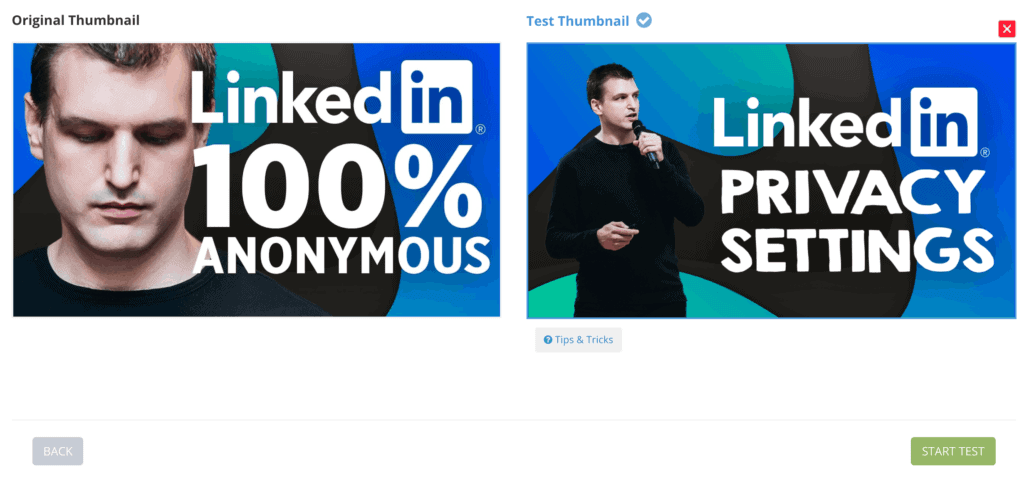
TubeBuddy will sync your thumbnail experiment with YouTube's default time zone, midnight Pacific time, and then display one variation for 24 hours, and afterward, switch it to the alternative thumbnail.
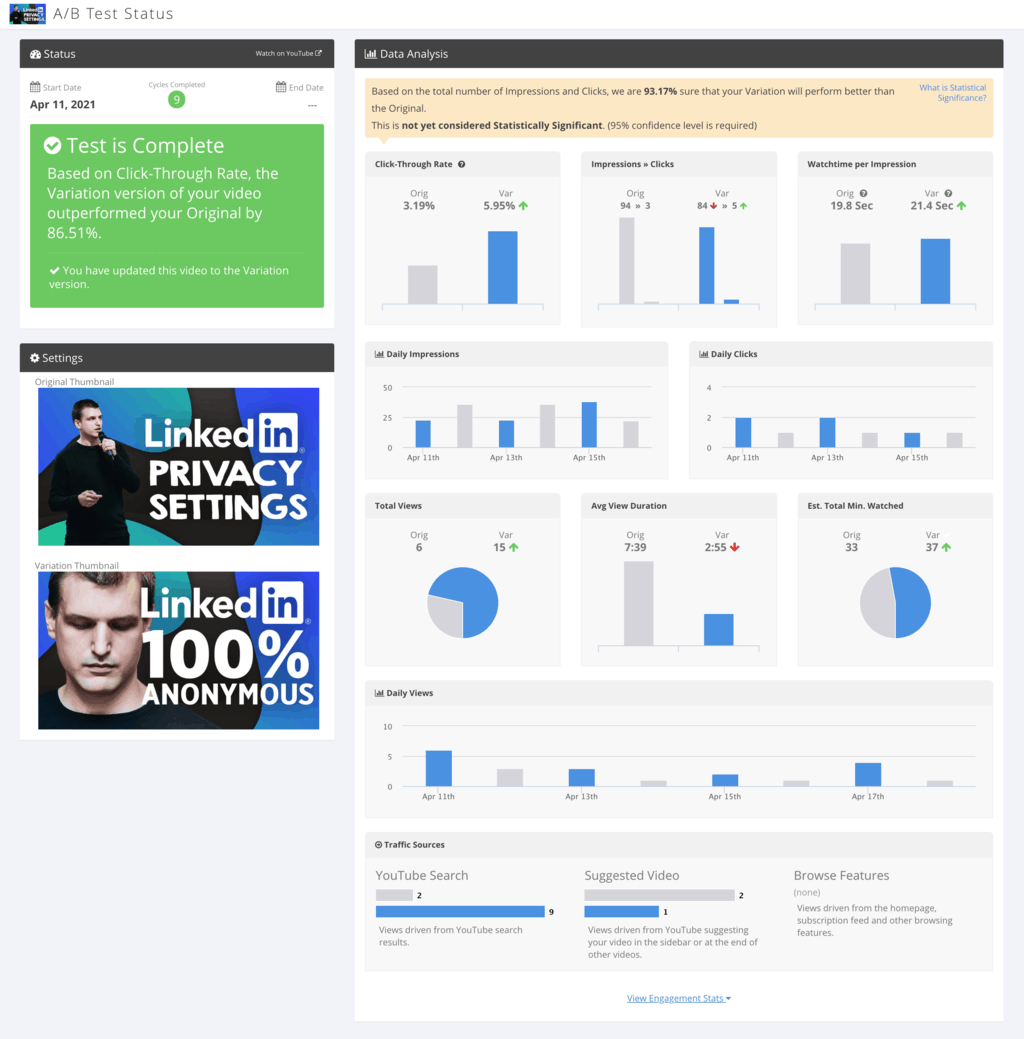
Once TubeBuddy collected enough data, this is what you will see on the results page.
When you select a winner, keep in mind that in some rare cases, your click-through rate might go up with an alternative thumbnail, BUT your watch time might go down, if the thumbnail and video content are not perfectly aligned.
In such as case it might make more sense to keep the original with a lower click-through rate and instead design a third thumbnail and run another test. You never want to sacrifice watch time for clicks.
Next Steps
In summary... make sure that your YouTube thumbnails are in alignment with your video title and content. This will allow you to get the highest number of clicks, video views, and watch time at the same time.
Focus on the branding of your thumbnails to increase your recognizability. Pick a brand font and simplified color palette and combine everything with a photo of your face.
It doesn't have to stay the same for all your 1000 videos, you can change the design style after a period of time or after a certain number of videos to avoid thumbnail fatigue.
When you are using text overlay, keep everything short, between 3 to 5 words, and use huge font sizes that work great even on small thumbnails.
And if you are serious about growing your channel, Tubebuddy is a worthwhile investment. I've written a TubeBuddy Review where I reveal how this powerful tool helped me get from 0 to 3000 subscribers. I urge you to check it out.
Also, do bookmark my two other tactical articles: How to get to 1000 YouTube subscribers fast and How to quickly get 4000 YouTube Watch Hours to help you start monetizing your channel through the YouTube Partner Program.
As a small growing channel relying on the YouTube search algorithm - your video thumbnails play a pivotal role for viewers to decide which videos to watch and which to skip.
Your video is competing with thousands of videos on YouTube.
If you want to stand out from other channels, you must create custom thumbnails for your videos that make viewers stop scrolling and click through to watch your videos.


