How to Write Perfect YouTube Titles That Get More Views for Your Videos
Before I begin the process of writing any of my YouTube titles, I always start with in-depth keyword research first.
The secret to YouTube success is finding keywords with high search volume and little to no competition and including them in the video title and in your YouTube thumbnail.
By doing that, you increase the chances of appearing in YouTube search results and pique potential viewers' curiosity to click through and watch your videos!
Of course, if you have plans to monetize your YouTube channel, the perfect video title would lead to more clicks for your YouTube videos, watch time, and if viewers enjoy your content, would convert to subscribers, which in return triggers the YouTube algorithm and allows you to quickly grow your channel.
This eventually adds up to fulfilling the YouTube Partner Program eligibility requirements of hitting 1000 subscribers and 4000 public watch hours.
YouTube Keyword Research to Investigate How Others Are Titling Their Videos
One of the best places to start your search for relevant keywords is YouTube itself.
Just open the YouTube homepage and type in a short and generic phrase into the YouTube search field and review the top 10 to 20 results.
Then perform a second search for videos, this time longer and more precise and see what comes up.
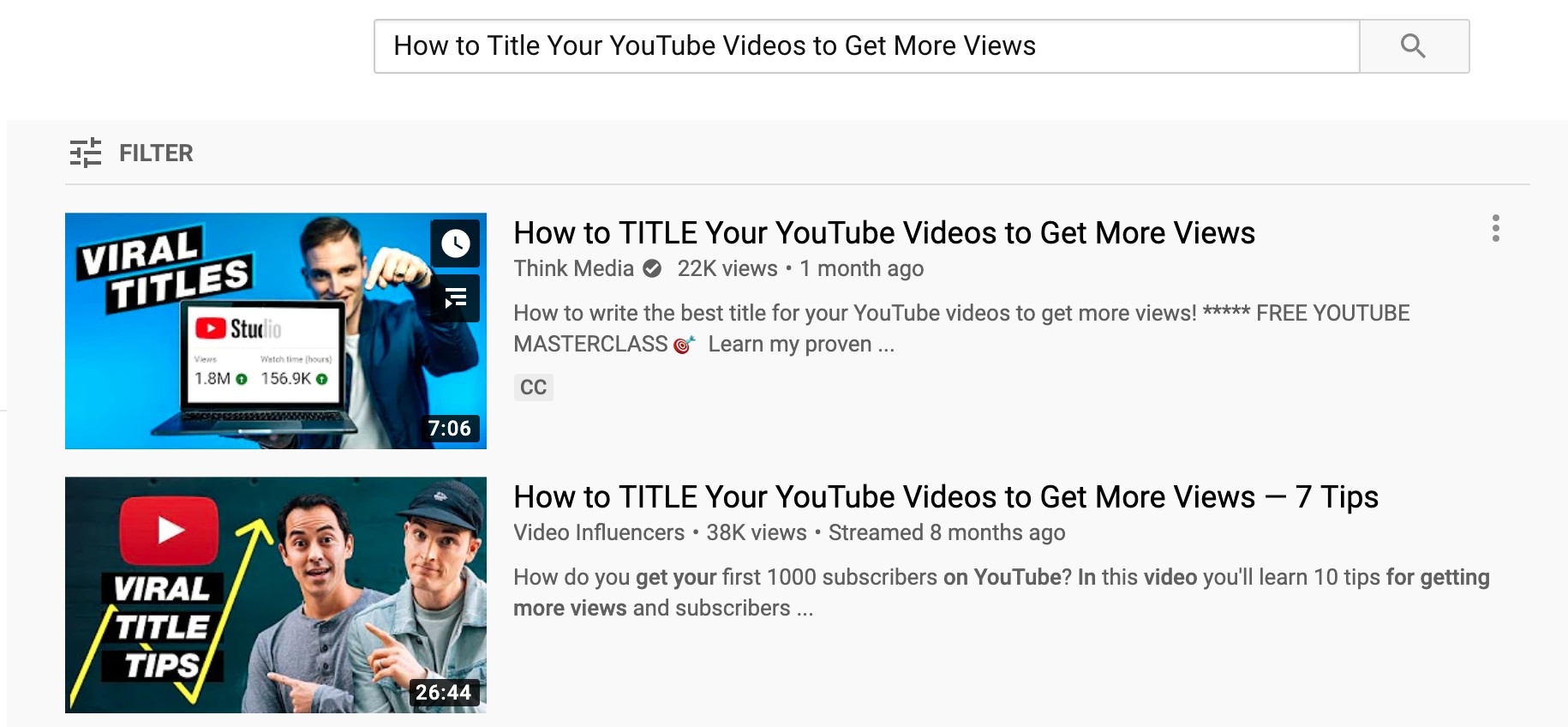
Next, click on some of the most interesting videos and open them.
Check out the right column on desktop computers or scroll all the way to the bottom to review the suggested video section and see what comes up.
Write down all interesting video title ideas, either on a piece of paper or on a digital notepad such as Google Docs.
YouTube Auto-Suggest Feature to Find Title Variations for Your Videos
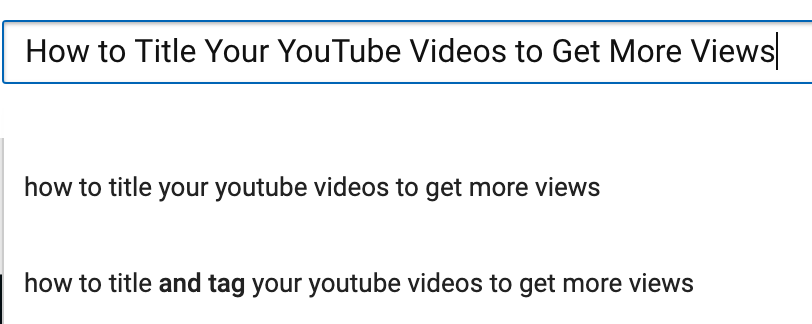
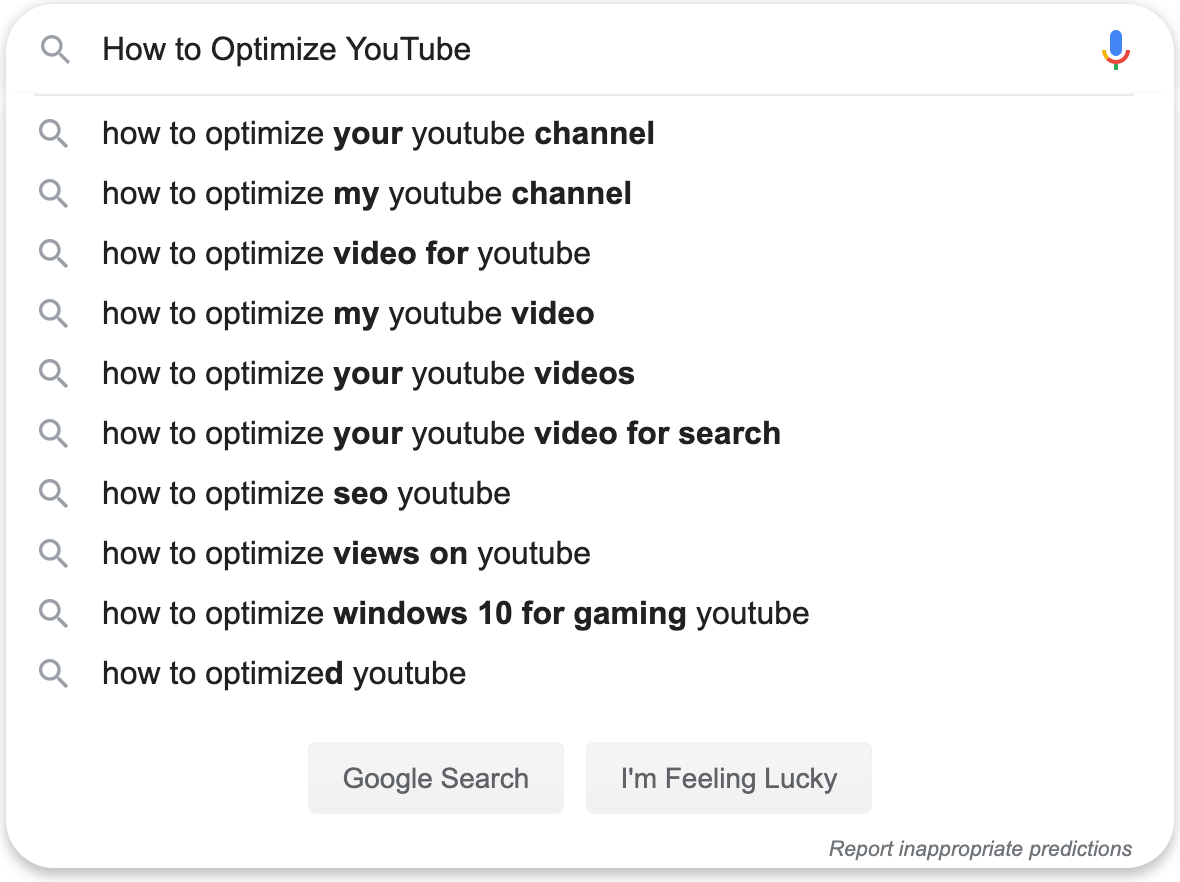
YouTube has an incredibly useful auto-suggest feature within the search bar.
Just start typing a couple of keywords and see what other related keywords YouTube will suggest to you.
Tubebuddy Keyword Research to Find YouTube Video Titles
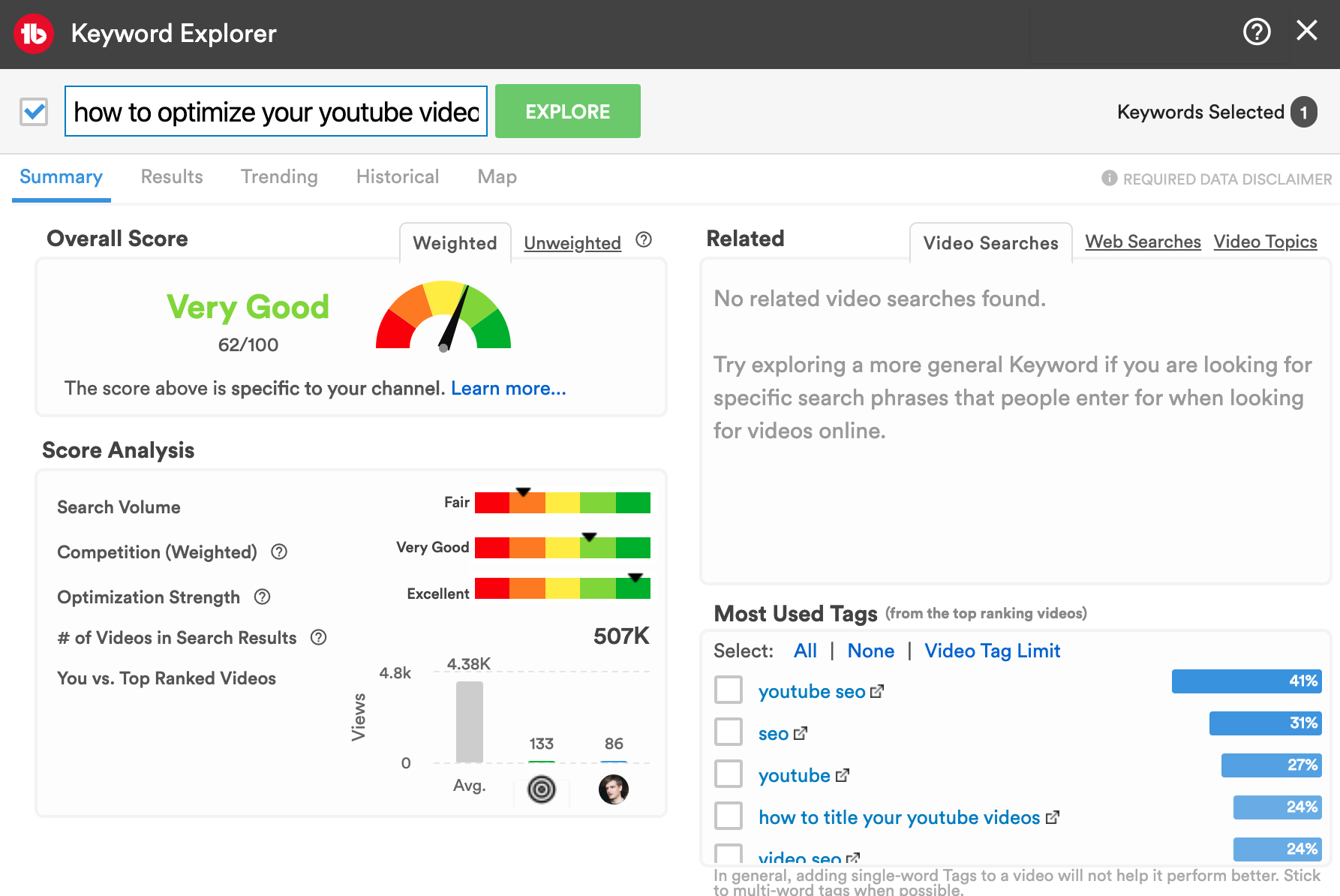
My favorite tool – hands down – when it comes to finding great YouTube title ideas and optimizing your videos for YouTube SEO is TubeBuddy.
Download the free Chrome extension here.
Link it to your YouTube channel.
And then start the TubeBuddy Keyword Planner.
Follow the same process as above. Start with a broad keyword and then add more and more words to your search term.
TubeBuddy connects with the YouTube database and shows you the search volume for any search term and the number of competing videos.
This allows you to quickly identify the best keywords with high search volume and low competition.
Google Search Keyword Research for Titling Your Videos
Next, go visit Google, the largest search engine, and start a new keyword search. This time we look at the top website search results and their titles.
Narrow down your search phrase by adding more and more keywords.
Use the auto-suggest feature to get related searches
Visit YouTube or Google and start typing in sentence fragments into the search field without clicking on search or hitting the enter key.
You'll notice that both platforms start suggesting auto-completed related search terms.
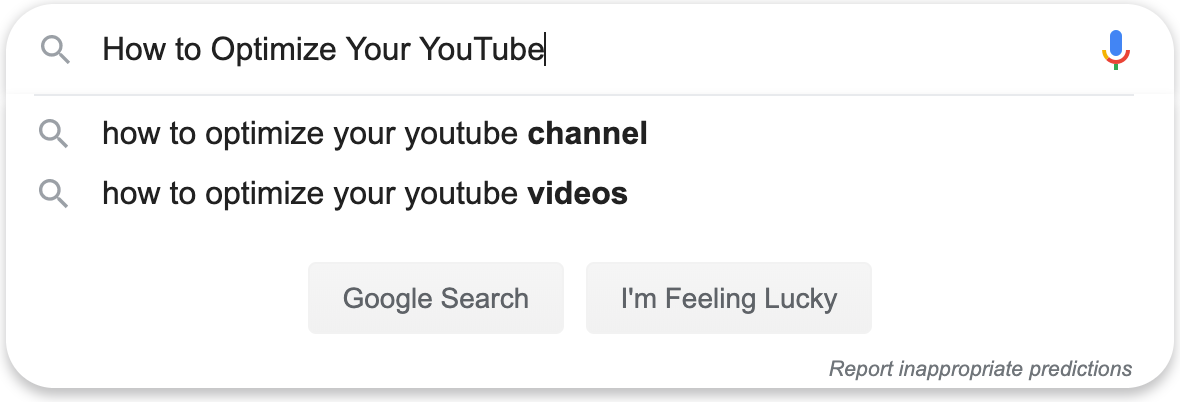
If only a small number of suggestions show up, try removing filler words such as "your" in the example above. This usually increases the number of auto-complete suggestions.
Use Google Trends to Evaluate Your YouTube Video Title
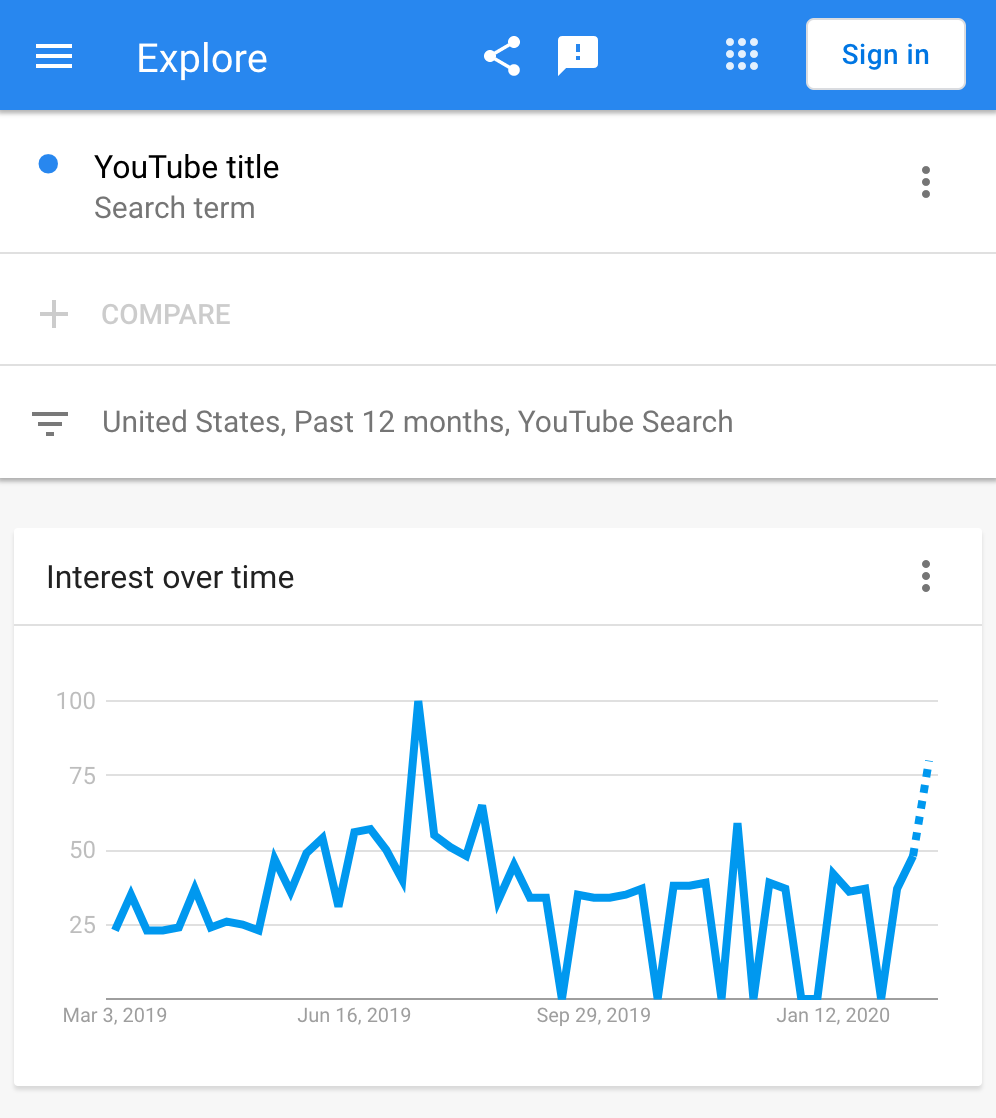
A great tool to evaluate a specific video title idea is to use Google Trends. It allows you to view the search volume for specific topics on different platforms such as Google or YouTube.
Google Trends won't give you the exact number of searches but rather normalized results that allow you to see trends in search volume over a specific time period.
What you're looking for is one of two outcomes to further optimize your YouTube titles.
A consistent number of searches over the last 12 months in your target region. This indicates that you have found an evergreen topic that people will always search for.
One of the most important benefits of evergreen content is that your content will most likely still be relevant in a year or two.
Or, a sharp spike in searches in the most recent time period.
This indicates a trending topic and allows you to piggyback on its popularity.
To get the most out of Google Trends focus on one to three-word search terms. Long-tail keywords almost always return no results.
You want to be as broad as possible.
How to Use Semrush to Write Better YouTube Titles
Most people traditionally think of SemRush as a search engine optimization tool for online publishers and blog articles.
But it is so much more. I use SemRush all the time for my YouTube keyword research.
Keyword overview research
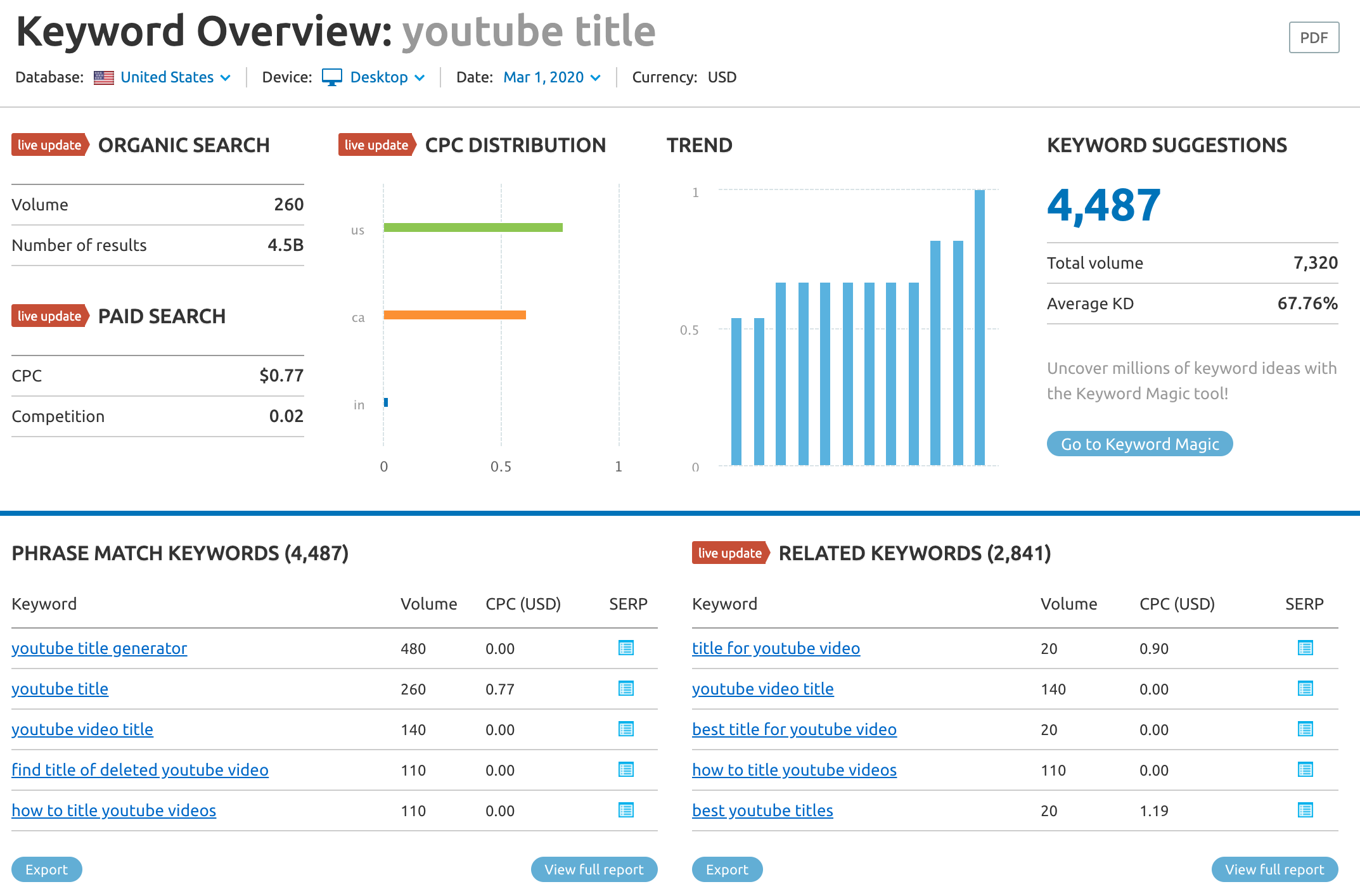
First, I type in my keyword in the KeyWord overview feature. I recommend starting with a broad topic to get a higher number of results.
On the top left, we can see the monthly search volume of 260 monthly searches for the phrase "YouTube title".
The trend column indicates that my keyword has been rising in popularity over the last 12 months, which is fantastic.
Below we see two tables. Phrase match keywords show us only those keywords that contain the exact search term "YouTube title".
Related Keywords shows us keywords with the same or similar meaning but in an alternative spelling.
Select interesting keywords phrases and add them to your list of interesting topics.
Keyword magic tool
The next SemRush feature I use to generate YouTube title ideas is the Keyword Magic tool. It contains a database with over 20 million keyword ideas.
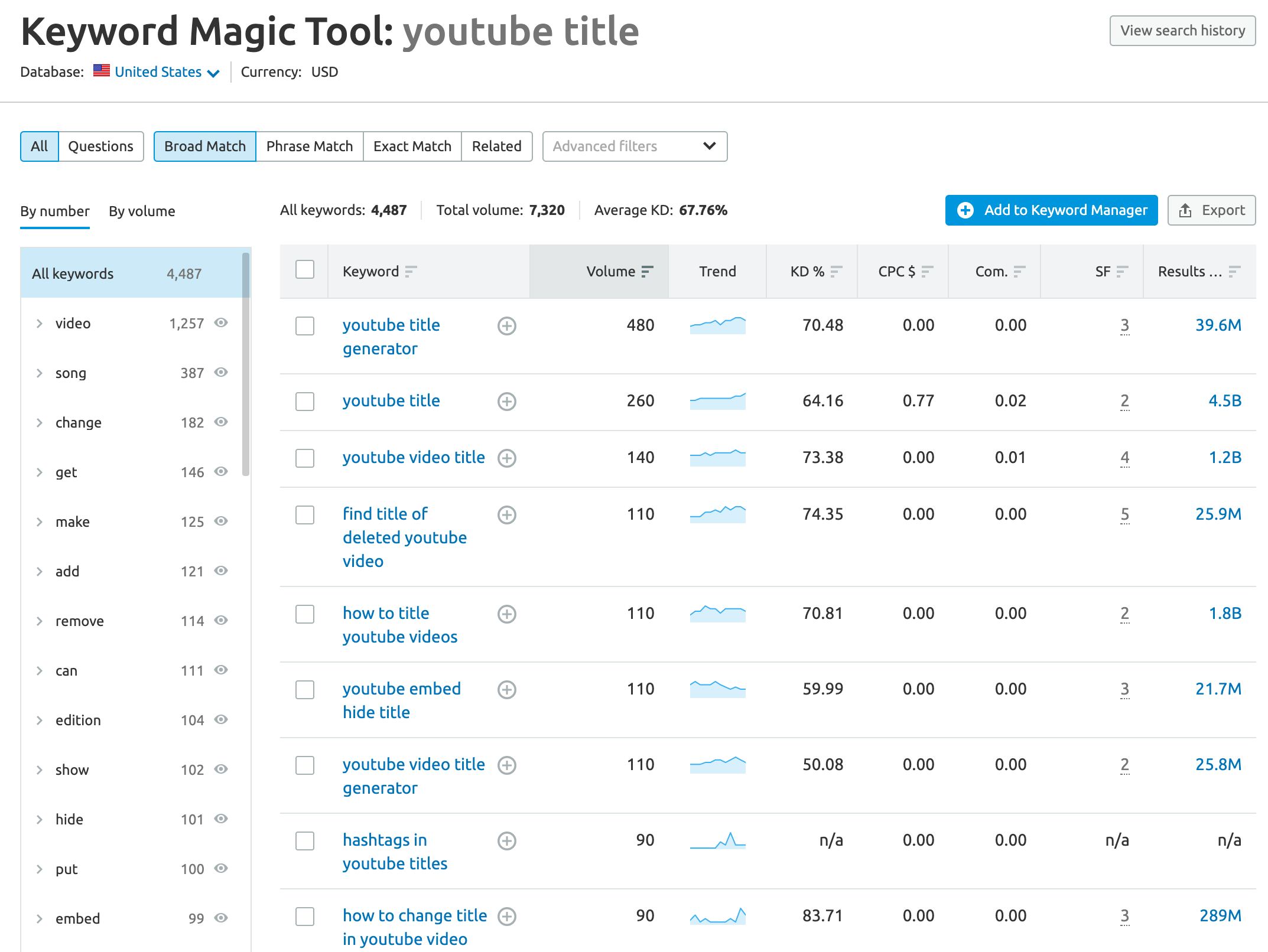
First, enter your keyword phrase into the search and review the results. On the left column, you see a list of suggested keyword groups to narrow down your search. In our case, we select the "video" category.
Next, we turn our attention to the right table. It shows us a list of the most popular keyword ideas, in combination with the monthly search volume, a trend chart, keyword difficulty, estimated cost per click, competitiveness density, SERP Feature and the total number of search results.
This may seem a bit overwhelming at first, but don't worry!
Let me show you why the SemRush Keyword Magic is such a powerful tool to find YouTube title ideas.
First, it helps us to identify keywords that have a high search volume.
Once we have shortlisted a list of high-search-volume keywords we can narrow down our list by looking at the trend column.
We eliminate all keywords with a declining trend. This ensures that our content will stay evergreen for the foreseeable future.
How easy it is to rank for selected keywords
Next, we look at the keyword difficulty column. You'll see values from 0 to 100. 100 representing the highest difficulty for ranking in the top 20 of Google search results. Keep in mind that these keyword difficulties relate to web searches and not necessarily relate to ranking on YouTube.
In fact, you will notice that many topics that are very competitive on Google have little or no competition on YouTube.
The cost per click (CPC) column is very interesting for YouTube channels that are monetized. It helps you to identify keywords where advertisers are bidding on. The higher the CPC, the higher the estimated revenue for each YouTube channel.
How to make more money with your YouTube titles
Closely related to the CPC is the competitiveness density column. It shows you values from 0 to 1.
The higher the number, the higher the competitiveness among advertisers for placing ads on a specific column.
Selecting keywords with high competitiveness means that advertisers have to pay a higher CPC in YouTube's video ads auctions. Which means more ad revenue for your channel.
The SERP column shows you the number of content snippets that appear in Google search.
A low number indicates a higher potential for our video to show up as a snippet for a specific search.
The results column gives us an indication of how many web pages contain a target keyword. Lower numbers give you a higher probability to rank for a given term.
Topic research tool
The last SemRush feature that we use for our keyword research is called SemRush Topic Research. It allows you to explore your keyword in even greater detail.
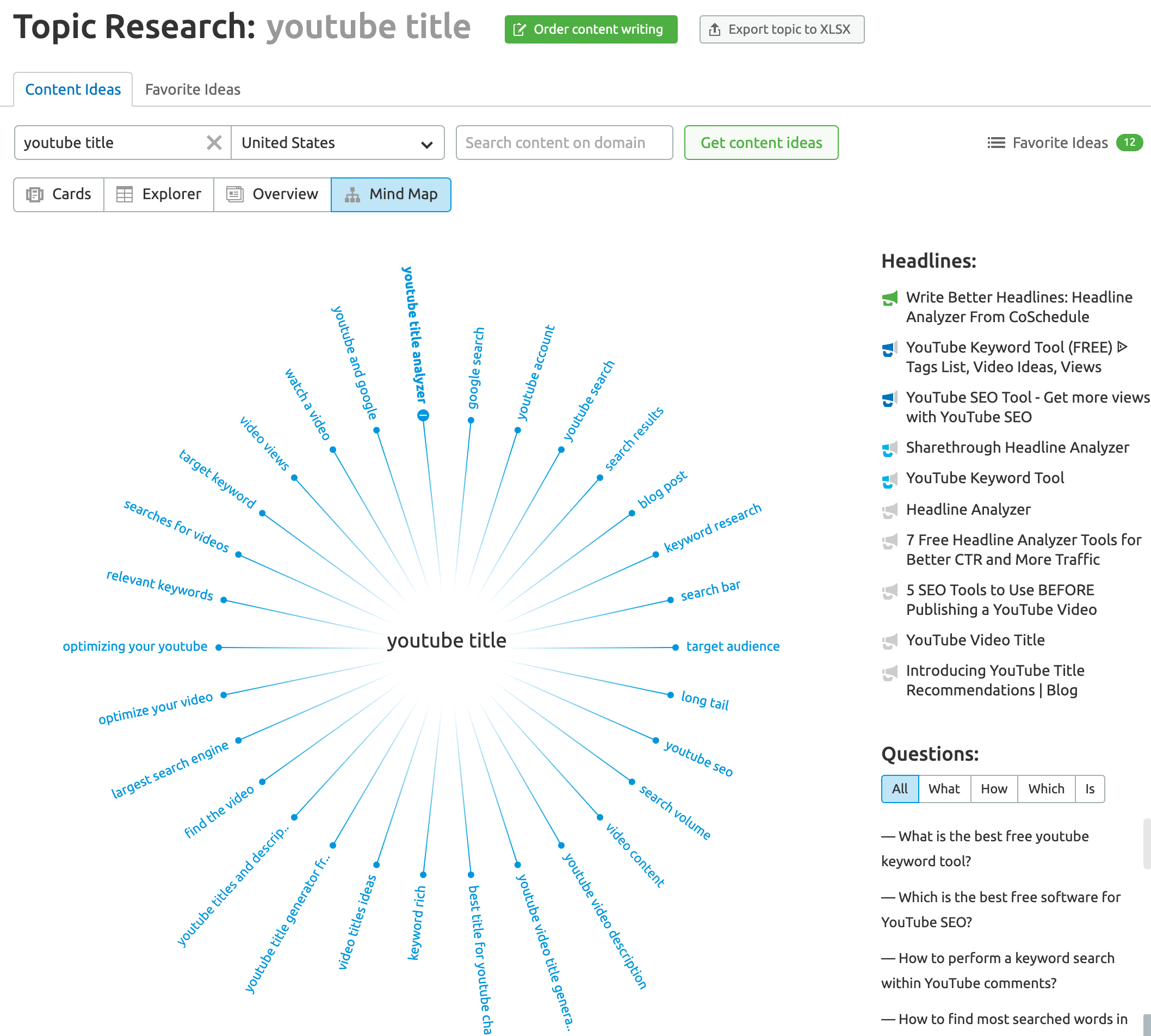
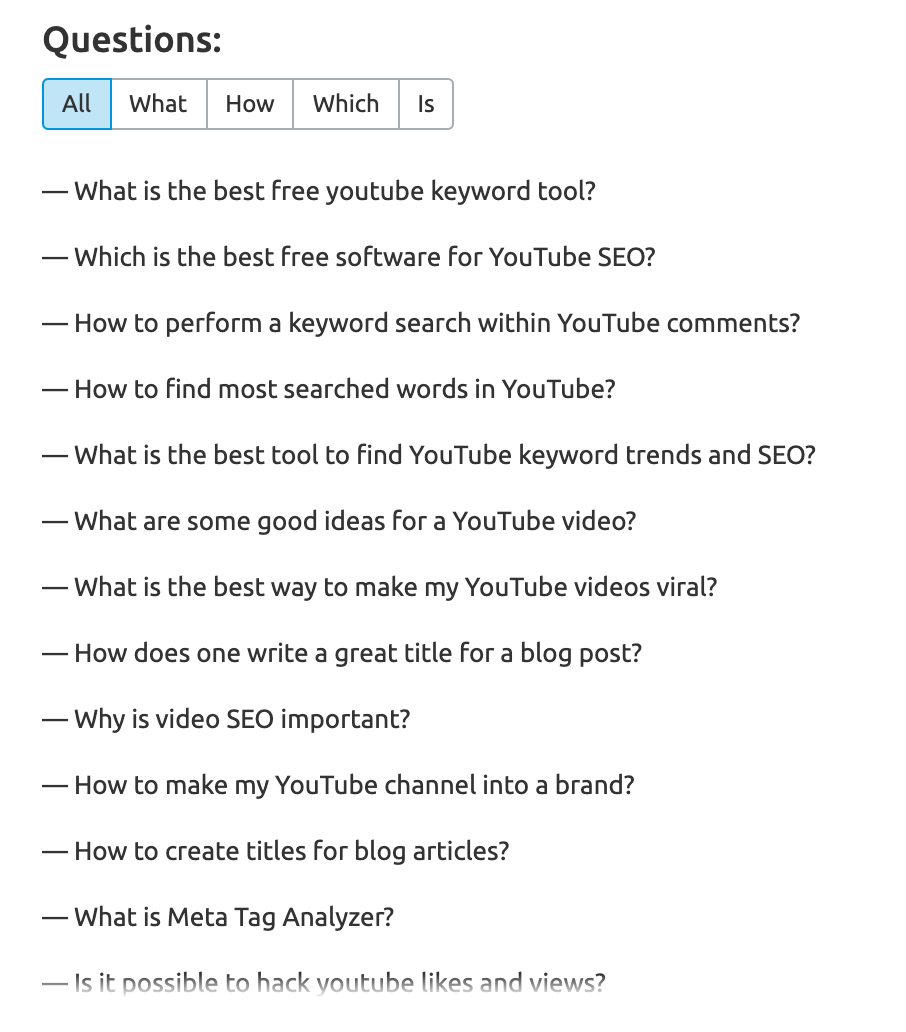
I want you to pay close attention to the questions section. It allows you to explore questions that people are searching for in great detail.
Use the tabs to switch between all questions or specific question qualifiers such as What? How? etc.
Writefull Keyword Research for Your YouTube Video Titles
Another tool that is close to my heart when it comes to keyword research is called Writefull. It's a free tool and available as a Chrome extension and as a native app for Mac, Windows, and Linux.
One of the many useful features is to search for keywords in context.
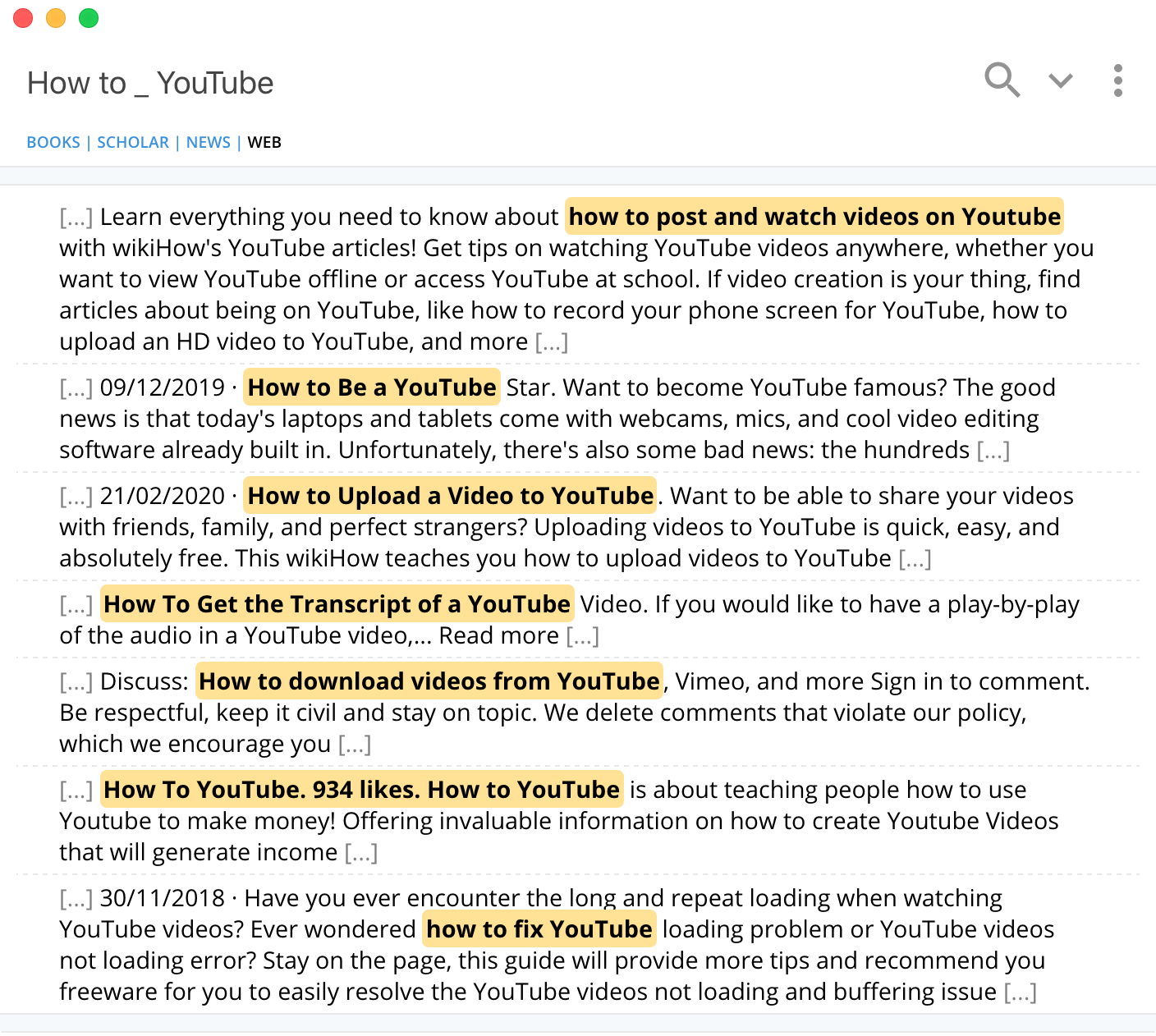
Install the app and then type in a keyword phrase into the search field. Use the _ character as a placeholder and Writefull will return partial matches.
In this example, I am searching for "How to _ YouTube" and Writeful returns "How to post and watch videos on YouTube," "How to be a YouTube star," "How to upload a video to YouTube", and many more.
The search results are based on Google and Bing search results and give you a good indicator of what your ideal audience is searching for.
Quora Keyword Research for Other Potential Video Title Ideas
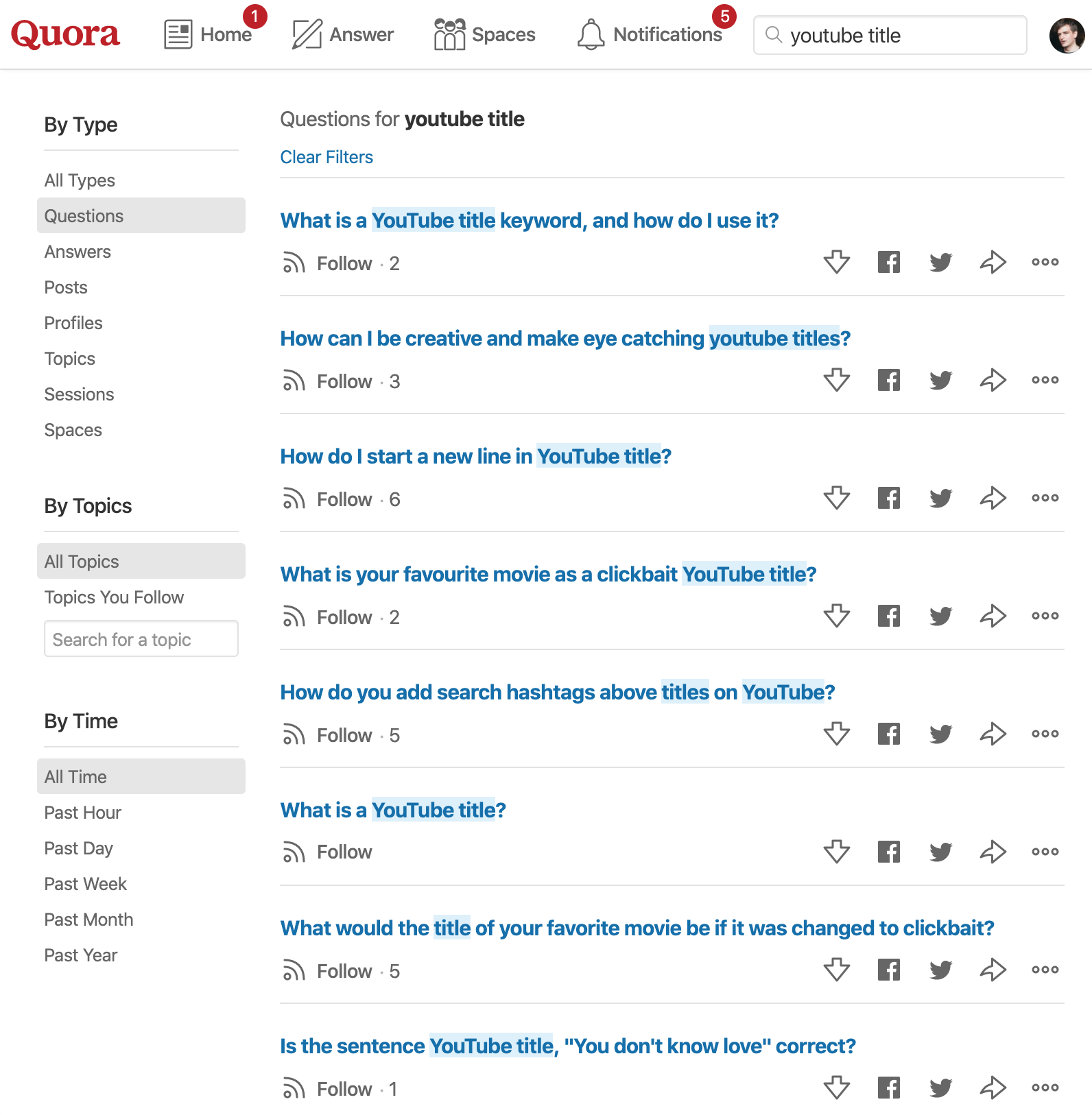
Visit Quora and type in your keyword phrase into the search. Select "Questions" on the left column and then scroll through the list of questions that Quora users are searching for.
Identify relevant questions for your YouTube video content and for potential video title ideas.
Answer the Public Keyword Research
Some of the best long-tail keyword phrases are specific questions to problems.
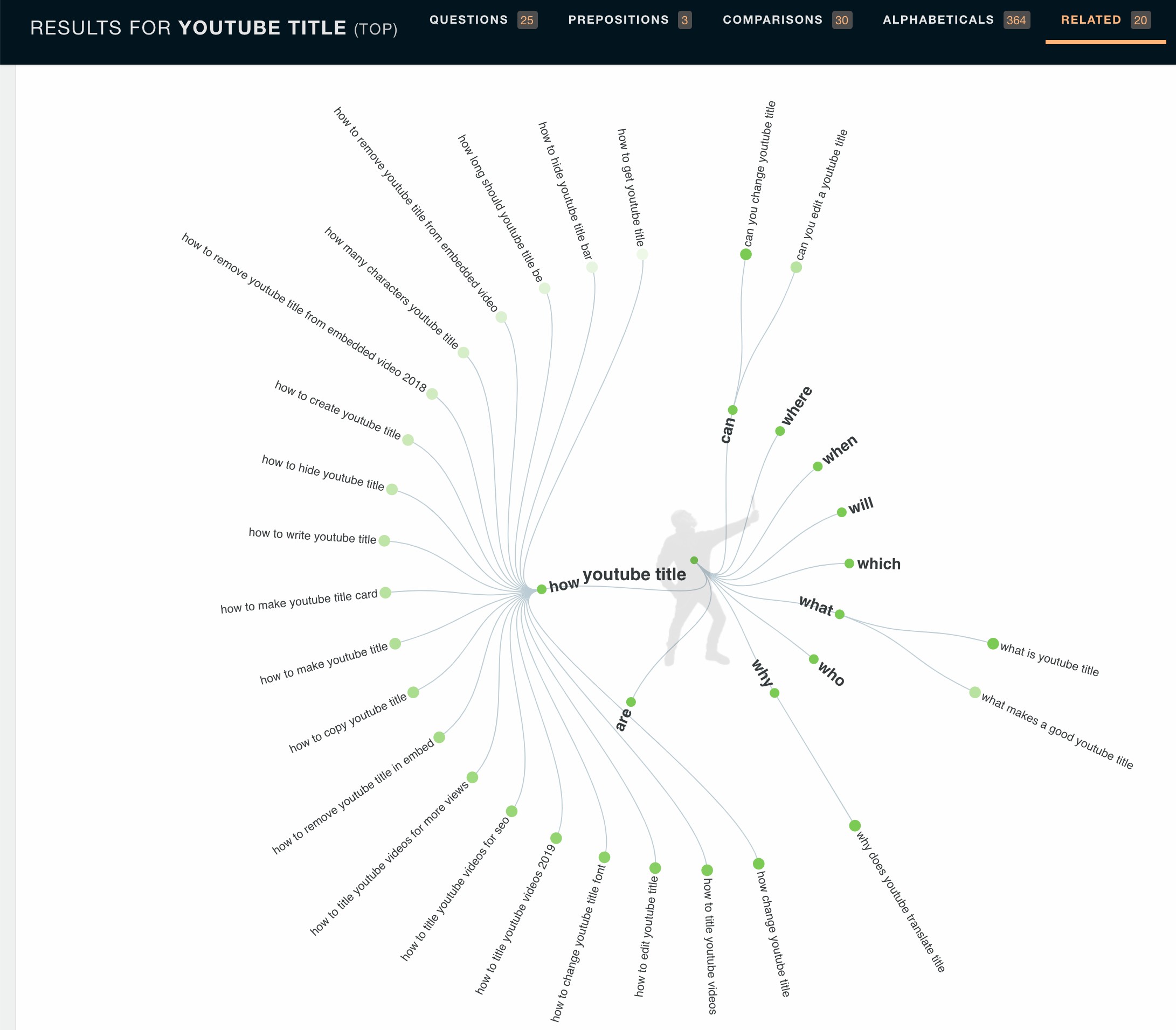
If you can't think of any good questions that your target audience might search for, go to the website Answer The Public and start with a broad search of one to three words.
You'll then see a list of popular questions that people are searching for. Identify interesting questions and copy and paste them into TubeBuddy.
Answer The Public is your best friend when it comes to exploring questions.
It extracts questions that people are searching for from different platforms and combines it with constructed questions that people might ask themselves.
Its mindmap explorer allows you to jump from one keyword to another to find related keyword ideas.
You can also view the list of questions sorted by preposition or in alphabetical order.
YouTube Videos Headline Formulas
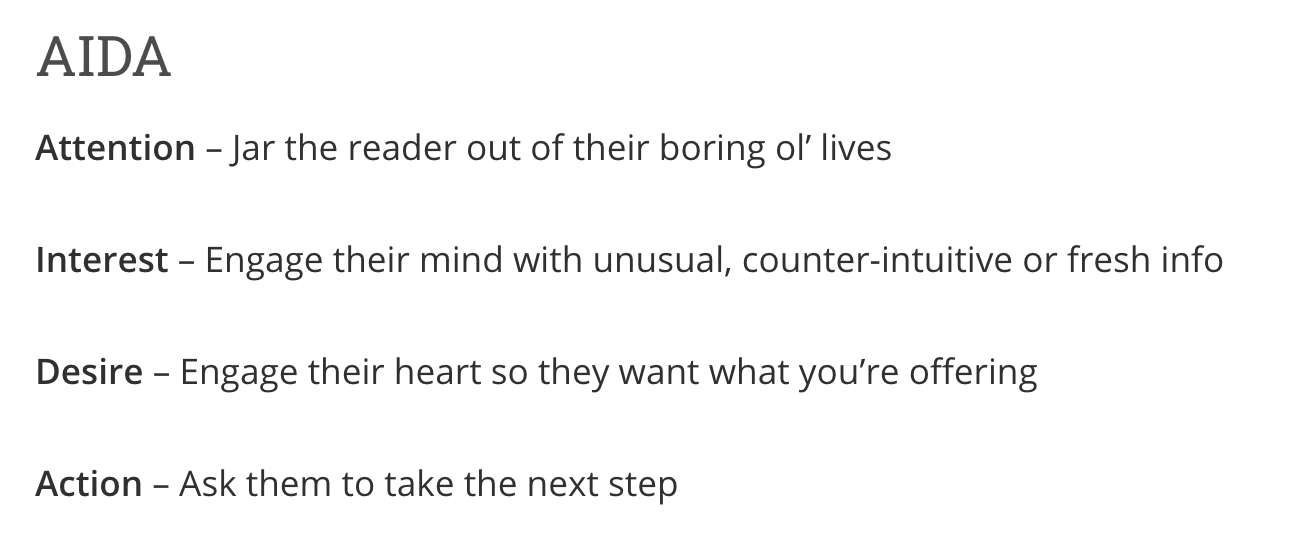
It's also worth trying one of the many headlines and title generators on the web to find interesting ideas on how to phrase click-worthy headlines.
If you want to learn how to write better headlines and interesting copy in general, take a look at Copyhacker's Copywriting Formulas article for a collection of some of the best headline and copywriting formulas.
Continuously Optimize Your YouTube Title
It's important to look at your YouTube video titles as something that's always changing. Nothing is cast in stone.
You want to monitor the performance of each video and then make adjustments based on your click-through rate, for example, with TubeBuddy's Click Magnet tool, and then test alternative video titles with TubeBuddy's AB testing tool.
Once you found a better title that performs better than the original, update your video title.


