Are you a LinkedIn content creator looking to take your game to the next level?
With increasing competition, getting your content in front of the right audience and building a loyal following can be challenging.
In this article, I will show you how to become a successful LinkedIn content creator by adding a secret ingredient to your content mix.
The Key to Success on LinkedIn? LinkedIn Hashtags!
Using the right hashtags, you can increase the organic reach of your posts, connect with new audiences, and get your content in front of the right people.
But figuring out where to start can take time and be tricky.
In this ultimate guide to LinkedIn hashtags, I will show you everything you need to know to become a hashtag pro.
I explore how hashtags work and how to select the best hashtags based on your goals.
I will also show you how to switch to LinkedIn Creator Mode to unlock up to five profile hashtags for maximum impact and discoverability.
So, whether you are a seasoned content creator or just starting on LinkedIn, this guide will give you the tools and knowledge you need to succeed.
Get ready to take your content to the next level and become the most successful LinkedIn content creator.
Let's get started!
What are LinkedIn #hashtags?
Hashtags on LinkedIn are a way to organize and group content on the platform, making it easier for users to find and talk about posts and topics that are relevant to them.
By adding hashtags to your posts, you can make them more visible and reach more people outside of your network.
For example, if you're sharing an article about remote work on LinkedIn, you might include hashtags such as #remotework, #workfromhome, #virtualteams, or #futureofwork.
This makes sure that your post will show up in the LinkedIn feeds of people who follow those topics or are looking for content about them.
You can also follow hashtags on LinkedIn to stay up-to-date on specific topics and trends.
When you follow a hashtag, posts that use that hashtag will show up in your feed, along with posts from your connections and pages you follow.
In addition to using hashtags in your posts, you can also include them in your LinkedIn profile summary and experience sections.
This can help you stand out to potential customers or clients who are searching for professionals with expertise in specific areas.
LinkedIn hashtags are special text snippets embedded within LinkedIn posts and other parts of the LinkedIn ecosystem, such as your LinkedIn profile or company page.
Hashtags always start with the # (hash) symbol, immediately followed by the hashtag's name.
Hashtags on LinkedIn can have a wide range of characters, including the letters A–Z, numbers, and even emojis.
However, you can't use spaces in hashtags. If you do, only the word before the space will be treated as a hashtag. For instance, if I wrote my hashtag #timqueen as #tim queen with a space in-between, only the word "#tim" would be treated as a hashtag, while "queen" would be ignored.
Additionally, while you can use uppercase letters in your hashtag, LinkedIn will internally convert all hashtags to lowercase. For example, my personal hashtag #TimQueen, or #TiMqUeEn is automatically converted to #timqueen.
Overall, hashtags on LinkedIn are a simple but powerful tool for organizing and discovering content on the platform.
By using them strategically, you can increase the visibility and impact of your posts and enhance your professional brand.
Why LinkedIn hashtags are important
LinkedIn's goal is to keep its members on the LinkedIn platform for as long as possible.
The more time users spend on LinkedIn, the more ads they see and the more money LinkedIn makes.
In the beginning, LinkedIn was just a database of CVs, so there was no reason for people to stay on the site longer than it took to update their profile and answer messages.
By opening up its content publishing platform to all members, LinkedIn found a very successful method to keep its members logged in for much longer.
Users quickly started to take advantage of this opportunity by publishing articles, posts, and videos.
Most people shared educational and entertaining content that created great engagement among readers.
But one challenge remained: How could LinkedIn show relevant and exciting content to individual users based on their interests?
To solve this problem, LinkedIn created its newsfeed algorithm. LinkedIn realized that a personalized newsfeed would keep users on LinkedIn longer.
The newsfeed algorithm matches content creators with readers by collecting information about what members are interested in and categorizing posts and articles based on topics and interests.
For example, suppose someone was interested in sustainable energy technologies. In that case, there is a high probability that they might be more interested in learning about wind and solar breakthroughs than coal and fracking.
This is where hashtags come in. Hashtags on LinkedIn are used to categorize content and make it easier for the algorithm to match content to the right audience.
When someone publishes a post or article on LinkedIn, they can add relevant hashtags to it.
These hashtags allow the algorithm to categorize the content based on its topic, making it easier for users who are interested in that topic to find the post or article.
Hashtags also make it easier for users to discover new content on LinkedIn. By clicking on a hashtag, users can see all the posts and articles that have been published with that hashtag.
This feature helps users explore new content and discover new authors who write about topics that interest them.
Moreover, by using hashtags, content creators can increase their reach on LinkedIn.
When someone publishes a post or article with a hashtag, it becomes visible to anyone who follows that hashtag.
This means that even people who are not connected to the content creator can discover their post or article if they follow the same hashtag.
In conclusion, LinkedIn hashtags are important because they help the algorithm match content to the right audience, make it easier for users to discover new content, and increase the reach of content creators.
And LinkedIn content creators can reach more people if they use popular and relevant hashtags.
How hashtags work on LinkedIn
With the use of LinkedIn hashtags, LinkedIn is able to identify what its users are interested in and group posts into themes and topics based on their interests.
They allow LinkedIn to identify what users are interested in (which hashtags they follow) and classify posts based on themes and topics (which hashtags were used).
When a user follows a hashtag, LinkedIn uses that information to personalize their newsfeed by showing them posts related to their interests.
This gives members a more immersive experience by making their newsfeeds relevant based on their own personal interests.
LinkedIn's search feature indexes hashtags and each one has its own page where members can find the most popular and relevant posts that use that hashtag.
This makes it easy for users to find content about themes or topics that interest them.
For businesses, using hashtags on LinkedIn can be a powerful way to reach a targeted audience of potential clients and customers.
By including relevant hashtags in their posts, businesses can increase the visibility of their content among users who are interested in the same topics.
This can help attract new followers and drive engagement with their brand.
In conclusion, LinkedIn hashtags are important because they help users find content that is related to their interests and give businesses a powerful way to reach a specific audience.
By using hashtags well, businesses can get their content seen by more people and gain new followers and potential customers.
LinkedIn hashtags for businesses
LinkedIn is THE fastest-growing, business-focused social media network on this planet, with over 1.1 billion members around the globe.
It allows its members to find more clients and attract new customers for their B2B business.
LinkedIn has more than 1.1 billion members in 200 countries and regions worldwide.
141 million members are senior-level influencers and decision-makers.
But only 10 million members create content.
That means that for every LinkedIn content creator, there are 92 members that consume content!
The LinkedIn community is very active. More than 40% of all monthly active users use LinkedIn every day.
LinkedIn is a social media site that gives people and businesses a unique chance to connect with each other and build meaningful relationships.
One of the biggest advantages of LinkedIn is the ease with which you can connect with CEOs and company directors, even those working for larger corporations.
This is because the barrier to participation is very low, meaning that it's easy to join the platform and start engaging with others.
LinkedIn can be a great way for your business to find new customers if you're willing to join a great community and build a name for yourself by sharing useful content.
By doing so, you can build a strong network of authentic relationships that can help you grow your business.
You can easily connect with top-level executives, build your reputation by sharing useful content, and build real relationships with potential customers by taking advantage of LinkedIn's low barrier to entry and wide reach.
LinkedIn can help you reach your goals, whether you're an individual looking to grow your network or a business looking for new leads.
With a focus on clear and straightforward language, you can communicate the benefits of LinkedIn effectively and help others make the most of this powerful social platform.
Check out my article, "Best Content Ideas for LinkedIn", to learn more about how to attract your ideal clients by sharing valuable content on LinkedIn.
How to add hashtags on LinkedIn
Hashtags to your LinkedIn profile
LinkedIn recently introduced a new feature called "LinkedIn Creator Mode," which is designed for LinkedIn content creators.
This feature enables LinkedIn members to switch their profile layout from a job seeker to a content creator layout, allowing them to showcase their creative work and personal brand.
One of the key benefits of Creator Mode is the ability to add up to five hashtags to your LinkedIn profile.
These hashtags are displayed prominently under your headline and can help you be recommended to other members who are interested in those topics.
For instance, if you include the hashtag #ai in your LinkedIn profile, your profile will be recommended to members who have an interest in artificial intelligence.
It's recommended that you choose five broader hashtags with a larger following (10,000 or more) for the best results.
This will make it more likely that more people will see your profile and interact with you.
In summary, LinkedIn Creator Mode is a useful feature that can help content creators gain visibility on the platform.
By using the right hashtags and making your profile as good as it can be, you can make it easier for the right people to find you on LinkedIn and grow your presence there.
Hashtags on your company page
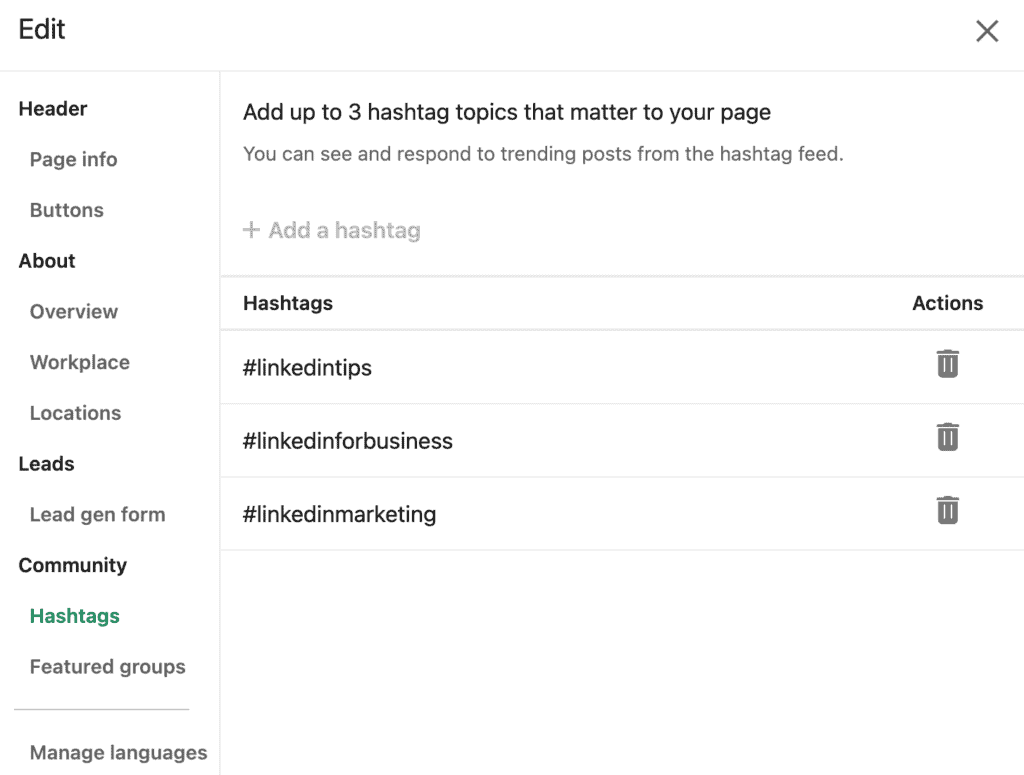
Every LinkedIn page can add up to three hashtags to its business profile.
Whatever hashtags you choose, when a regular LinkedIn user uses one of your three company hashtags, your page will receive a notification letting you know that someone has published a new post.
This enables you to comment on relevant posts as your company page and draw people's attention to your products and services.
To get the best results, pick three broad hashtags related to typical customer challenges and problems your business can solve to make it more likely that you receive relevant notifications.
Hashtags for your posts and articles
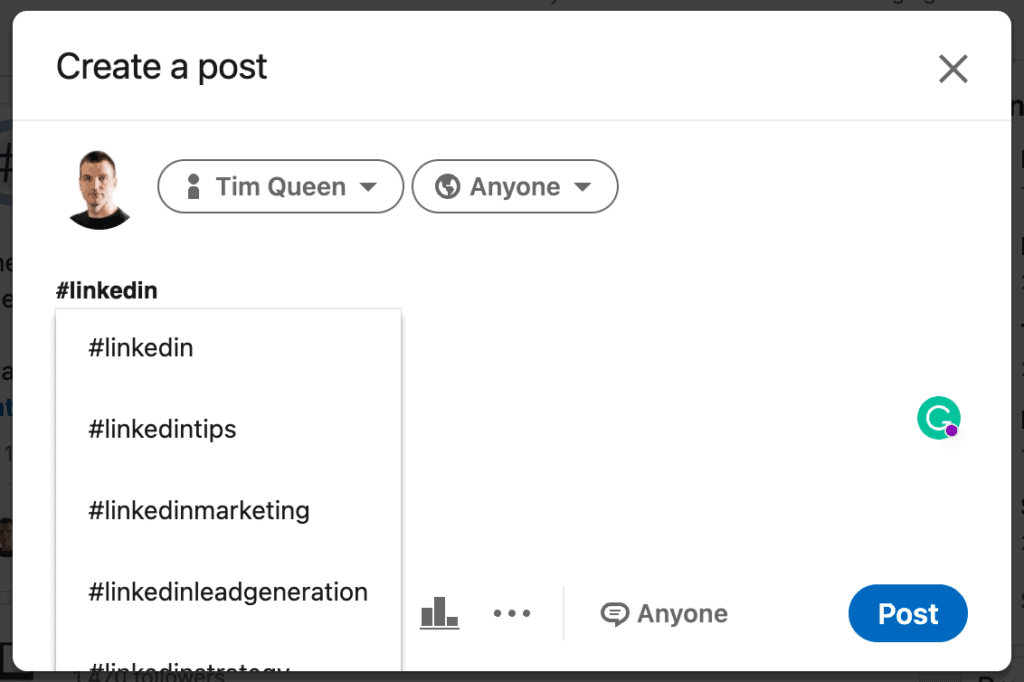
Adding hashtags to your LinkedIn content is super easy. All you have to do is to enter the # key followed by the characters of your hashtag.
For those of us who don't know how to locate the # key, LinkedIn added a convenient "Add hashtag" button that inserts the # right at your typing cursors. 😅
While you type the name of your hashtag, LinkedIn's autocompleted feature will constantly update a list with the most popular hashtags starting with the characters you typed in so far.
Adding hashtags works the same for all content types, including articles.
How to find the best LinkedIn hashtags
LinkedIn's hashtag discovery tool
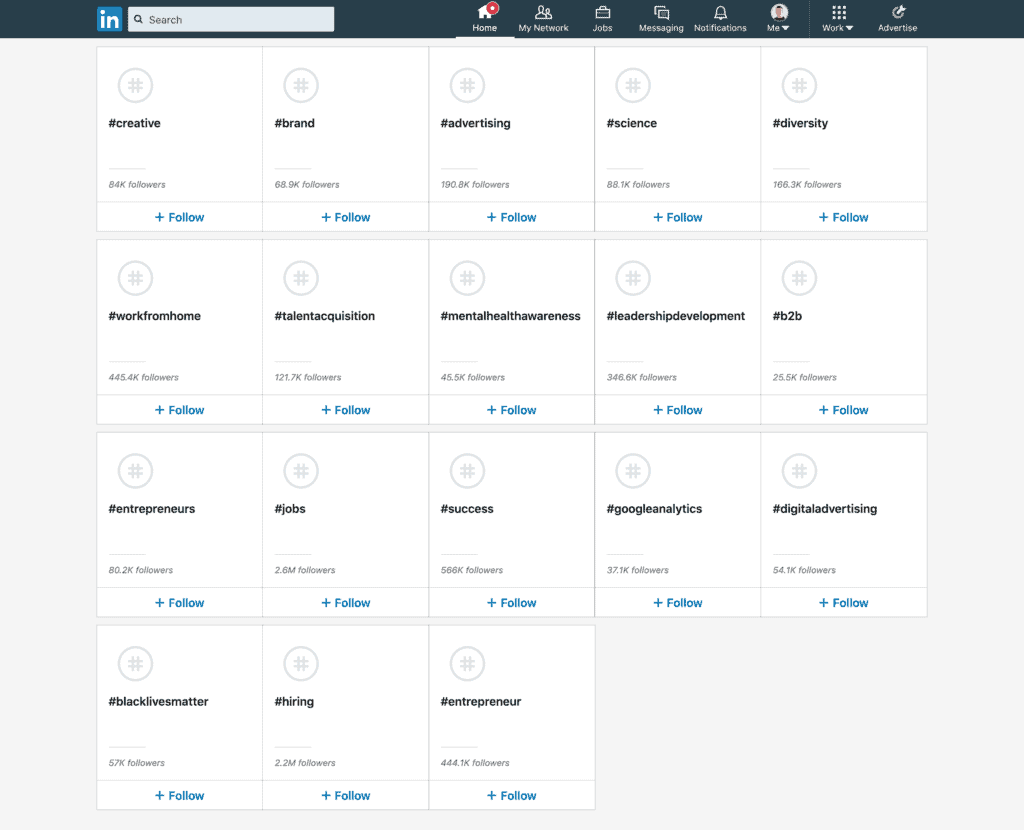
Previously, discovering the most popular hashtags on LinkedIn was a lot easier.
You could visit LinkedIn's hashtag discovery tool via this URL: https://www.linkedin.com/feed/follow/?filterType=channel&focused=true to explore a list of all hashtags and topics.
Unfortunately, this method is no longer working. If you try to open the link, you will be redirected to LinkedIn's general content discovery hub, where the focus has shifted to recommending company pages and thought leader profiles.
LinkedIn search
You must use the LinkedIn search feature to find the most popular hashtags in 2025.
Start with a generic search for a keyword or phrase in the search bar at the top and switch the search mode to "Posts".

You will see all top-performing LinkedIn posts that contain your target keyword.
Take your time and explore the top 10 posts for your search and click on the "... see more" button to expand each post.
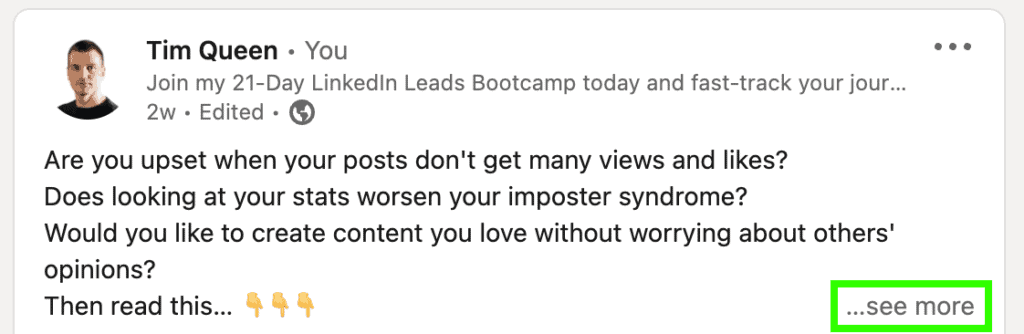
Whenever you find an interesting hashtag, right-click on it and open it in a new tab.
If the number of followers is decent (minimum 100 followers), write down the name of the hashtag and the number of followers.
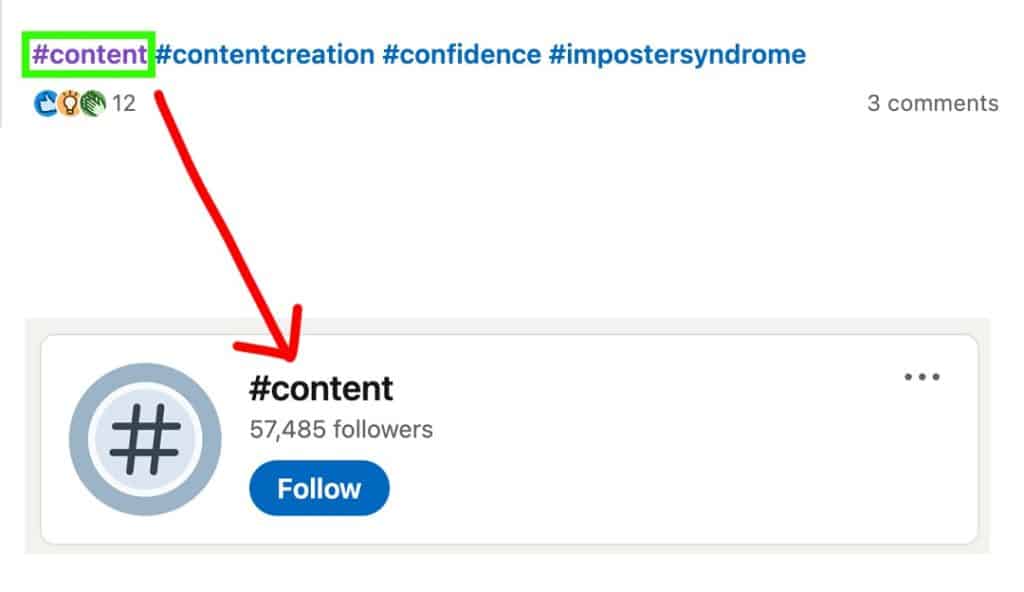
Once you have explored the first ten posts, start a new search with a new hashtag that you discovered along the way.
For best results, search for the hashtag and the keyword separately. In my example, search for both #content and "content".
Repeat this procedure until you have compiled at least 50 unique hashtags for your LinkedIn niche.
LinkedIn auto-complete
The LinkedIn search is one of the best tools for discovering new and exciting hashtags.
Start typing # followed by a few characters, and LinkedIn will present you with a list of popular hashtags that start with your search term.
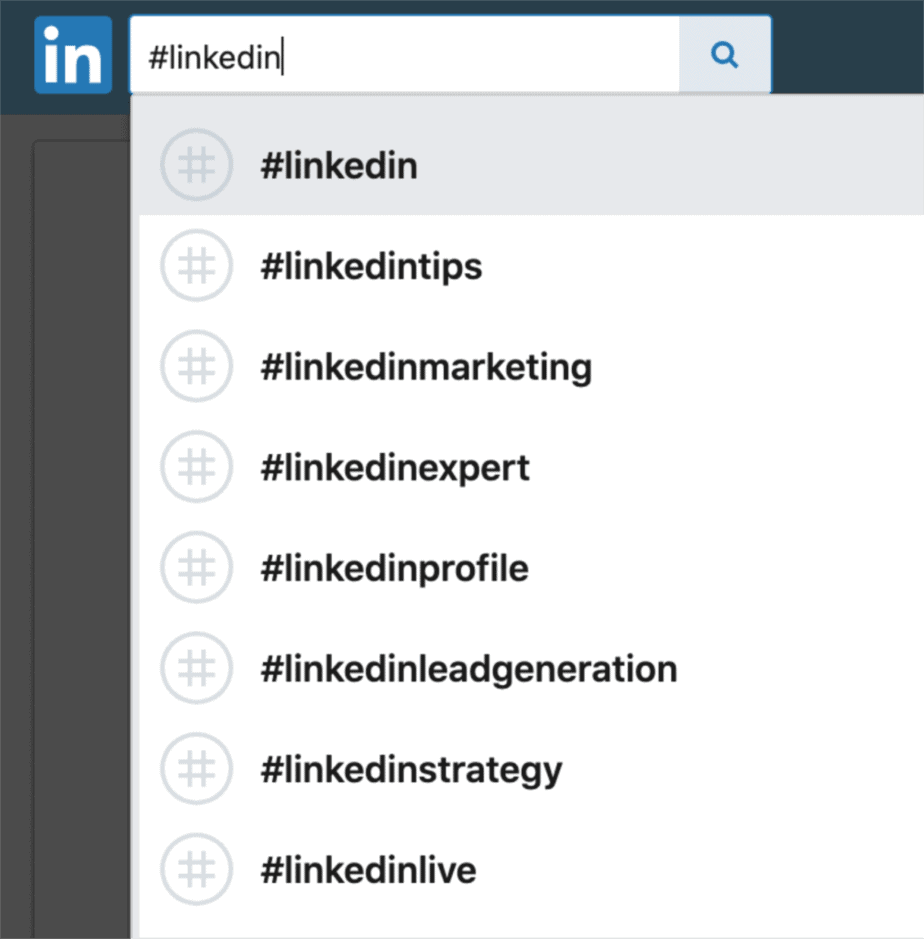
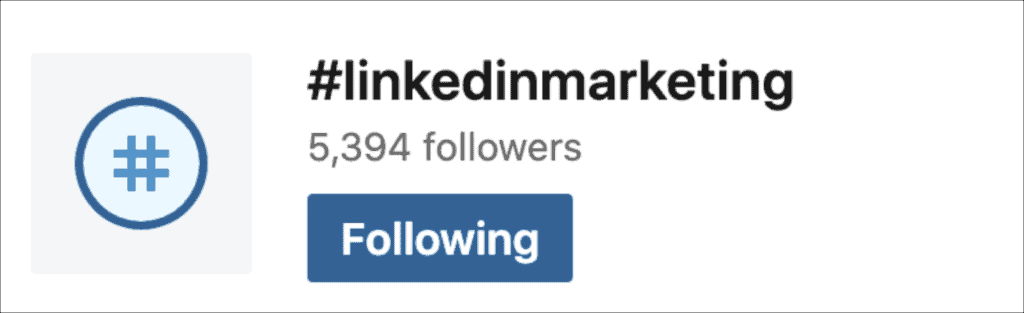
Click on each hashtag to learn more about it and see how many people follow them.
How to use hashtags on LinkedIn - Best Practices & Recommendations
Use location-based hashtags to promote local businesses and events
Whenever you want to promote something location-specific, use location-based hashtags such as #newyork, #singapore, or #london.
I used location-based hashtags successfully to promote my VIVID TALKS event series, which work like a charm!
Prioritize inline LinkedIn hashtags whenever possible
There are two options when it comes to hashtags on LinkedIn.
Here's an example of how you can embed #hashtags in your post's description in a natural-sounding manner.
Or you can add hashtags to the end of your posts.
I always recommend using #inline hashtags for three reasons.
It makes your post more readable, doesn't look spammy, and saves you valuable characters that you can use to enhance your stories.
Change your LinkedIn privacy settings from private to public
For others to discover your LinkedIn posts organically through the magic of LinkedIn hashtags, your profile must be set to public.
Otherwise, your content will only be visible to your direct connections, and you'll miss out on a ton of targeted traffic!
Use capitalization to personalize your LinkedIn hashtags
LinkedIn allows you to use small caps and ALL CAPS characters within your hashtag.
To LinkedIn, your punctuation doesn't matter regarding organic discoverability.
They treat all hashtags as case insensitive.
Example:
#LinkedIn = #linkedin = #liNkEdiN or any other variation are all the same.
As long as you don't add any additional characters at the end, you can take advantage of this and give your hashtag a more personal touch with capitalization.
Instead of #timqueen, I can use #TimQueen, which communicates additional information to my readers, for example, that my first name is Tim.
For my name, that wasn't a big deal anyway, but there are plenty of cases that easily confuse people.
With #annaagaard is it Ann or Anna? #AnnAagaard gives us clarity and avoids misunderstandings.
Create your own branded LinkedIn hashtag
One of the best tips I can give you today is to create your own hashtag.
You can use your name and turn it into a branded hashtag. For example, #timqueen
You can use the name of your company or business.
Or you can use the name of your podcast or channel name.
When people want to learn more about you, they can click on the hashtag name to find more related content.
Remember that you don't own the hashtag - even if you are the first person to use it - and that other LinkedIn members can use the same hashtag in their posts.
Add spaces between LinkedIn hashtags
Another common pitfall with LinkedIn hashtags is a lack of spaces between hashtags.
If you write your hashtags like this, LinkedIn will only recognize the first hashtag and ignore everything after.
#hashtagone#hashtagtwo#hashtagthree
So make sure that you add a space between each hashtag.
#hashtagone #hashtagtwo #hashtagthree
Focus on short LinkedIn hashtags, two to three words max
Finding a cool-sounding hashtag is easy.
Take this, for example...
#HowToUseLikedInHasthtags
Incredible, can't get any more specific than this?
But ask yourself...
How many people follow this hashtag?
Probably zero.
And how many people would intuitively search for such a long and convoluted hashtag in a LinkedIn search?
Probably not too many, either.
So do yourself a favor and never use more than three words per hashtag.
If you ever find yourself in a situation where you're tempted to use more than four words, try to use several shorter hashtags instead.
Focus on popular LinkedIn hashtags
For your LinkedIn hashtags to be found organically by as many people as possible, all hashtags need to have a large number of followers.
By "significant," I am talking about at least a few hundred, ideally several thousand.
The reason for that is that even if a hashtag has 100 followers, that doesn't mean that all of the 100 people who follow this hashtag would be online on a given day.
And even if they are, LinkedIn might show them competing content, not content from your hashtag.
Prioritize hashtags with high engagement
Some hashtags are dead and have no engagement, even if the follower numbers are high.
This often happens if hashtags have become too popular and many bad actors have abused the hashtag and spammed it with irrelevant posts.
It's better to have a few medium-sized hashtags with high engagement than gigantic hashtags (the most popular hashtags with millions and millions of followers) with no engagement.
Most Popular Hashtags on LinkedIn
| Hashtag | Followers |
| #innovation | 37,683,010 |
| #management | 35,270,217 |
| #digitalmarketing | 27,286,973 |
| #technology | 25,231,754 |
| #entrepreneurship | 22,221,557 |
| #socialmedia | 19,541,326 |
| #marketing | 19,075,546 |
| #branding | 18,068,674 |
| #personaldevelopment | 14,062,346 |
| #sustainability | 12,913,868 |
| #travel | 6,982,714 |
| #sales | 5,443,551 |
| #law | 5,522,370 |
| #fundraising | 5,822,571 |
| #culture | 4,413,105 |
| #fashion | 4,168,769 |
| #networking | 3,087,081 |
| #business | 2,455,166 |
| #health | 1,867,594 |
| #storytelling | 405,064 |
| #leadership | 430,362 |
| #partnerships | 250,295 |
| #hiring | 259,731 |
| #inspiration | 119,244 |
| #success | 110,622 |
Top LinkedIn Hashtags Mistakes to Avoid at All Costs
Avoid spaces and special characters in your LinkedIn hashtags
You cannot use empty spaces, dashes, commas, special symbols, and other punctuation marks within LinkedIn hashtags.
Example: #LinkedInHashtags works.
But #LinkedIn Hashtags, #LinkedIn.Hashtags or #LinkedIn-Hashtags doesn't.
In this case, only #LinkedIn becomes a hashtag, while anything after is just treated as a regular word.
Do not turn every word into a LinkedIn hashtag
#Why? #Because #it #is #very #difficult #to #read! Focus on clarity and readability first and last on hashtags.
If nobody reads your LinkedIn social media posts, you won't generate enough engagement for the hashtags to do their magic.
Do not repeat LinkedIn hashtags more than once
Let's say my hashtag was #LinkedIn. Using the hashtag #LinkedIn once is enough to trigger organic discoverability in #LinkedIn.
It doesn't change how often I repeat #LinkedIn in my text. If anything, this has two adverse effects. It will make your text more challenging to read.
And it will negatively impact the maximum number of hashtags in your post, reducing your organic reach.
Do not use too many LinkedIn hashtags
A good rule of thumb is to use 1-5 hashtags per Linkedin post.
Anything more, and you will negatively impact the organic reach of your post on the LinkedIn platform.
Imagine it like this.
You have one big cake.
Each slice is one hashtag. The more hashtags you have, the less impact each of your hashtags has.
This will make it almost impossible for you to get your post on the LinkedIn trending page.
Do not split up two- or three-word LinkedIn hashtags
If I want to target people interested in "social media", I will use the hashtag #SocialMedia.
I won't use #social and #media.
Why? Because these are two completely different hashtags for people interested in "social" topics and "media" and press-related content.
Keep two and three-word hashtags together.
Do not use emojis in your LinkedIn hashtags
Emojis are all hip and cool. And you can use them in your hashtags! Cool, right?
Not so fast. Just because you can, doesn't mean you should!
Let's say I want to turn the word travel into a hashtag.
Cool people might think about adding a little airplane at the end. Sure, it looks fantastic...
#travel✈️...but
People will probably be more likely to subscribe to or remember #travel rather than #travel✈.
And as a consequence, you wouldn't benefit at all from organic discoverability.
Do not use irrelevant LinkedIn hashtags
You might get excited.
Oh wow, look at this hashtag!
It has 105,746,221 followers.
And this one has 48,921,810 followers.
LinkedIn's most popular hashtags, I am going to use all of them!
Don't!
You will only harm yourself unless they are 100% relevant to your post.
LinkedIn focuses on relevancy more than anything.
If you use the wrong hashtags and LinkedIn shows your content to people interested in the hashtags you used, it will track if and how much they engage with your LinkedIn post.
If they don't engage because your post wasn't relevant, LinkedIn will no longer show anyone who is following this irrelevant hashtag your content.
Nobody wins in this scenario, and you waste some of your precious characters in your LinkedIn post for the wrong hashtags that get you zero reach.
If you recall, each LinkedIn post can be up to 3,000 characters long, so you want to use your characters wisely!
Manage the hashtags you follow
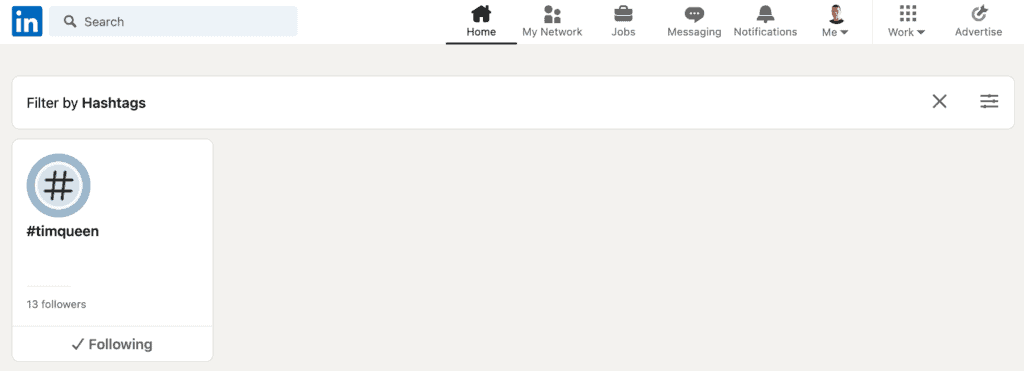
To see a list of all the hashtags you follow, visit the LinkedIn homepage and locate the "Followed Hashtags" section in the left sidebar. Alternatively, you can access the page directly via this link.
Simply click on the "✓ Following" button to unfollow specific hashtags.
Homework: Creating Your Own LinkedIn Hashtag
Create your own hashtag for yourself, your brand, or your business.
Brainstorm a list of 100 hashtag ideas.
Research each hashtag and write down the number of followers for each hashtag.
Select the top 20 hashtags and create your own personal hashtag collection. This will be your LinkedIn hashtag strategy.
You will use these hashtags over and over again for each piece of content you publish on LinkedIn.
To ensure that you don't overuse each of these hashtags, create your own hashtag editorial calendar.
Plan out which hashtags you will share weekly for the next 6 to 12 weeks.
Then use these hashtags to create your daily LinkedIn content.
Attracting clients with content marketing on LinkedIn
To take advantage of LinkedIn, you have to understand how the LinkedIn ecosystem and its artificial algorithms work.
LinkedIn is making the majority of its revenue via two channels. It sells ads and premium subscriptions.
This works because LinkedIn has a high-quality user base that uses LinkedIn daily.
LinkedIn realized it could increase the number of daily active users by providing an infrastructure for user-generated content.
Today LinkedIn has 706 million members but only 4.2 million content creators.
This means that every content creator has an incredibly high organic reach.
The reach often grows exponentially when your followers and connections engage with your content. Every time someone likes, comments on, or shares your post, some of their followers and connections will see it too.
Today, most of my regular posts generate between 5,000 to 20,000 impressions per post. Every once in a while, I am able to create a viral LinkedIn post with a significantly higher number of views.
Some of my past posts generated 100,000+, 250,000, 500,000+, and even 3 million views.
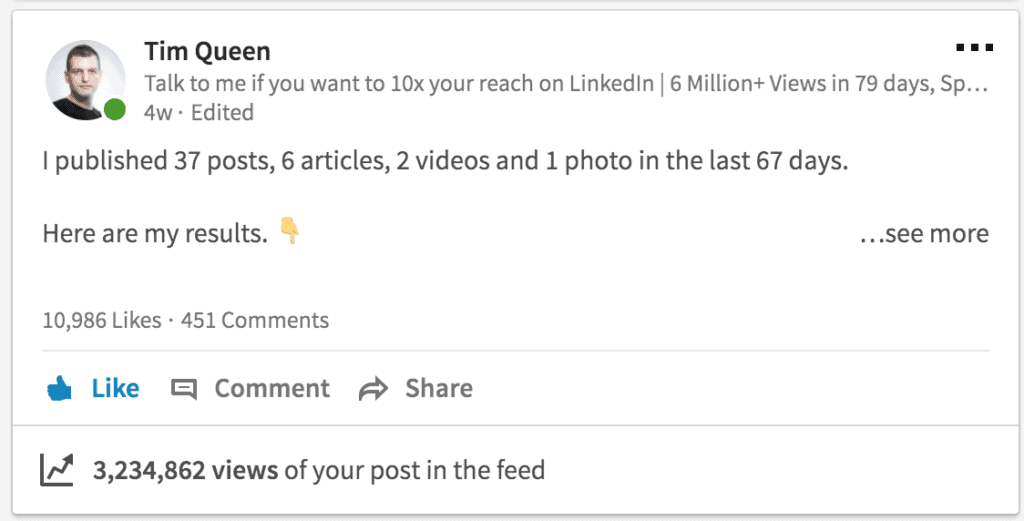
Imagine if you could generate that many eyeballs for yourself and your business by publishing relevant posts regularly (also known as content marketing on LinkedIn)...
What would you be able to achieve?
If you don't have a large following yet, LinkedIn hashtags will be your best friend.
They are incredibly powerful for growing a loyal following of potential customers on LinkedIn organically.
Mastering hashtags will allow you to get on the LinkedIn trending page and to get selected by the LinkedIn editorial team, which will further boost your organic reach.
Creating your LinkedIn Hashtag strategy is only one part of building up a successful LinkedIn strategy to attract leads for your business.
If you are serious in leveraging on this number one business networking platform to generate a flow of high-quality leads, I urge you to check out my LinkedIn Leads Bootcamp - the ultra-tactical training program that teaches you how to create and execute a complete LinkedIn content strategy from scratch.