Introduction
It's very important to promote your YouTube videos right after publishing them, especially if you have a small YouTube channel with fewer than 1000 subscribers.
YouTube's algorithm is carefully testing each newly uploaded video among a small number of viewers to evaluate if a video is relevant and engaging.
Only well-performing videos with a high click-through rate and high watch time percentage will be organically promoted to many of your subscribers and people interested in the topic of your video.
By promoting your video to people who are most likely very interested in your video, you bypass this evaluation process and provide YouTube with enough data points to come to the right conclusion that your content is awesome!
This article shows you 16 ways how you can promote your most recent videos on YouTube itself.
YouTube Premiere.
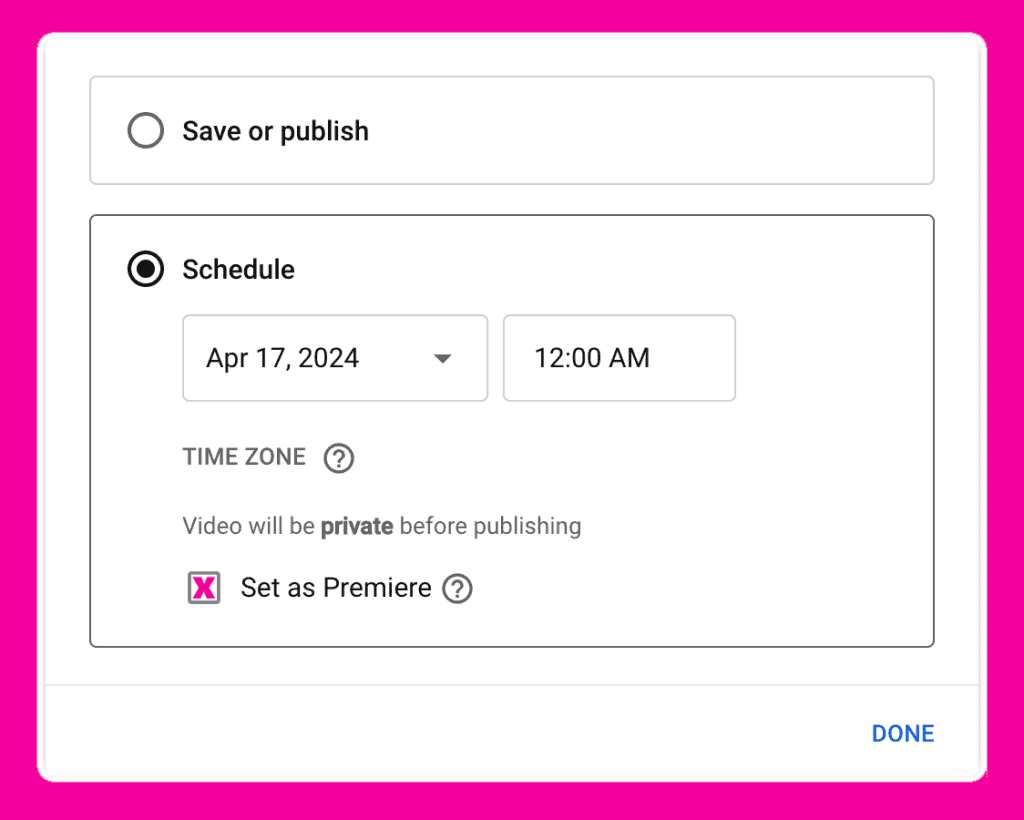
YouTube Premieres allows you to promote new YouTube by live-streaming as a Premiere instead of just publishing them. This allows you to watch your latest video together with your audience in real-time when you publish it.
It is a great tool to connect with your fans and often increase the video's performance in terms of views and watch time.
Do this only now and then for a higher production value video, so your audience always knows that a YouTube Premiere means something truly special.
YouTube Community Tab
Once your channel hits 500 subscribers, you get access to YouTube's Community Tab.
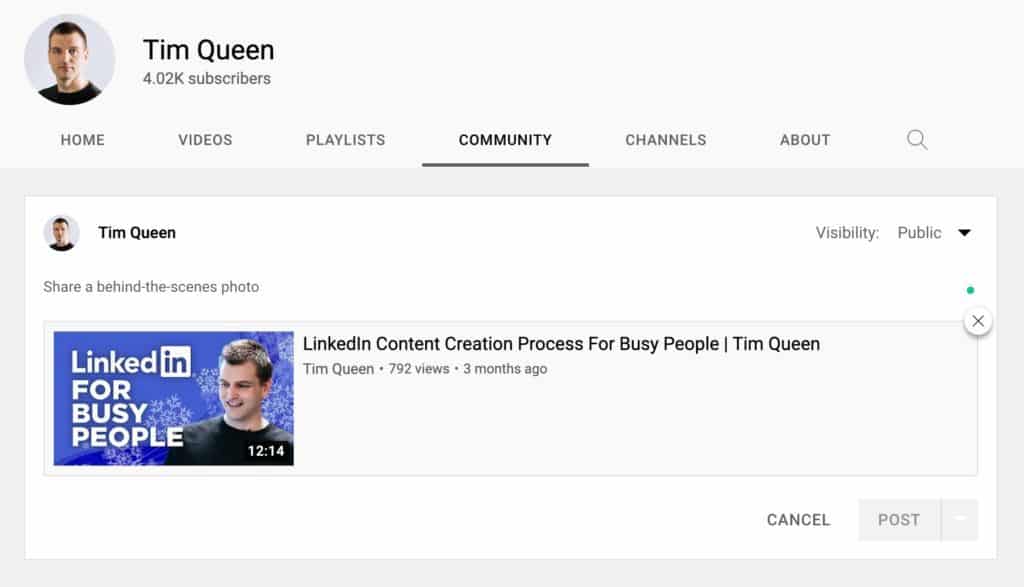
Here, you can share community posts with your subscribers. Choose between writing text-only posts or creating posts with attached photos, polls, or YouTube videos.
This is a fantastic tool to promote new YouTube videos as community posts do not compete with newly published YouTube videos on your audience's homepage feed.
I recommend creating a matching community post shortly after publishing a new video.
This way, you now have two opportunities to appear in your subscribers' newsfeed and double the odds that they click on your video and watch it.
YouTube Stories
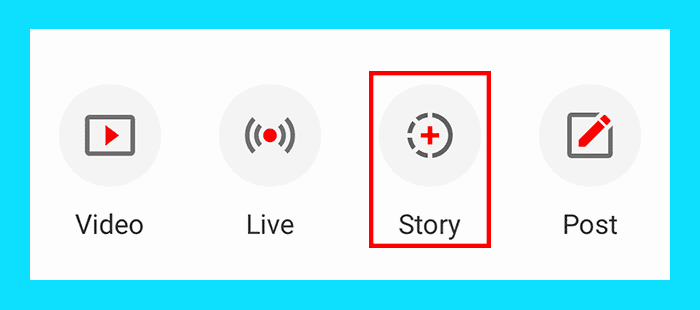
YouTube Stories work similar to Instagram or TikTok stories and allow you to share vertical photos or videos with your audience.
Use YouTube's video sticker and attach your latest YouTube video to one of your Stories to promote it to your audience so more people watch your YouTube video.
YouTube Memberships
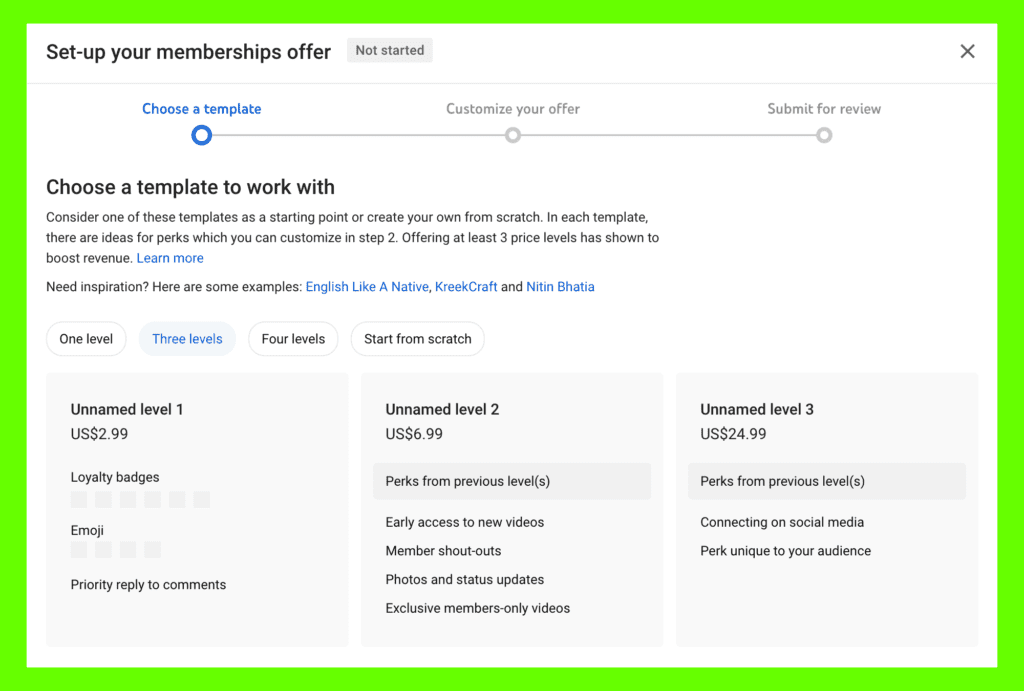
YouTube memberships work similarly to other membership sites such as Patreon. They are an excellent tool for monetizing your YouTube audience.
You can select your own rewards for your YouTube memberships. Still, most creators include at least early access to new videos and exclusive YouTube Membership member-only videos and community posts.
Usually, most YouTube membership members are made up of your biggest supporters and fans. They are the ones who are most interested in new and upcoming videos.
Why not give them what they want by teasing new videos before publishing them by promoting your upcoming YouTube videos through member-only posts?
This strategy works great in combination with YouTube Premieres.
It allows you to hype up your super fans to get more people to show for your Premiere, which helps the YouTube algorithm understand that your new videos should be shown to more people.
Video descriptions
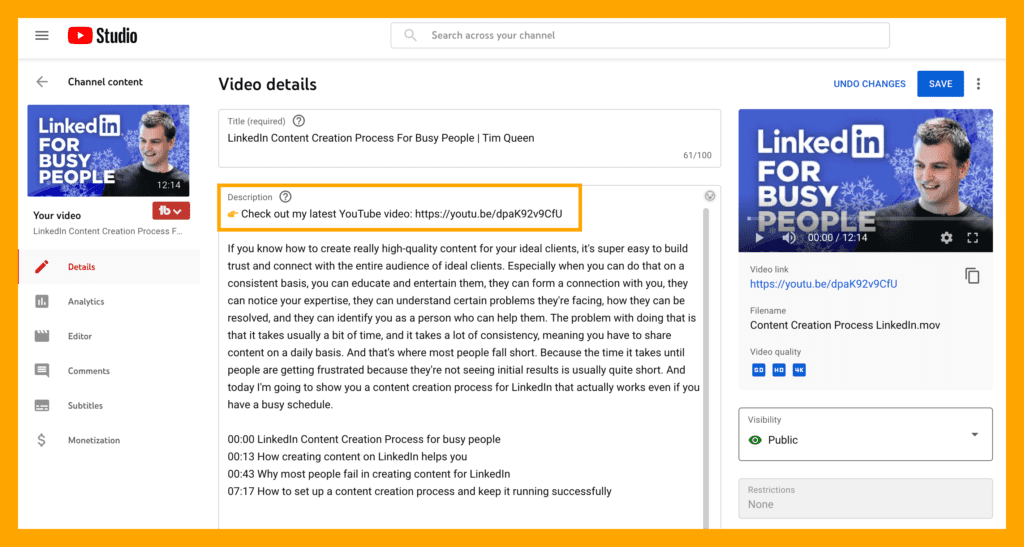
A great way to promote new YouTube videos is by including them in the video description of other videos.
If you sign up for TubeBuddy, you can use their Bulk Video Processing tool to promote your latest video in the video description of every video you have ever published.
You can put the video link anywhere you want, thanks to TubeBuddy's advanced search and replace filters. I recommend adding a line at the top of your video description that looks similar to this:
Check out my latest YouTube video: https://www.youtube.com/watch?v=dpaK92v9CfU
When uploading your next video, just use TubeBuddy's Bulk Video Processing tool and search for your previous URL "https://www.youtube.com/watch?v=dpaK92v9CfU" and replace it with the new URL of your latest video.
The tool is fast and can update hundreds of YouTube video descriptions in minutes. I highly recommend you check it out.
Info Cards
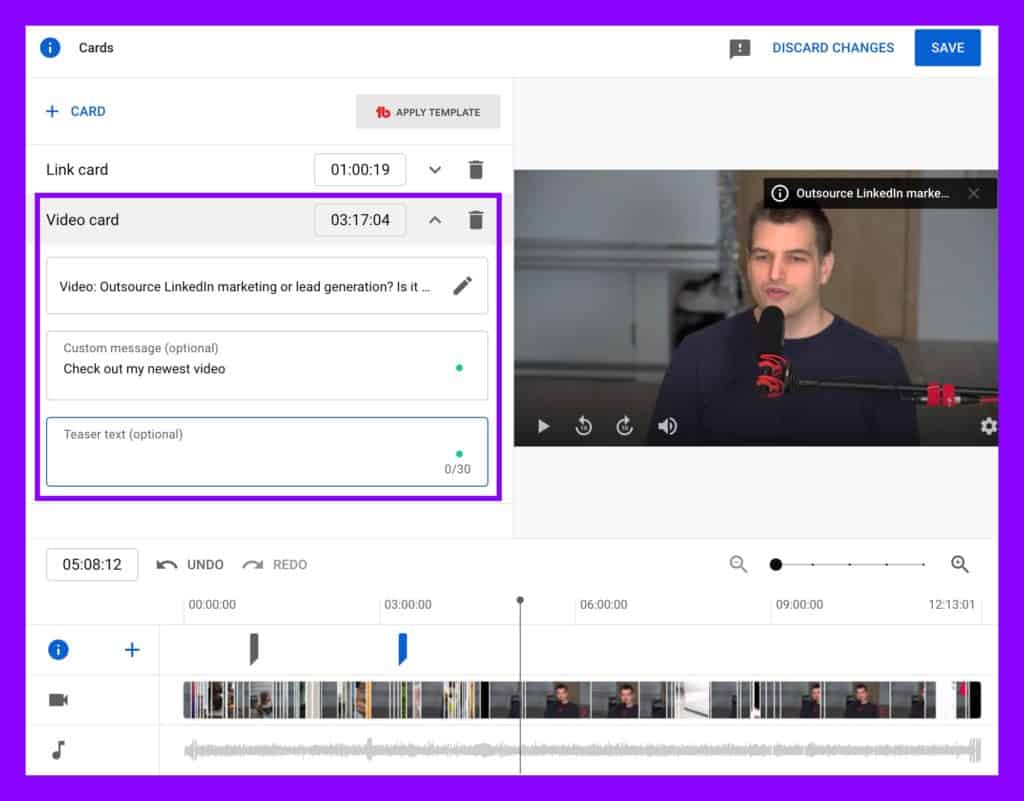
The same effect can be achieved by using Info Cards. These are in-video notifications that use the ⓘ-icon in the top right corner of videos if you have never seen it before.
When viewers click on one of them, they can see additional text, usually with a clickable link. You can use this tool to promote new YouTube videos by including a link to your latest YouTube on other videos' Info Cards.
Using TubeBuddy's Bulk Cards tool, you can automatically insert or replace existing Info Cards across your YouTube videos.
I recommend manually creating a promotional Info Card in one of your videos. It should contain a link to your latest YouTube video.
You can pick any timestamp; I recommend a minute or between 50% and 75% of your average video length.
Then use TubeBuddy's Bulk Cards to copy this card across your videos. It will try to insert it at the same timestamp as the original Info Card.
Once you upload your next video, open TubeBuddy's Bulk Card tool and replace the URL of your previous YouTube video with the newest one.
All your older videos now promote your latest upload a few minutes later.
End Screens
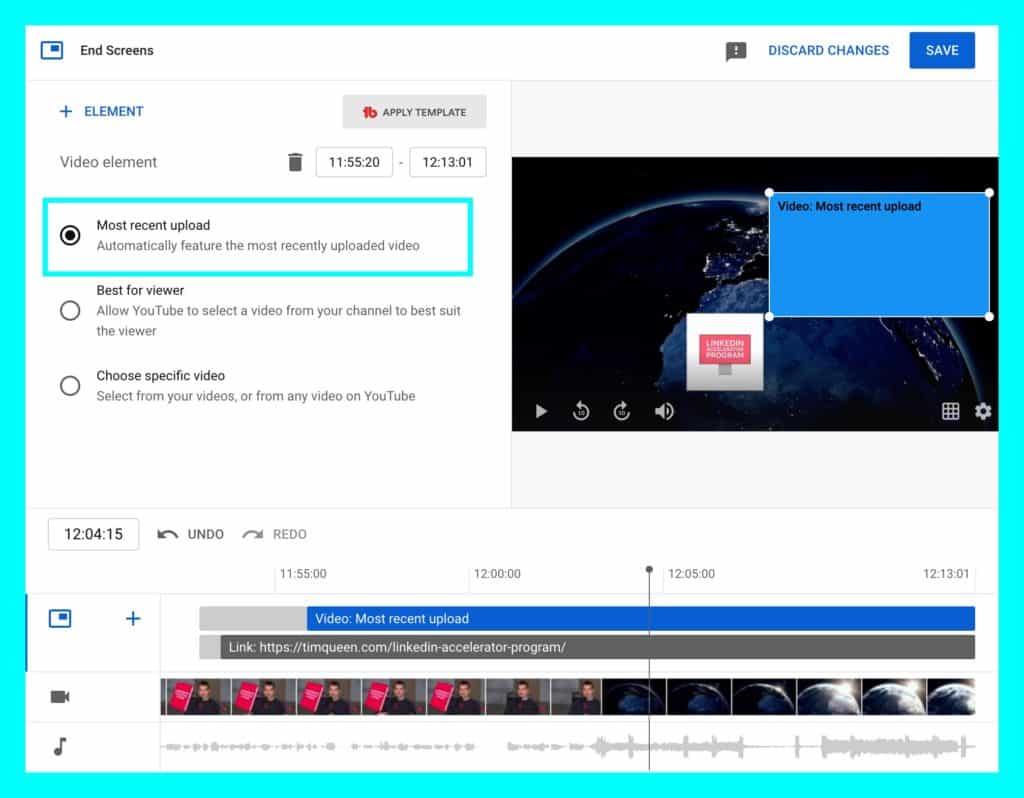
The Info Card promotion strategy for new YouTube videos also works for End Screens.
That is the overlay that people see at the end of most YouTube videos.
As a creator, you can add various buttons to promote some of your latest videos, playlists, website links, YouTube subscribe buttons, etc.
I recommend adding the "Most recent upload" element to all of your End Screens to automatically link to your newest upload from all other videos.
If you haven't added End Screens to all of your older videos, or you want to change them to link to your latest upload you can use the TubeBuddy Bulk End Screen tools to update everything in bulk.
And in minutes, every one of your videos will turn into a video promotion machine.
Playlists
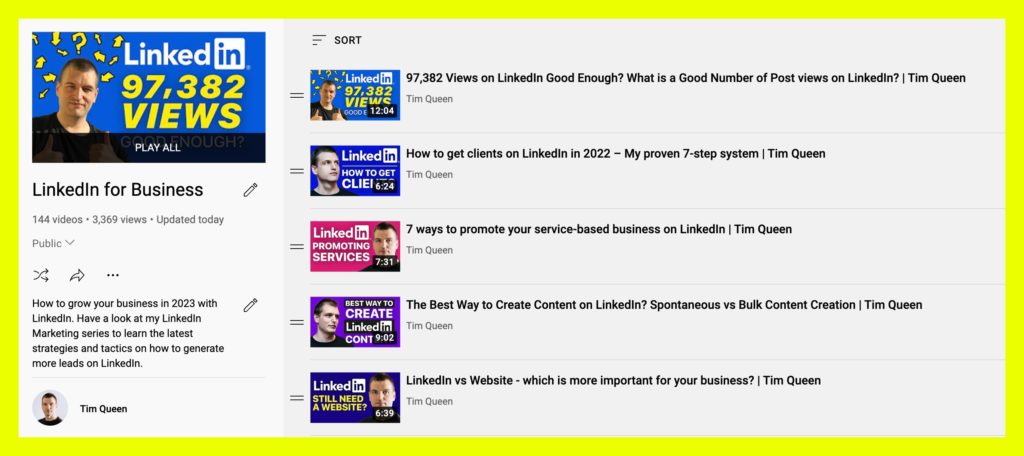
YouTube allows every content creator to create an unlimited number of playlists.
This is a powerful tool to promote your videos and will enable you to get people to binge-watch your videos, which is essential if you want to boost your channel's watch time.
I recommend mapping out your YouTube content cluster strategy first and then creating matching playlists for each content pillar.
When you upload a new video, add it to the top of all relevant playlists. This way, it becomes the first video to watch when someone opens any of your playlists.
You can use TubeBuddy's Playlist Actions tool to sort all of your playlists in bulk.
Depending on your goals, I recommend a two-step sort. First, sort by a success-metric such as watch time percentage to ensure your most popular videos are at the top. Then publish your newest video and ad it at the top to promote it.
Alternatively, just keep it chronological with the newest videos at the top and the oldest at the bottom. It only takes two clicks and a few minutes to process even large playlists with hundreds of videos.
Series Playlists
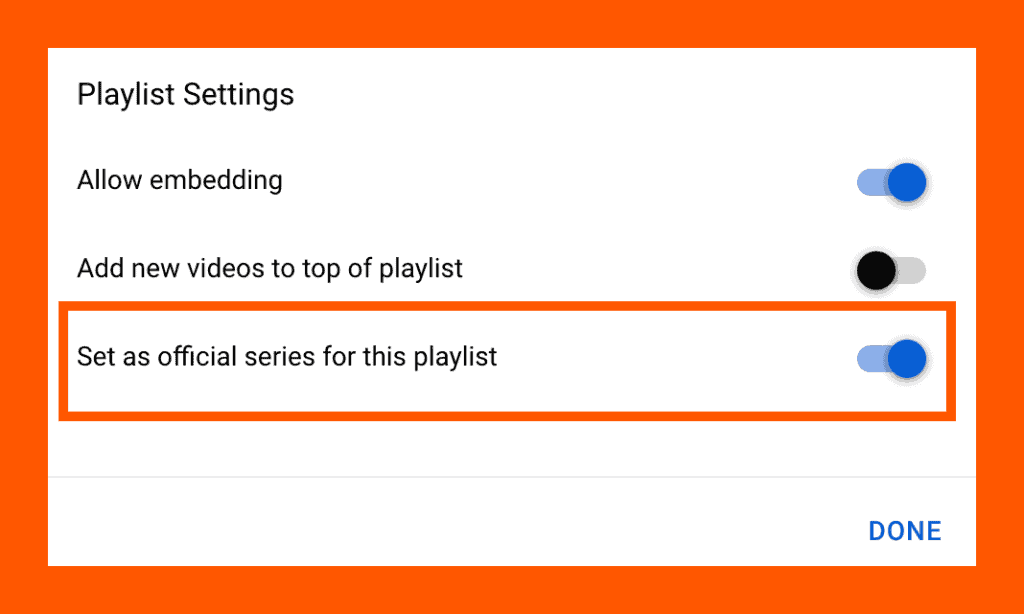
YouTube allows you to mark specific playlists as series that should be watched in a particular order. A good example would be a travel series.
The first video documents your preparation, including packing your luggage, the second video portrays your journey from departure to landing, and the third video shows your first adventure.
It wouldn't make any sense to watch these three videos in a different order. That's where Series playlists come in.
By marking a playlist as a series, a few things happen. If a viewer is watching a YouTube video from a series playlist, it is now much more likely that YouTube will recommend the next video from the series playlists.
Suppose you want to promote your newest video. In that case, you can insert your most recent video right after one of your most popular relevant videos within a series playlist.
This can give new videos a huge boost and allow them to get views much more rapidly than usual. Remember that each video can only be included in a single series playlist.
Channel trailer
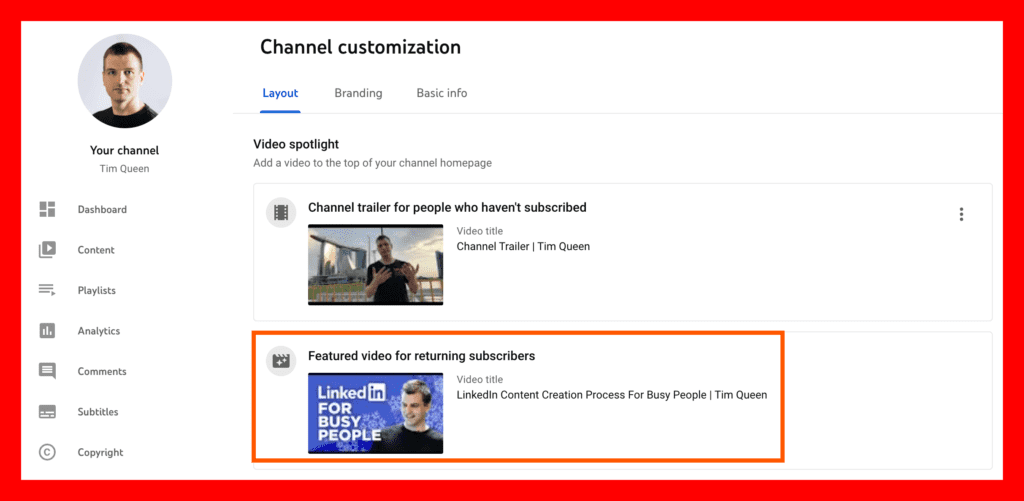
Did you know that you can select your latest video as your YouTube channel trailer to promote it to your audience?
YouTube even allows you to choose two different videos, one for subscribers and another one for nonsubscribers.
The channel trailer feature is an excellent tool for promoting your newest YouTube video.
You can always use the same video for both if you do not want, but I recommend creating a dedicated channel trailer that explains your channel and what type of videos you're creating. Show this trailer to everyone who is not a subscriber yet.
Select your latest YouTube video as your second channel trailer for all of your subscribers to get more people to watch your latest upload.
Channel links
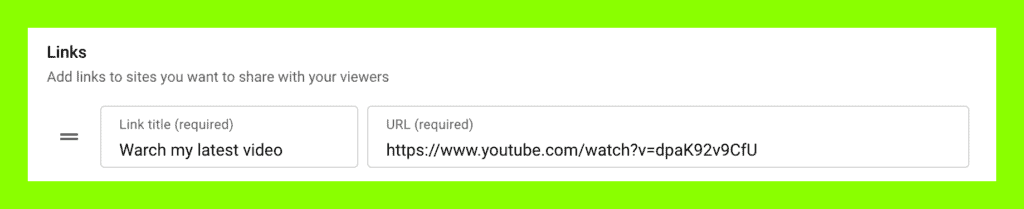
Another awesome feature on your YouTube channel page is the ability to add clickable links to your channel's About page. It allows you to pin between one and five links.
I recommend adding one link to your latest YouTube video at the top of your about page and then pinning the first link with a text snippet that says, "Watch my latest video here".
Pinned comment
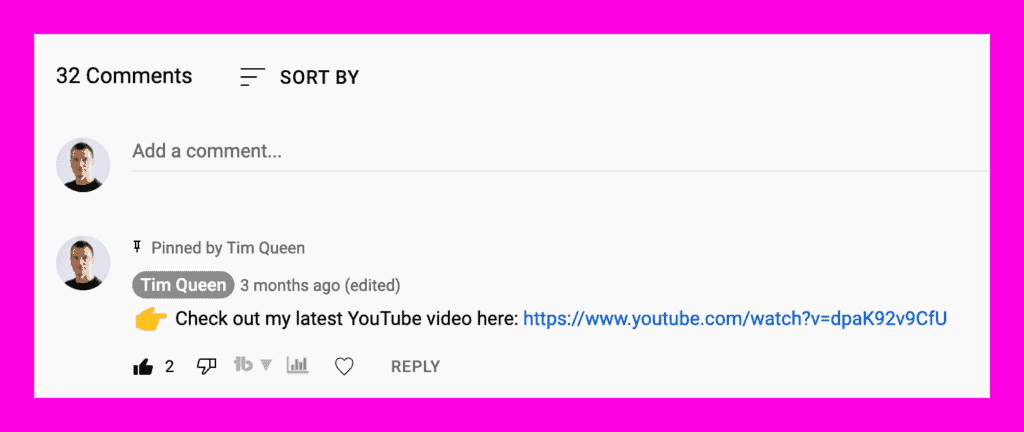
You can also use the pinned comment feature to promote your new YouTube video in the comment section of other videos.
Unfortunately, there isn't a tool yet that could do that in bulk.
I recommend making a list of the top 10 most relevant and well-performing videos and manually adding or editing the pinned comment for each video with a link to your newest video.
Since we cannot see the video thumbnail or title, I recommend writing a short 2-3 sentence elevator pitch about why viewers should next watch your newest video.
Channel icon
Due to the small size of your YouTube channel icon, it is challenging to add any visual promotion to it.
Your best bet is to use an attractive and friendly-looking channel icon with a photo of yourself to get more people to click on it to view your YouTube channel overview page.
This exposed them to your channel trailer, channel art, and pinned links, where you can link to your most recent video in much easier ways.

Channel art
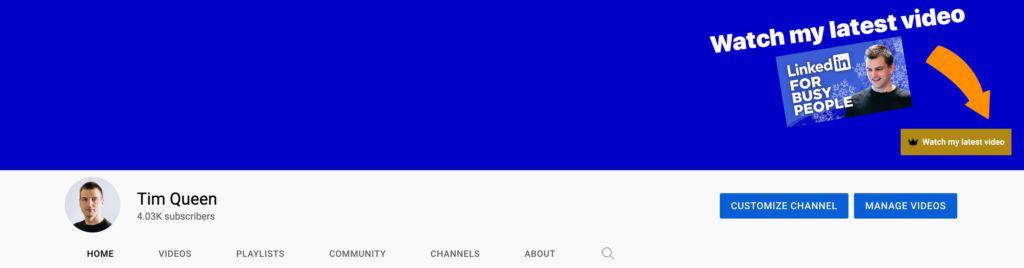
The channel art image has a huge dimension and gives you plenty of space to promote your latest video visually.
I recommend finding a good graphic designer on Fiverr to design a channel art template that you can use on Canva or Photoshop.
Ask them to include an editable placeholder for a YouTube thumbnail and one-sentence promotional text.
Then whenever you upload a new video, edit your channel art template, add the new thumbnail, write a one-sentence promo text, and upload it to your channel.
This works great in combination with the pinned channel link feature.
For maximum impact, ask your designer to add an arrow pointing at the bottom-right corner to make it even easier for viewers to find the pinned link.
I created a FREE YouTube channel art template for Adobe Photoshop and Canva. Click here to get the download link.
Channel name
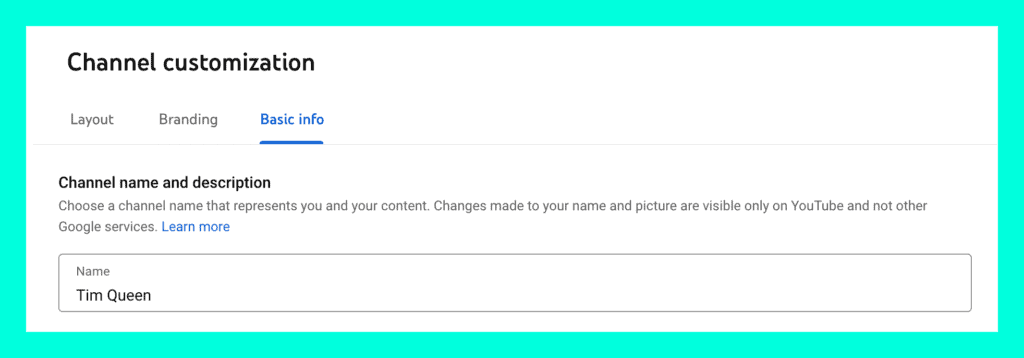
I don't recommend changing your channel name to promote your latest video. That would be very confusing to most viewers.
Instead, focus on selecting a good channel name that is memorable and describes the main topic of your channel well.
Many viewers who stumble over one of your videos via suggestions or search will be curious.
Check out your channel page, where you can promote your newest video via the pinned link, channel art, and channel trailer.
Channel description
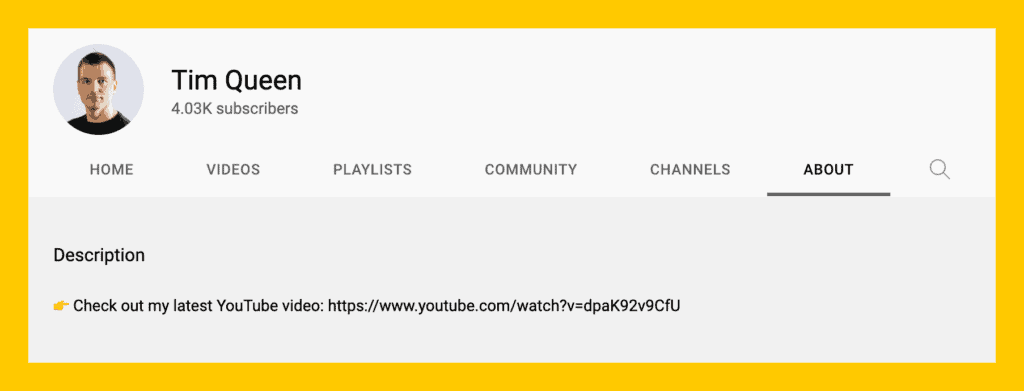
Last but not least, let us add a link to your latest YouTube video at the top of your channel description. You can repurpose the short elevator pitch for the pinned comment promotion strategy above.
Conclusions
Promoting YouTube videos in as many ways as possible can seem tedious, but the rewards make up for the inconvenience.
As your channel grows, you can start outsourcing many promotional tasks to a virtual assistant. I recommend checking out Fiverr to find someone reliable.
If you want to learn more about growing your channel, read my YouTube blog, where I share hundreds of YouTube tips, tricks, and strategies to grow your channel, get more views for your YouTube videos, design better video thumbnails, and so much more.


